
What Is Free AI to Make Graphical Abstract Files That Journals Accept?
If you don’t want to read the whole guide or have difficulty reading, you can listen to this guide instead.
Your journal wants a graphical abstract, your budget is zero, and the search results are not helping. Every result is a tool page naming itself as the answer. None of them explains what a graphical abstract must contain, or what free actually covers.
This guide answers what is free ai to make graphical abstract files with the tools that genuinely start free, what each one gives you, and the journal rules the output has to meet.
At AI Holic we read the tool pages behind the top results. One warning before the list: at least one ranking page for this search makes abstract art for decoration, not research figures. The difference matters, and it is covered below.
First, What a Graphical Abstract Is
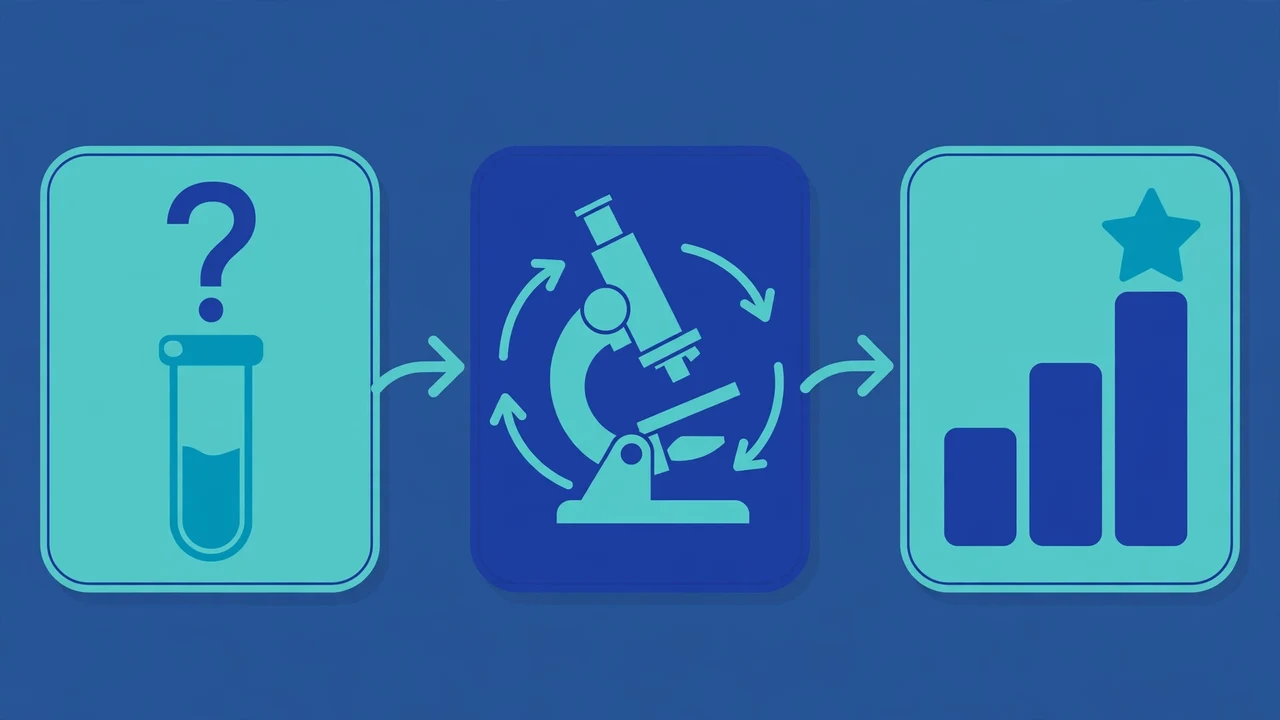
A graphical abstract is a single-panel visual summary of a research paper. It shows the study’s question, its method and its key finding at a glance, using labeled icons, directional arrows and as little text as possible.
The standard layout runs in three zones from left to right: the study input, the experimental method, and the key result. Most major publishers now require or recommend one, with Elsevier, Cell Press, ACS, RSC and Wiley named on the tool pages as examples.
You will also see the term visual abstract. The two are used interchangeably, with visual abstract more common for the social media version of the same summary. Any tool below has to produce that three-zone panel, in a file your journal accepts, or it is not answering the question.
The Free Options at a Glance
| Tool | Input | Free allowance | Output |
|---|---|---|---|
| SciFig | Description, pasted abstract, or full PDF | Up to 150 free credits, no credit card | Editable panel: PPTX, layered SVG, 8K PNG/JPG |
| iArt.ai | arXiv link, PDF, or text prompt | $2 signup credit, about $0.50 to $1 per animation | Animated abstract, 1080p MP4 |
| GPT wrappers (YesChat, AIChatOnline) | Text prompt | Free trial, one without any login | A starting image to finish yourself |
SciFig: The Direct Answer
SciFig is the tool built for exactly this job, and it starts free with up to 150 credits and no credit card. An invite can raise the day-one allowance to 250 credits. You feed it a plain-language description, a pasted text abstract, or a full manuscript through its PDF-to-Figure mode.
The output follows the three-zone layout, subject, approach and key finding, and every label, icon and color stays editable afterward. That editing is the point. A graphical abstract is a scientific claim in picture form, and you will need to fix labels before a journal accepts it.
Exports cover what journals ask for: editable PPTX, layered SVG, and PNG or JPG up to 8K. The platform runs 3 figure engines with more than 500 templates and over 60 color schemes. Its own FAQ notes that a general chatbot can draft a first sketch, but not an editable, submission-ready file, which matches the wrapper results below.
iArt.ai: The Animated Option
iArt.ai answers a neighboring question: what is free ai to make graphical abstract files that move. It turns a paper into an animated graphical abstract, taking an arXiv link, a PDF upload or a text prompt as input.
Every new account gets a $2 signup credit, and a 15 to 30 second animated abstract typically costs $0.50 to $1 per generation, so the free credit covers your first attempts. Output is 1080p MP4 at 30 frames per second, with optional AI voice narration, and its Pro plan at $20 a month adds full commercial rights.
Its page lists the publishers that accept video abstracts, including Cell Press, Elsevier, IEEE, ACM, Wiley, MDPI and JoVE. Check your own journal first: a moving abstract is a bonus format, and most journals still want the static panel for the article page itself.
The GPT Wrappers: A Starting Image Only
Two results are chatbot wrappers with a graphical abstract skin. YesChat offers a graphical abstract designer, and AIChatOnline offers an assistant that generates a starting image, with a free trial that needs no login.
Both are honest about the limit if you read closely: the output is a draft you finish yourself, in the AIChatOnline case inside PowerPoint. Labels can come out wrong, arrows can point nowhere, and nothing is layered or editable. Treat them as sketch tools, not submission tools.
The Journal Rules Your Free File Must Meet
Free is useless if the file is rejected. The size and format rules differ by publisher, and the figures below are the ones stated on SciFig’s guidance page: Elsevier typically wants TIFF or EPS at 531 by 1328 pixels and 300 dpi, Cell Press wants 4.5 by 4.5 inches at 300 dpi, and ACS wants 3.25 by 3.25 inches at 300 dpi.
The general guidance on the same page is 1800 by 1800 pixels square, or 2800 by 1400 wide, usually TIFF or PNG at 300 dpi, plus a 1200 by 628 PNG if you plan to share the paper on social media. Export at the largest size your free tool allows, because shrinking a big file is easy and enlarging a small one is not.
One more rule is arriving with AI itself. The Journal of Clinical Investigation’s author page states that AI use in preparing a graphical abstract is permitted there, and must be disclosed in the manuscript’s AI disclosures paragraph. Expect other journals to ask the same, and keep a note of which tool made your figure.

Not the Same Thing: Abstract Art Generators
One page ranking for this search, starryai’s abstract generator, makes decorative abstract art. It has no zones, no labels, no method and no finding. It is a fine tool for a phone wallpaper and a useless one for a journal submission.
The confusion is understandable, because the word abstract does double duty. In research it means the summary of the paper, and in art it means non-representational images. If a tool never mentions journals, panels or figures, it is answering the art question, not yours.
For more plain-language explainers, see our AI Basics and Guides coverage, including prompt practices that get better results and the data challenges behind generative AI.
Frequently Asked Questions
What is free AI to make a graphical abstract with no credit card?
SciFig. It starts with up to 150 free credits and no card, takes a description, a pasted abstract or a full PDF, and returns an editable panel you can export as PPTX, SVG or high-resolution PNG. The chatbot wrappers are also free to try, but their output is a starting sketch rather than a finished figure.
Can ChatGPT make a graphical abstract?
It can draft a first sketch, and SciFig’s own FAQ says the same. What it cannot reliably give you is an editable, layered, submission-ready file with correct labels and journal dimensions. Use a chatbot for the rough idea if you like, then build the real panel in a figure tool.
What size and format do journals want?
It varies by publisher. The guidance collected on SciFig’s page puts Elsevier at TIFF or EPS, 531 by 1328 pixels at 300 dpi, Cell Press at 4.5 inches square and ACS at 3.25 inches square, both at 300 dpi. Always check your target journal’s own author page before you export.
Are graphical abstracts and visual abstracts the same?
Mostly, yes. The terms are used interchangeably for the same single-panel summary. Visual abstract is the label more often used for the version shared on social media, while graphical abstract is the label journals use at submission.
Do I have to disclose that AI made my graphical abstract?
At some journals, yes. The Journal of Clinical Investigation permits AI help with graphical abstracts and requires it to be disclosed in the manuscript’s AI disclosures paragraph. Rules differ by journal, so check yours, and keep a record of the tool you used either way.
Conclusion
So what is free ai to make graphical abstract files that pass? SciFig for the editable static panel, iArt.ai if your journal takes an animated version, and the wrappers only for sketches. Export big, match your journal’s size rules, and write down which tool you used.