AI Creative Briefing Workflow Marketing Team: Build Better Briefs in 8 Steps
If you don’t want to read the whole guide or have difficulty reading, you can listen to this guide instead.
A marketing team that briefs AI well gets usable creative back on the first pass. A team that briefs it badly gets hundreds of off-brand options in minutes.
It is the brief. This guide explains the ai creative briefing workflow marketing team process in plain steps, so your requests turn into briefs a designer can act on without a long back-and-forth thread.
At AI Holic, we read the top guides on AI briefing and pulled out the steps that show up again and again. You will get an 8-step workflow, a copy-ready template, a tool list by category, and the main pitfalls to avoid.
What Is an AI Creative Briefing Workflow?
An ai creative briefing workflow marketing team process turns a rough marketing request into an approved creative brief, with AI doing the drafting and checking and people making the decisions. It starts with a fixed intake form.
An AI assistant reads the request against your approved brand and campaign context, lists what is missing, drafts the brief in your template, and routes it to a named person for approval. After launch, results feed back into the next brief.
A creative brief is the document that sets the direction for a campaign: the objective, the audience, the message, and the deliverables. The workflow is the repeatable process around that document. It covers intake, drafting, checking, approval, production, and review, so the brief never depends on one person’s memory.
Why Vague Briefs Waste Your Team’s Time
Superside cites research from The Drum: only 10% of creative professionals feel they are briefed well, while 80% of marketers believe their briefs are on point. That gap is where projects go off track, as unclear instructions lead to work that misses the mark.
AI makes a weak brief worse, not better. A vague request to a human designer produces one poor result.
The same request to an AI tool produces hundreds of off-brand outputs in minutes. The fix is a better brief, written before the tool starts.
AI Creative Briefing Workflow Marketing Team: The 8 Steps
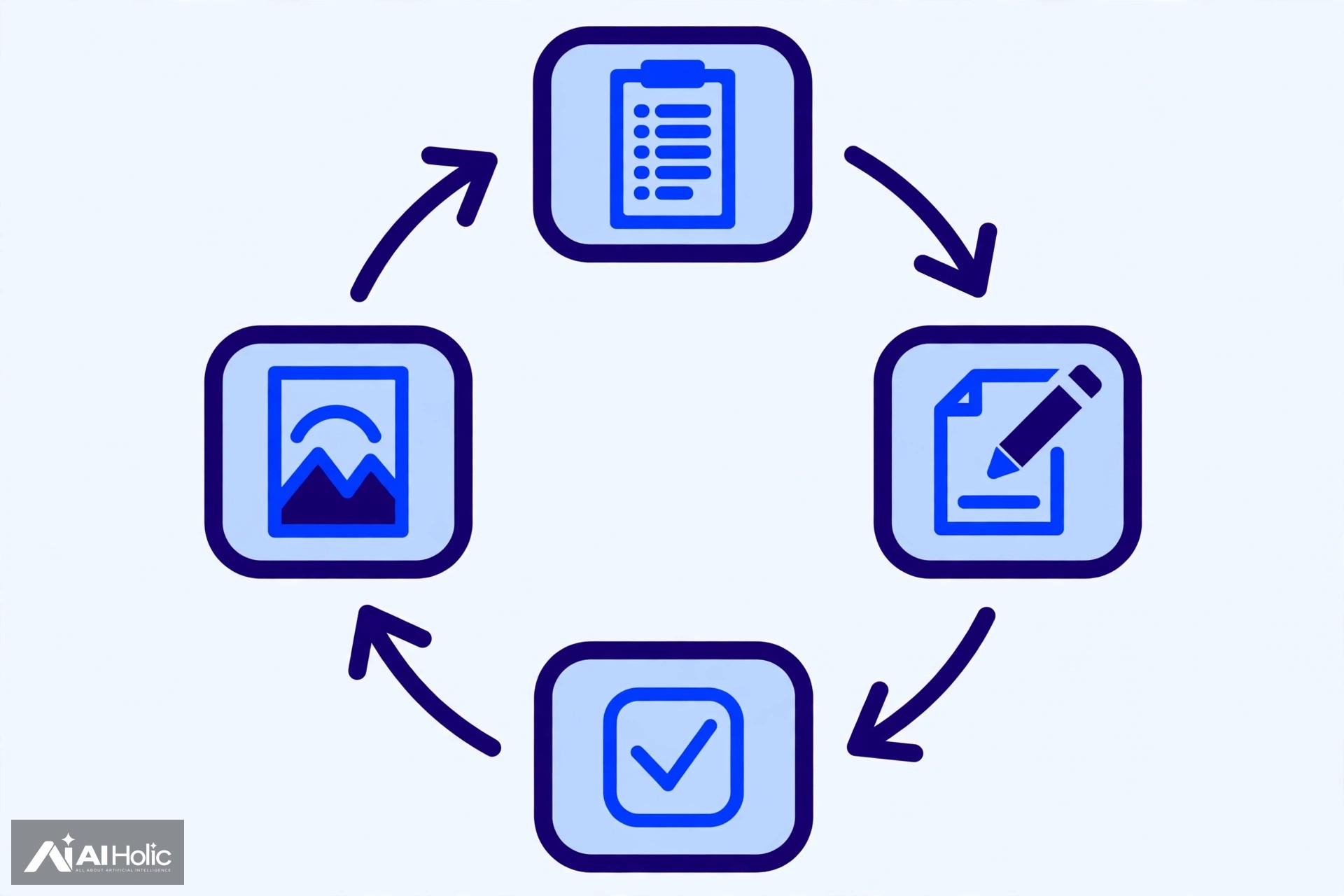
The ai creative briefing workflow marketing team loop below has eight steps, and each step has one owner. AI handles the repeatable work, such as sorting notes into brief sections and spotting empty fields. People handle the judgment calls, such as the audience insight, the claims you may use, and the final sign-off.
Build the loop by hand first, because automation only helps once the steps themselves work.
Step 1: Standardize the Request With a Fixed Intake Form
Every request arrives in the same format, no matter who sends it. Your form asks for the project name, the business goal, the target audience, the channel, the deliverables, the deadline, the budget, and the named approver.
A request that skips these fields stops here, before any design time is spent.
Step 2: Give the AI Approved Context
AI writes a better brief when it works from your own approved information. Build one knowledge base with your brand guidelines, positioning, customer research, and past campaign results. Two people can use the same AI tool and get very different briefs, because each gives it different context.
Step 3: Let AI Find the Gaps Before It Writes
Before the AI drafts anything, ask it to act as an intake reviewer. It should list missing or contradictory information, separate facts from assumptions, and check for a measurable KPI.
It should also flag deadlines that clash with the deliverables. If a missing detail could change the direction, the AI asks a question and stops.
If the detail is minor, it lists it as an assumption for review.
Step 4: Generate the Brief With a Master Prompt
Your master prompt holds three things: the inputs, the rules, and the required structure. Paste in the form answers and the retrieved context, then tell the AI to check for gaps first and to separate confirmed facts from assumptions.
Never let it invent statistics, quotes, results, claims, budgets, or deadlines. Ask for three concepts with clearly different insights and hooks.
Step 5: Explore Three Concepts Before You Produce Anything
Ten ads that share one idea and differ only in headlines teach you very little. Ask the AI for three concepts, each with its own insight, message, hook, and visual approach.
A creative lead then picks or combines directions based on the objective and the brand positioning. Only then do you expand the winner into layouts, copy variants, or storyboards. Three useful starting angles are problem-led, proof-led, and demo-led.
Step 6: Add an Approval Gate Before Designers See the Brief
A brief is not ready because an AI wrote it. It is ready when a named person approves it. Your approval check confirms the objective, the named approver, and the deliverables.
Give each reviewer one job: the requester confirms the goal, the strategist checks the audience and messaging, and the brand lead approves the concept.
Step 7: Connect the Approved Brief to Production Tasks
Approval should create the tasks, not a manual copy job. When a brief is approved, your task tool creates the exploration tasks, the production tasks, and the launch check. Every task links back to the same approved brief.
If a change arrives after approval, record it and decide whether the brief needs approval again. A workflow that lives in one place stops the version chaos of briefs sent as email attachments. The same pattern works outside creative work: our guide to AI lead generation automation shows how one trade business connects intake forms to follow-up tasks.
Step 8: Feed Results Back Into the Next Brief
After launch, connect the results to the matching assets and the brief. Record the hypothesis, the audience, the hook and message tested, and the primary KPI. AI can summarize the results and suggest the next test, but it must tell correlation apart from causation.
What Goes Into a Strong AI Creative Brief
A good AI brief holds the same information you would give a human creative, organized so AI can read it.
- Role and context: tell the AI its role, such as a senior B2B copywriter for a fintech brand.
- Objective: share the asset’s job in business terms, such as booking demos.
- Audience: name the role, the pain points, and what would stop the target customer mid-scroll.
- Core message: state the one thing the audience should remember.
- Brand guardrails: set the voice and tone, visual style, colors, and logo rules.
- Format and specs: give the channel, dimensions, aspect ratios, length, and file type.
- References: show examples of the style you want, and what you do not want.
- Constraints: list must-include and must-avoid elements, such as legal language.
- Output: say exactly what you want produced, and how many versions you need.
Tools by Category
The ai creative briefing workflow marketing team stack below has five jobs, and each tool type does one of them. Start with tools your team already pays for. Check current features and pricing with each vendor before you choose.
| Tool type | Examples | Role in the workflow |
|---|---|---|
| Intake forms | Google Forms, Airtable Forms, Typeform | Collect requests in one format |
| AI assistant | ChatGPT, Claude, Gemini, Microsoft 365 Copilot, Notion AI | Check gaps and draft the brief |
| Brief storage | Google Docs, Notion | Keep the brief and version history together |
| Automation | Zapier, Make, Microsoft Power Automate | Move information between the form, AI, and tasks |
| Tasks and approvals | Asana, ClickUp, Monday, Wrike, Adobe Workfront | Assign owners and track status |
A solo marketer can run the loop on a form, an AI assistant, and a shared doc. A growing team adds a task tool when approvals slow down. A high-volume paid social team adds automation when manual copying between tools causes errors.
If your team also runs paid social, our guide to the best AI tools for Facebook and Instagram ad creatives shows which creative tools fit each channel.
A Copy-Ready Brief Template You Can Use Today
Copy the fields below into your form or doc and fill each one in. The example answers show the level of detail that works.
| Brief field | Example answer |
|---|---|
| Project | LinkedIn ads for a feature launch |
| Business goal | Demo requests from risk leaders at mid-market banks |
| Audience | Skeptical heads of fraud at mid-market banks |
| Core message | Catch fraud earlier with fewer false positives |
| Brand guardrails | Confident and precise, no hype, dark navy with one green accent |
| Format and specs | 1080×1080 static, headline under 10 words |
| References | Three past ads that performed well |
| Constraints | No fake statistics |
| Deliverables | Five headline-and-visual-concept pairs |
| Approver | Head of marketing |
| Deadline | End of month |
Notice what the example does not do. It never says “make it bold” without saying bold for whom and to what end. It names one audience, one message, and one action.
Hand the brief to someone who was not in the kickoff meeting. If they can start without asking a question, the brief is ready.

Common Pitfalls and How to Avoid Them
Most failures in an ai creative briefing workflow marketing team setup are process gaps, not tool failures. Fix the process first, and the tool will help instead of repeating every error faster.
- Automating a broken process: fix intake and approvals first, because automation repeats every error faster.
- Letting AI choose the strategy: AI can recommend angles, but a named person must own the objective and the positioning.
- Accepting unverified claims: ask for evidence on product claims and performance numbers before they reach a designer.
- Generating too many near-identical concepts: pick a few distinct directions.
- Leaving designers out of the template: designers know which details they need to start, so ask them to help shape the form.
How to Measure Whether the Workflow Works
An ai creative briefing workflow marketing team setup should be measured on clarity, not only on speed. A brief written in an hour that comes back with eight questions has not saved anyone time.
Track three numbers: time from request to approved brief, first-pass approval rate, and average revision rounds. If the first two improve while revision rounds fall, the workflow is working.
A cost-benefit analysis framework for an AI project business case helps you put the hours saved into a format a manager can approve. Uplifted cites IAB research: 86% of advertisers already use or plan to use generative AI in their creative workflows in 2026.
Watch: How to Write a Creative Brief That Gets Better Work
The Publicis Pro team talks through how AI-influenced briefs changed their work. Watch it before your next campaign kickoff.
Frequently Asked Questions
What is an AI creative briefing workflow?
An ai creative briefing workflow marketing team process turns a marketing request into an approved creative brief, with AI doing the drafting and checking and people making the decisions. It covers intake, context, gap checking, drafting, concepts, approval, production, and a feedback loop. The loop repeats with what the last campaign taught you.
What should an AI creative brief include?
Nine parts cover it: role and context, objective, audience, core message, brand guardrails, format and specs, references, constraints, and output. The most skipped parts are the audience pain points and the brand guardrails, and those two cause most off-brand output. If a field is empty, the brief is not ready.
Which AI tools work best for creative briefing?
ChatGPT, Claude, Gemini, Microsoft 365 Copilot, and Notion AI all draft briefs well when they get approved context. The choice matters less than the setup: a fixed intake form, a maintained knowledge base, and a named approver. Pick the assistant your team already uses, and build the workflow around it.
How do you stop AI from inventing facts in a brief?
Tell the AI to separate confirmed facts from assumptions, and to ask a question instead of guessing when a missing detail could change the creative direction. Give it only approved sources, mark which claims are approved, and keep a person on legal and brand review. Never let an AI claim reach a designer without evidence behind it.
How long does it take to set up this workflow?
A small team can run a first version in a week: one intake form, one shared knowledge base, one master prompt, and one approval rule. Run it by hand for two or three campaigns, fix the gaps, and only then connect automation. A 30-day rollout is realistic for most teams.
Conclusion
A good brief is the cheapest creative investment your team can make. Set up the ai creative briefing workflow marketing team loop, run it by hand for a few campaigns, and let the results shape the next brief. Start with one form, one prompt, and one approver this week.