AI-Powered Fit Scoring for ICP Lead List: How to Rank Every Lead Before You Call
If you don’t want to read the whole guide or have difficulty reading, you can listen to this guide instead.
Your list has 2,000 names and your reps can call 40 a day. A ai-powered fit scoring for icp lead list ranks every name by how well it matches your ideal customer profile, so the best fits get called first and the weak fits wait. The score comes from clear rules you write, not from a guess.
At AI Holic, we read the top guides on AI lead scoring and turned them into one plain six-step system. You will learn how to write your ICP as rules, clean your list, set points and tiers, and run the score with a single AI prompt.
The Short Answer
AI fit scoring gives each lead a number from 0 to 100 that shows how closely the lead matches your ideal customer profile. The AI reads the same fields for every lead, applies your rules, and sorts the list from best fit to worst fit.
Score fit and intent apart. Fit asks if this is the right kind of company and the right kind of buyer. Intent asks if this lead shows signs of buying now.
With an ai-powered fit scoring for icp lead list, A-tier leads get a call the same day. B-tier leads go into a nurture sequence. C-tier leads stay on a watch list until a new signal appears.
The rest of this guide walks through the six steps in order. You can run the whole system with a spreadsheet and one AI prompt, and you can move it into your CRM once the list grows.
What AI-Powered Fit Scoring for ICP Lead List Means
An ai-powered fit scoring for icp lead list is a lead list where every row carries a fit score from 0 to 100, produced by AI from rules you wrote. The list is sorted by score, so your team works from the top down instead of picking names at random.
Lead scoring is a method for ranking prospects by the value each one holds for your business. Lead scoring models use both profile data, such as company size and job title, and behavior data, such as site visits and email opens.
The AI part is simple. You write the rules once, and the AI applies them the same way to every row. It does not get tired, and it does not play favorites with names it likes.
This is not the same as buying a bigger list. A bigger list with no scores just gives your reps more names to ignore. A scored list tells them where to start.
The system fits any B2B team that sells to a clear type of buyer. It fits a founder with 500 names as well as a sales team with 50,000. The only requirement is a written ICP and a list with the fields to check it against.
Fit vs Intent: Two Scores, Two Jobs
Fit measures who the lead is. Industry, company size, location, job title, and seniority all feed the fit score. A perfect fit is a buyer at the right kind of company in the right role.
Intent measures what the lead does. A pricing page visit, a demo request, a job change, or a hiring post can all signal timing. Intent changes week to week, while fit stays mostly still.
Keep the two scores apart. A lead with strong intent at the wrong company is still the wrong company. A lead with perfect fit and no intent is worth a slow nurture, not a fast call.
Most teams start with a split near 60 percent fit and 40 percent intent. Fit is stable, so it carries more weight. Intent is noisy, so it tips the order among leads that already fit.
Picture two leads. One is a VP of Sales at a 200-person SaaS firm who opened your pricing page twice this week. The other is a student who downloaded your free guide.
The first lead wins on both scores. The second lead may show intent, but the fit score keeps it out of the call queue.
Some teams use fit as a pass or fail gate and intent as the scale. A lead that fails the fit gate gets no rep time, no matter how active it looks. That rule stops engaged non-buyers from eating your call slots.
Step 1: Write Your ICP as Rules You Can Score
Start from your best customers, not from a wish list. Pull your top 20 percent of closed-won accounts and list what they share. Industry, size band, revenue band, tech stack, and buyer title are the usual answers.
Turn each trait into a rule with a clear test. “Mid-market SaaS company” is a wish. “B2B SaaS, 50 to 500 staff, based in the United States” is a rule an AI can check.
If a new rep could not apply the rule the same way twice, rewrite it.
Agree the rules with sales before you score anything. A score only earns trust when the people who work the leads helped write it. Our guide to small B2B companies shows how narrow firmographic bands help teams focus on the accounts that fit.
Keep the rule set short. Five to seven fit rules beat fifteen fuzzy ones. The rules are the heart of an ai-powered fit scoring for icp lead list, so keep them testable and add more only when the first version works.
Write one worked example to test the rules. Take a real customer and a real lost deal, then score both by hand.
The customer should land high and the lost deal should land low. If they do not, the rules need work before any AI touches them.
Step 2: Pick the Fields Your Score Will Read
A score can only use fields that exist in your data. Pick the fields first, then check how many rows actually have them. A rule built on a field that is empty in half your rows will mislead you.
- Job title: who the buyer is and how senior they are.
- Company size: staff count or revenue band.
- Industry: the vertical the company works in.
- Location: city, state, and country for territory rules.
- Seniority: decision maker, influencer, or user.
- Recent activity: the freshest buying signal on the row.
- Email and source: how to reach the lead and where it came from.
Add one research field for signals the AI must find, such as hiring posts or a recent funding round. Give the AI a source for each one, such as the company site or a careers page. A signal with no source is a guess.
Enrichment fills the gaps in your list. It can add size, industry, title, and location from public sources. Enrich before you score, since a score built on blank fields is just a guess with a number on it.
Watch the cost of each field. Some data costs money per row, so score the cheap fields first and pay for enrichment only on leads that pass the first cut. That order keeps the bill low while the list stays scored.
Step 3: Clean the List Before You Score It
Raw lead data is always messy. Titles arrive in many forms, sizes arrive as ranges or exact numbers, and locations mix cities with countries. AI scores get worse when the inputs are inconsistent, so clean first.
Standardize job titles into one form. “VP of Sales”, “Vice President, Sales”, and “Sales VP” should all become one title. Do the same for company size bands and location fields.
Strip emojis and stray characters from text fields. Split “San Francisco, CA, USA” into city, state, and country. Remove duplicate rows and dead domains before you spend credits on scoring.
Check your bounce risk before you send anything. A list with bad emails hurts deliverability even when the scores are right. Clean data is the cheapest accuracy fix you will ever make.
Run the cleanup as its own pass, before the scoring pass. A cleanup prompt can normalize titles, bands, and locations in one run. Then a second pass scores the clean rows, so one messy row cannot poison the rest.
Step 4: Set Points, Weights, and Tiers
Points turn your ICP rules into math. Give each rule a point value that matches how much it predicts a closed deal. Start simple, then tune the numbers against real outcomes each quarter.
| Fit rule | Points | Example |
|---|---|---|
| Exact buyer title | +25 | VP Sales, Head of Marketing |
| Target industry | +20 | Primary vertical only |
| Company size in band | +15 | 50 to 500 staff |
| Matching tech stack | +15 | A tool you integrate with |
| Target geography | +10 | Primary market |
| Adjacent industry | +5 | Near your core vertical |
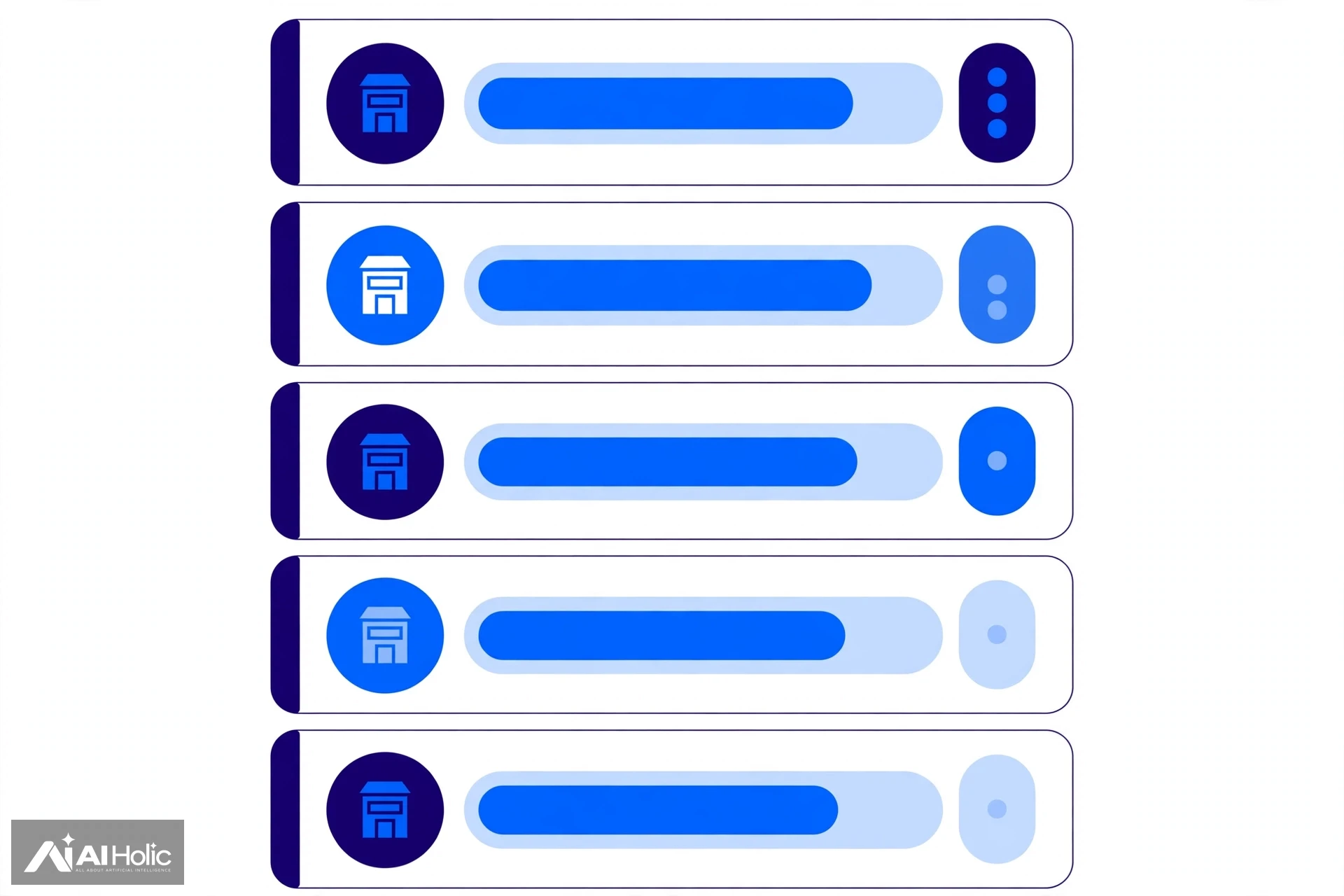
An ai-powered fit scoring for icp lead list works best when the total is capped at 100. Add the points, then scale the sum to a 0 to 100 score. A lead that hits every rule should land near 90, not 140.
Set tiers from the two scores, not from fit alone. A-tier means fit of 70 or more and intent of 60 or more.
B-tier means fit of 60 or more or intent of 60 or more, but not both. C-tier is everything else.
Review the tiers every quarter. Compare the scores of leads that became customers with the scores of leads that went cold. Move points toward the rules that predicted wins, and drop rules that did not.
Keep weights simple enough to explain without a calculator. If a rep cannot say why a lead scored 82, the weights are too clever. Simple weights also make the next calibration round faster, since each change has one clear effect.
Step 5: Score Every Lead With One AI Prompt
You do not need code to run an ai-powered fit scoring for icp lead list. One written prompt can carry your ICP rules, your intent rubric, and your output format. The AI reads one row at a time and returns the same four fields for every lead.
Write the prompt in four parts: context, ICP rules with points, an intent rubric with weights, and output rules that force a fixed format. Context tells the AI what you sell and who buys it. The output rules keep every score in the same shape, so the numbers land cleanly in your sheet or CRM.
| Field | What it holds | Why it matters |
|---|---|---|
| Fit_Score (0-100) | How well the lead matches your ICP | Sorts the list |
| Intent_Score (0-100) | How strong the buying signals are | Shows timing |
| Priority (A/B/C) | The action tier for this lead | Routes the work |
| Reason (under 30 words) | The top 2 or 3 factors behind the score | Builds trust with reps |
Ask for a reason on every row. A score with no reason is a black box, and reps will ignore black boxes. Keep the reason under 30 words and list only the top two or three factors.
Test the prompt on 20 rows with known outcomes before you run the full list. Check the scores against deals you already won and lost. Fix the prompt when a clear winner scores low, then run the rest.
A short example prompt reads like this. “You are scoring B2B prospects for a sales tool, using these rules: exact buyer title plus 25, target industry plus 20, size in band plus 15, pricing page visit plus 15, and job change under 90 days plus 20. Return Fit_Score, Intent_Score, Priority, and a Reason under 30 words.” Adapt the numbers to your own ICP and run it row by row.
Step 6: Work the Scores Each Day
Scores only help when reps use them every day. Build the scores into the morning routine, not into a report no one opens. The routine below takes about 20 minutes to run.
- Open the CRM view sorted by Priority A, newest scores first.
- Read the Reason field and use it to write a personal first line.
- Call or message A-tier leads within 24 hours of the score.
- Log the outcome so the model learns from real replies.
- Move to B-tier only after the A list is worked.
- Leave C-tier alone until a new signal appears.
Scores live in your CRM, not in a side spreadsheet. CRM systems hold the score fields, the reason text, and the tier, so every rep sees the same order. Map Fit_Score, Intent_Score, Priority, and Reason to custom fields before you launch.
| Tier | First action | Follow-up |
|---|---|---|
| A | Personal outreach the same day | Call again in 3 days if no reply |
| B | Enter a 60-day nurture sequence | Review weekly for new signals |
| C | Hold on a watch list | Re-score weekly, promote on trigger |
Route each tier to a different workflow in your CRM or sequencer. Our guide to lead routing rules shows how trigger-based routing moves scored leads to the right sequence without manual work. The same idea applies here, since a tier without a workflow is just a label. Painting trade owners can see the same idea applied to their trade in our guide to ai lead generation automation painting trade business workflow, which walks through capture, scoring, and booking for a painting shop.
Re-score the list every week. People change jobs, companies hire, and signals go stale. A score from last month can send your reps to the wrong door.
Hold a short weekly review of the scores. Look at which A-tier leads replied, which B-tier leads got promoted, and which rules missed. One 15-minute review a week keeps the model honest and the reps confident.

Mistakes That Break Fit Scoring
- Scoring without reason codes, so reps cannot see why a lead ranked high.
- Scoring on fit alone and missing timing, so reps call the right companies at the wrong time.
- Scoring once and never again, so stale scores hide fresh chances.
- Pushing every lead into a sequence, which hurts deliverability and reply rates.
- Skipping CRM field mapping, so scores sit in a sheet no one checks.
- Letting vague ICP rules through, so the AI scores the same lead differently each run.
The first mistake is the most common. A number with no reason behind it feels random, and reps go back to gut feel within a week. Fix it by making the Reason field required in your prompt, not optional.
The last mistake is the quietest. Vague rules such as “senior enough” or “right industry feel” give the AI nothing firm to check, and they break an ai-powered fit scoring for icp lead list without any error message. If a rule cannot be tested against a field, cut it or rewrite it until it can.
Scoring too many fields at once is another trap. A model with twenty inputs is hard to explain and slow to fix. Start with five or six fields that you trust, prove the model works, and add fields one at a time.
Our lead management guide covers the same fix from the other side: clean routing and clear ownership keep good scores from dying in an inbox. The same idea applies here, since a score only works when someone owns the next step.
Frequently Asked Questions
What is AI-powered fit scoring for an ICP lead list?
An ai-powered fit scoring for icp lead list ranks every lead from 0 to 100 by how well it matches your ideal customer profile. The AI applies rules you wrote to the same fields on every row, then sorts the list so the best fits sit at the top. Fit and intent are scored apart, so timing never hides a bad fit.
How is fit scoring different from intent scoring?
Fit scoring asks if the lead is the right kind of company and buyer. Intent scoring asks if the lead shows signs of buying now, such as a pricing page visit or a new job. Use fit to pick who is worth calling, and use intent to pick when to call them.
What data do I need to start scoring leads?
You need job title, company size, industry, location, and one recent activity signal per lead. Those five fields are enough for a first version. Add revenue band, tech stack, and hiring signals once the basic model works.
Can I score leads without buying a tool?
Yes. A spreadsheet and one AI prompt can score a small list, since the prompt carries your rules and returns the same four fields per row. Tools help when the list passes a few hundred leads or needs weekly re-scoring, so start free and pay when volume forces it.
How often should I re-score my lead list?
Re-score every week at minimum. Job changes, hiring posts, and fresh engagement change intent fast. Fit changes slowly, so a weekly run keeps intent fresh without much extra work.
Why do my reps ignore the scores?
Reps ignore scores they cannot explain, so add a short reason to every row and let them see the rules. Scores also fail when the tiers have no owner and no next action. Give each tier one owner and one clear action, then review outcomes each week.
Conclusion
An ai-powered fit scoring for icp lead list turns a flat list into a ranked work queue. Write your ICP as rules, clean the data, set points and tiers, and score with one prompt. Start with 20 test rows this week, then run the full list.