
Gfxrobotection AI Software by Gfxmaker: What It Is and What It Offers
If you don’t want to read the whole guide or have difficulty reading, you can listen to this guide instead.
gfxrobotection ai software by gfxmaker is a protection tool for digital artists and designers, built to guard finished work for working artists after it leaves the studio. It combines hidden fingerprints, ownership records, and web monitoring in one place, so a creator can share work online and still keep a trail back to the original file. At AI Holic, this guide explains what the tool does, how its main parts fit together, and where its limits sit, along with a simple setup workflow, a comparison with plain watermarks, and honest notes on what no software mark can promise on its own.
What gfxrobotection ai software by gfxmaker is
gfxrobotection ai software by gfxmaker is presented as an AI driven protection and productivity tool for people who make digital art. Its core job is to help an artist prove authorship, track where work spreads online, and flag reuse that looks suspicious. The idea is simple: an artist should not have to choose between sharing work and protecting it.
Protection runs in the background while the artist keeps working in familiar tools such as Procreate and Affinity Designer.
The tool is aimed at illustrators, graphic designers, and other creators who post work where it can be copied in seconds. A finished piece may travel across social feeds, portfolio sites, and client folders within hours of posting. Without a record tied to the file, the artist may struggle to show that a copy came from their original.
GFXRobotection tries to close that gap by tying proof to the exported file itself.
It helps to see the tool as a set of records and alerts rather than a lock. It does not make a file impossible to copy, since any image shown on a screen can be captured in some form. What it offers is a stronger paper trail: a hidden mark, a metadata record, and a watch over places where copies may appear.
That trail matters most when a dispute turns on who made a piece first.
How the protection works
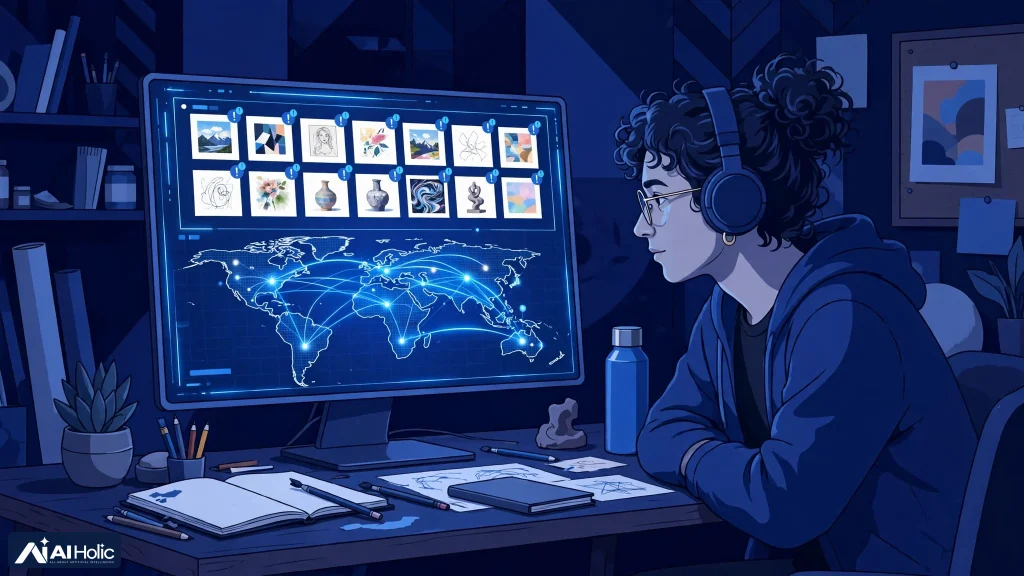
The protection in gfxrobotection ai software by gfxmaker rests on four parts that work together. First, fingerprint embedding places a hidden mark inside an exported image in a way that viewers do not notice. Second, ownership metadata attaches authorship details, licensing notes, and export context to the file, so a later user can see who made it.
Third, web monitoring scans for copies and reuse patterns across the web. Fourth, AI misuse detection flags cases where a piece may have been copied, altered, or fed into another system without permission.
Real time threat detection and proactive monitoring sit on top of those four parts. The software watches for new copies and sends alerts when a match looks close enough to review. Automated responses can then act fast, for example by logging the match or preparing a takedown note.
Adaptive learning is claimed to help the system adjust as copying tricks change, though an artist should still review each alert before acting on it.
A digital watermark is a hidden marker placed inside image, audio, or video data, and it is mainly used to identify the owner of that data. GFXRobotection uses the same basic idea, but it pairs the mark with metadata and monitoring instead of leaving the mark to stand alone. That pairing is the main difference between a single watermark and a full protection workflow.
A mark alone proves little if no one ever checks for it.

A simple setup workflow for artists
When you set up gfxrobotection ai software by gfxmaker, start with one finished piece, not your whole back catalog. Export it in the format you normally share, then run it through the fingerprint and metadata steps before you post it anywhere. Check that the exported file still looks clean at full size, since a visible flaw will hurt the piece more than any mark will help it.
Save the original file, the export settings, and the date in one folder you can find later.
Next, set your monitoring scope to the places where your work actually travels. For most illustrators, that means portfolio sites, social feeds, and stock or print on demand shops. Turn alerts on for close matches first, and keep loose matches in a weekly review pile.
Reviewing every loose match daily will eat the time the tool was meant to save.
When a match appears, follow the same steps each time. Open the match, compare it with your original, and save a dated screenshot of the page. Check the license terms you attached to the file before you write to anyone.
A calm note that cites your record and asks for credit, payment, or removal will resolve most cases faster than a heated message. Keep a log of each case, since repeat misuse by the same account strengthens any later claim.
What it does well and where it falls short
The strongest part of gfxrobotection ai software by gfxmaker is how it joins proof and watching in one workflow. An artist who only adds a watermark still has to search for copies by hand. An artist who only searches by hand still has to prove ownership after a copy is found.
By joining the two, the tool cuts the manual work at both ends. The iPad focused guides around the tool also fit how many illustrators work today, with tablet drawing apps at the center of the process.
The limits matter just as much, and a fair guide should state them plainly. No hidden mark survives every edit, since heavy cropping, recoloring, or re-encoding can weaken or remove a signal. Monitoring can miss copies posted in closed groups, private chats, or print products.
AI training use is also hard to prove from a single mark, since a model output rarely carries the original file with it. Treat alerts as leads to check, not as verdicts.
Legal weight is another limit to keep in view. A fingerprint and a metadata record help support an authorship claim, but they do not replace copyright registration or legal advice where a dispute grows serious. For high value work, register the copyright where that option exists and keep dated originals.
Use the tool as your daily record keeper, and use formal channels when money or a major client relationship is at stake.
How it compares with plain watermarks and manual checks
A visible watermark deters casual copying, since anyone who sees it knows the work is claimed. Its weakness is that it can be cropped out or painted over, and it changes how the art looks. A hidden fingerprint keeps the art clean, but it only helps if someone runs a check for it.
Manual reverse image search is free and simple, yet it takes time and misses edited copies.
| Method | Strength | Weakness |
|---|---|---|
| Visible watermark | Instant deterrent for casual copiers | Can be cropped or painted out |
| Hidden fingerprint | Keeps art clean while carrying proof | Needs a check to be useful |
| Manual image search | Free and easy to start | Slow and misses edited copies |
| GFXRobotection workflow | Joins mark, metadata, and monitoring | Cannot stop every form of copying |
The practical answer for most artists is a mix, not a single method. Use a light visible mark on public previews where theft is common, and keep clean exports for paying clients. Add hidden fingerprints and metadata to every export you share.
Run monitoring on your most valuable pieces, and keep manual checks for the rest. That mix gives you proof, reach, and a sane workload at the same time.
Who should use it and who can skip it
gfxrobotection ai software by gfxmaker fits illustrators and designers who post original work often and earn from licensing, prints, or client projects. It also fits small studios that hand files to many clients and need a record of each release. If your work is copied often, or if a single piece carries real commercial value, a joined workflow pays for itself in saved search time.
Teams should still agree on who reviews alerts, so matches do not sit unread.
You can skip a full protection workflow if you rarely share original work, or if your work is made for one client under a contract that already covers ownership. Hobby artists who post for fun may find free manual checks enough. In that case, keep your originals dated and organized, and add basic metadata to exports.
You can move to a fuller system later, once your work starts earning or travelling widely.
Young AI firms often grow through funding rounds before their products prove lasting value, and our coverage of a startup funding round shows how early money shapes a product roadmap. A similar caution applies here: judge a protection tool by what it catches for you in a trial, not by its launch claims. Run it on ten real pieces, count the true matches, and weigh that result against the price and the time you spend on alerts.
Common questions about gfxrobotection ai software by gfxmaker
Does it stop AI training on my art
No tool can promise that today. A fingerprint may help you trace a copy, but it does not block a model from training on images it can already see. If training use worries you, combine protection marks with platform opt out settings where they exist, and keep records of where you publish each piece.
That record is what lets you act when a use comes to light.
Does it work with Procreate and Affinity Designer
Guides around the tool describe a workflow built for exports from tablet drawing apps, including Procreate and Affinity Designer. You finish a piece in your drawing app, export it, and then run the protection steps on the exported file. The tool does not replace your drawing app, and it does not change how you draw.
It sits at the export and sharing stage, which is where most copying risk begins.
Can a fingerprint prove ownership in a dispute
It can support a claim, but it rarely settles one alone. A strong case pairs the fingerprint with the original layered file, dated exports, and a clear publication record. Keep those items together from the start, since rebuilding them after a dispute is slow and weak.
For serious cases, take legal advice early and let the tool supply the evidence file, not the legal strategy.
What should I check before paying
Check which file formats it supports, how it handles edited copies, and what its monitoring actually covers. Ask whether alerts include the source page, a match score, and a saved copy of the evidence. Check how you export your data if you leave, since your proof records should stay yours.
A short trial on real pieces will answer most of these questions better than any sales page.
Market watchers who follow listed AI firms will find a useful contrast in our robotics company stock coverage, where hype and hard numbers often pull in different directions. The same habit helps here: separate what a protection vendor promises from what its alerts prove in your own trial. If trial matches are weak or mostly false alarms, a simpler mix of watermarks and manual checks may serve you better.
Talent and investment stories also shape which tools survive, as our hiring and investment comparison shows for larger firms. Small creative tools face the same test over time: steady updates, honest limits, and support that answers when a match matters. Pick a tool whose maker keeps improving detection, and keep your own originals safe no matter which vendor you choose.
Conclusion
gfxrobotection ai software by gfxmaker gives digital artists a joined workflow of hidden marks, ownership records, and web monitoring. Use it to build a clean proof trail, review alerts with care, and keep dated originals as your strongest evidence. No mark stops all copying, but a steady workflow turns misuse from a mystery into a case you can act on.
For a related classification question, see what is the industry of ronins.ai, which explains how another AI software product company fits into the wider AI software industry.