iTero Lumina AI Features: What the Scanner Does for You
If you don’t want to read the whole guide or have difficulty reading, you can listen to this guide instead.
The itero lumina ai features turn a dental scanner into a helper that cleans up scans, spots early tooth decay, and shows patients what their smile could look like. The iTero Lumina is Align Technology’s intraoral scanner, and its software does much of the work that dentists used to do by hand.
At AI Holic, we checked the official Align product pages and an independent hands-on review to sort real features from sales talk. This guide explains each AI feature in plain words, with the numbers Align actually publishes.
You will learn how the scanner filters soft tissue, what NIRI caries detection can and cannot do, how the smile simulations work, and what the scanner costs to own and run.
What the iTero Lumina Is
The iTero Lumina is a handheld intraoral scanner from Align Technology, the company behind Invisalign clear aligners. It launched in February 2024 as the first new iTero scanner since 2019. A dentist moves its wand around your teeth, and it builds a photorealistic 3D model of your mouth on screen.
An intraoral scanner replaces the old putty impressions that many patients disliked. Instead of biting into a tray of paste, you sit still for a short scan while the wand captures thousands of images. The Lumina’s AI features sit on top of that scan and shape what the dentist sees next.
The scanner is smaller and lighter than the model it replaced. Its wand is 50 percent smaller and 45 percent lighter than the iTero Element 5D wand, and it weighs about 260 grams. Align says it scans twice as fast as previous iTero scanners, with a full mouth scan in under 60 seconds and a single arch in under 30 seconds.
AI is moving into dentistry in many places at once. Our guide to Nerovet AI smart dentistry looks at another system that brings AI into the dental chair, so you can see how the Lumina fits a wider shift in the field.
iTero Lumina AI Features at a Glance
The itero lumina ai features fall into two groups. The first group works during the scan itself and cleans up the data as it arrives. The second group works after the scan and turns the 3D model into tools for diagnosis, planning, and patient talks.
| AI feature | What it does | When it runs |
|---|---|---|
| Soft tissue filtering | Removes tongue and cheek from the scan on its own | During the scan |
| Multi-Direct Capture | Combines six camera views into one 3D model | During the scan |
| Prep margin marking | Marks crown prep edges with edge detection | During the scan |
| NIRI caries detection | Flags early decay between teeth without radiation | During and after the scan |
| Photorealistic rendering | Builds true-color 3D models from the scan data | After the scan |
| Outcome Simulator Pro | Shows a simulated smile after Invisalign treatment | After the scan |
| TimeLapse tracking | Compares scans over time to show change | Across visits |
| Occlusogram bite analysis | Maps where teeth meet and how hard they press | After the scan |
The rest of this guide takes each feature in turn. We start with the ones that change the scan itself, because those are the ones a dentist feels on every patient.
AI Soft Tissue Filtering: The Quiet Workhorse
The most praised of the itero lumina ai features is also the least visible. As the wand moves through the mouth, the software decides in real time what is tooth and what is soft tissue. It filters out the tongue and cheeks as they drift into view, so the dentist does not have to stop and clean the scan by hand.
This matters more on the Lumina than on older scanners. Its field of view is much wider, so it picks up more of the mouth in each pass, and that includes more soft tissue. Without the filtering, the wider view would mean more cleanup work, not less.
An independent reviewer who tested the scanner for months called this the feature that impressed him most. He scanned single crowns, edentulous arches, and full-arch implant cases, and the software kept the tongue and cheeks out of the model in each case.
He also noted that there are no buttons or toggles for it. The filtering runs in the background, and it just works.
There is one exception. If a dentist wants to scan an appliance outside the mouth, the soft tissue filter would remove the very thing being scanned.
For that case, the AI can be turned off through a right-click menu. It stays out of the way because most users will rarely need it.
The practical gain is steadier results across the team. A new staff member gets a clean scan with less skill, because the software handles the part that used to need a practiced hand. That is the real value here: fewer retakes and less time spent fixing scans after the patient has left the chair.
Multi-Direct Capture: Six Cameras in the Wand Tip
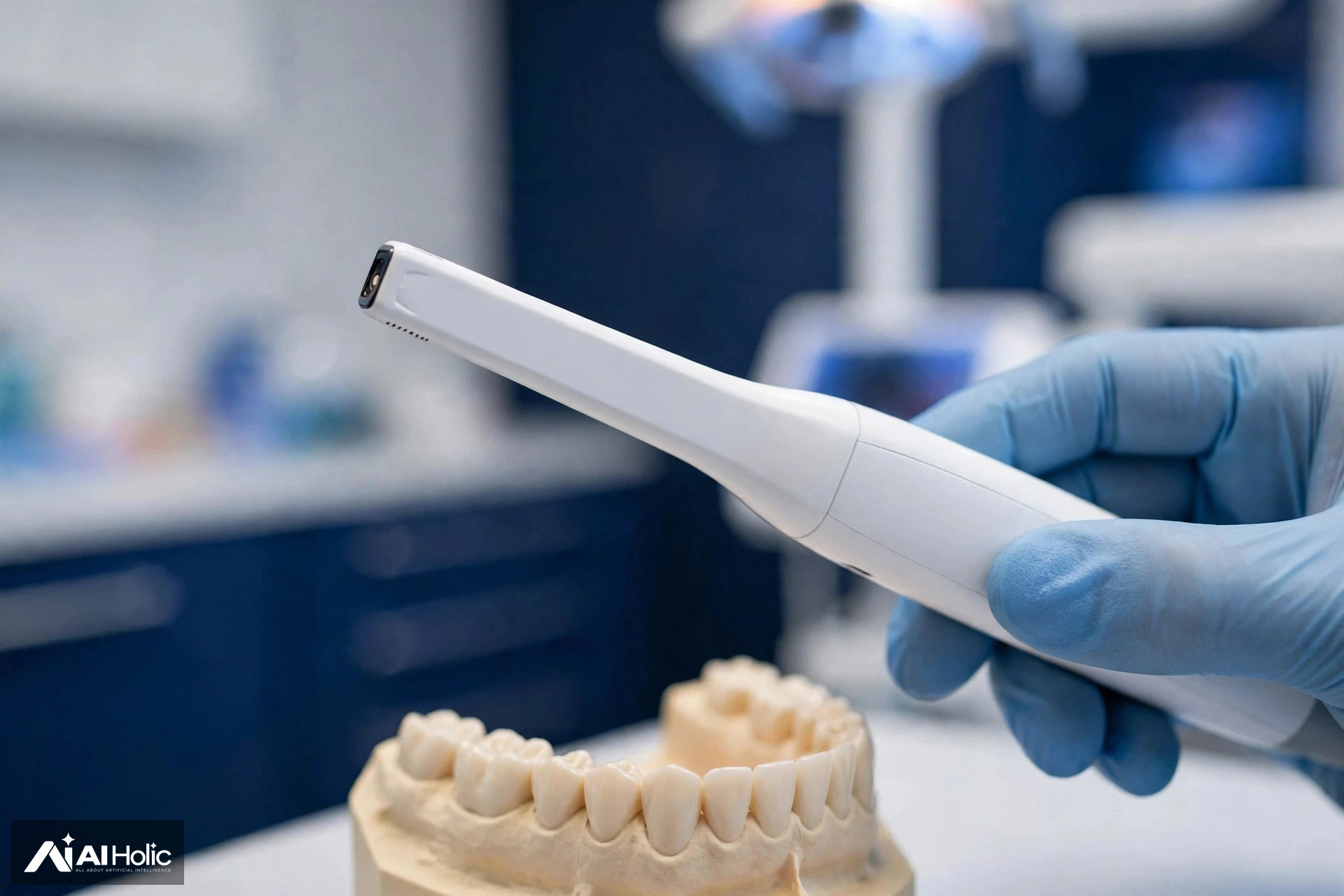
Multi-Direct Capture, or MDC, is the hardware change that makes the AI features possible. Older iTero scanners used confocal imaging with mirror tips that bounced light back to sensors in the scanner body. The Lumina moves the sensors into the tip itself, with six independent scanning modules that capture from different angles at the same time.
The result is a field of view of 34 by 27 mm, which Align says is three times larger than the Element 5D and two to three times larger than other scanners. Each pass picks up more tooth surface, so the software has to stitch fewer images together. Fewer stitches mean fewer chances for small errors to pile up across a full arch.
The AI sorts the six data streams as they arrive. It checks the angles against each other, drops low-quality captures, and builds the 3D model while the wand is still moving.
The scan looks fuzzy and rough on screen during capture, then sharpens into a clean model after post-processing. A PreView mode shows the final clinical view within five seconds, so the dentist can check crown margins before the full processing finishes.
The wider view also helps in hard spots. The palate, edentulous ridges, and crowded teeth are easier to capture in one pass, and the scanner can reach depths of 25 mm. That depth helps with patients who have a strong gag reflex, since the wand does not need to sit as close to the tissue.
Like other AI hardware we cover, the Lumina is a case where the chip and the software matter together. Our guide to the AMD Ryzen AI 5 340 shows the same pattern on the PC side: dedicated AI hardware only pays off when the software is built to use it.
NIRI Caries Detection: Seeing Decay Without Radiation
NIRI stands for Near Infra-Red Imaging, and it is the feature that most clearly earns the AI label. It is only on the Lumina Pro model, not the base Lumina. Near-infrared light passes through enamel in a different way than visible light, and areas of early decay scatter the signal and show up as dark patterns.
The AI reads those patterns across thousands of measurement points and compares them with validated caries data. Align says the technology is 66 percent more sensitive than bitewing X-rays for finding interproximal caries, which is decay between teeth. It does this without radiation, since it uses light, not X-rays.
The itero lumina ai features around NIRI work in two passes. The first pass flags suspect areas during the scan. The second pass cross-checks the NIRI data against the 3D tooth shape after the scan, which cuts false alarms from normal shapes like natural grooves.
There are firm limits, and buyers should know them. NIRI cannot see decay under existing crowns, and it cannot judge bone loss for gum disease.
It is a supplement to X-rays, not a replacement for them. A practice that markets radiation-free dentistry on NIRI alone would miss information that X-rays still provide.
The value is early warning. Catching a small spot between teeth months before it shows on a bitewing can mean a simple filling instead of a larger repair later. It also helps with patients who refuse X-rays, since it gives the dentist at least some decay screening to work with.
Integrated Intraoral Camera and Photorealistic 3D Models
The Lumina carries a high-resolution intraoral camera inside the wand. It captures details as small as 30 micrometres while the scan runs, so the dentist gets close-up photos of each tooth without picking up a separate camera. An intraoral camera is a small imaging device made to photograph inside the mouth, and here it is built into the scanner itself.
Align says the built-in camera saves an average of 11 minutes per patient, because the team no longer sets up a separate camera, retractors, and photo session. The photos sit next to the 3D model in the software, and a magnifier view lets the dentist place a lens over any tooth and see both the color photo and the NIRI image for that spot.
The 3D models themselves are the part patients notice first. The Lumina’s color capture and AI color correction reproduce tooth translucency, staining, and gum texture so the model looks like a photo rather than a drawing. An independent reviewer called them the nicest scans on the market, with detail fine enough to show the twists on a ligature tie.
That realism changes the consult. When a patient can see a crack or a worn edge on a rotatable model of their own teeth, the dentist spends less time persuading and more time planning. The same idea shows up in other AI imaging hardware: our review of the Amcrest AI camera looks at how AI image processing changes what a camera is actually for.
One catch is that the benefit only lands if the team shows the scan chairside. A practice that scans first and reviews the images later, away from the patient, gives up most of the communication gain. The tool rewards a workflow change, not just a purchase.
Align Oral Health Suite: Simulations and Progress Tracking
The Align Oral Health Suite is the set of patient-facing tools that comes with the Lumina. You do not need extra scans to use it. Once the patient is scanned, the suite opens over the same data, and each tool reads the same 3D model.
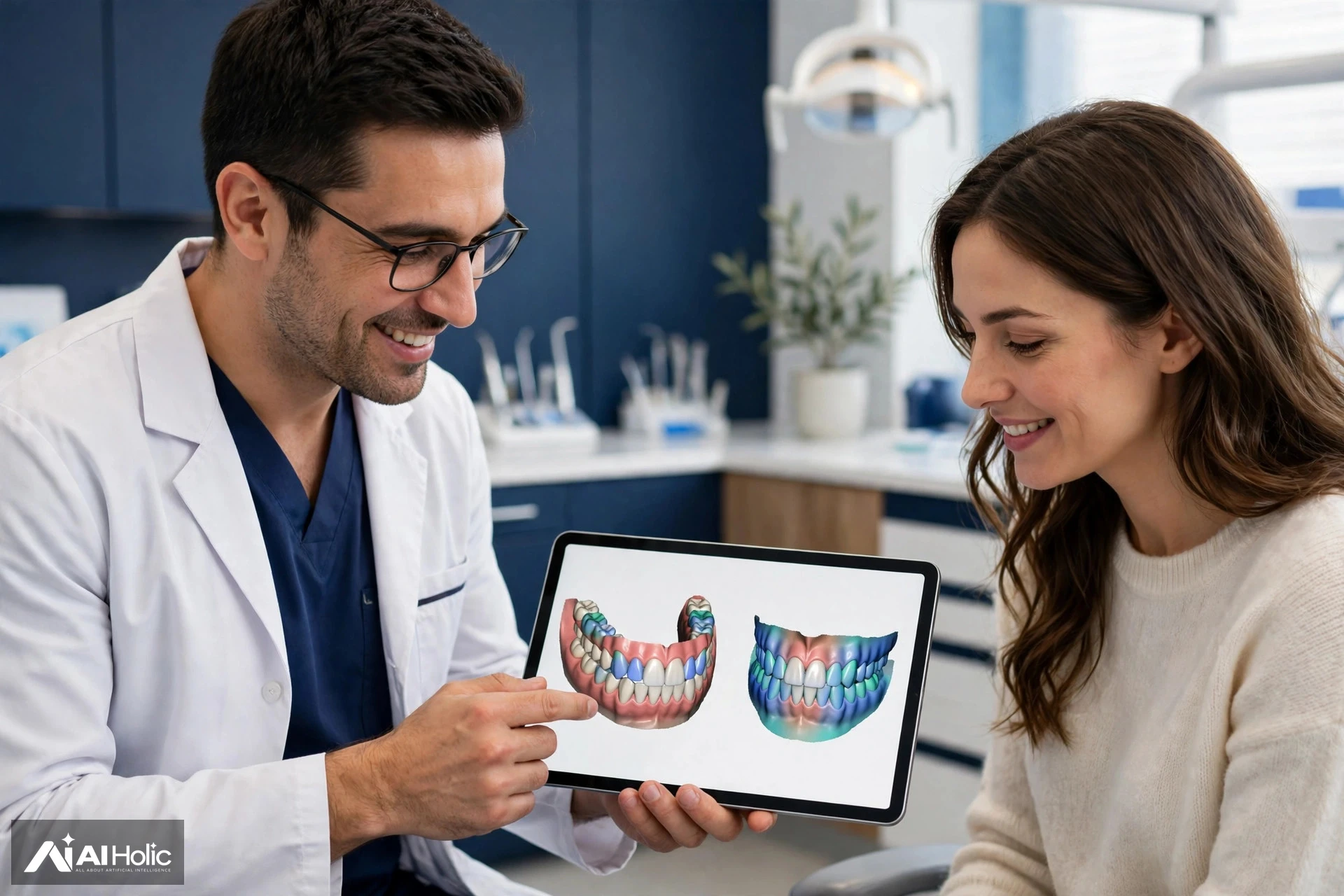
Outcome Simulator Pro is the best known tool in the suite. It shows a patient a realistic simulation of their smile after Invisalign treatment, with textures and colors that look close to the real result. Because the Lumina is the only modern scanner that feeds Invisalign cases directly, the simulation starts from the freshest scan available.
Invisalign Smile Architect builds on the same idea for combined cases. It lets a dentist plan restorative work, like crowns or veneers, alongside the orthodontic tooth movements, so the patient sees one plan instead of two separate ones. That matters when a smile makeover needs both straightening and rebuilding.
TimeLapse is the tracking tool. It superimposes scans from different visits, lines them up on its own, and highlights what changed: tooth movement, gum recession, wear, or plaque build-up. In orthodontic monitoring, it compares actual tooth movement with the predicted movement and flags drift before it is easy to see by eye.
The Occlusogram maps the bite. It turns bite registration data into a heat map that shows where teeth meet and how the force spreads across the arch. Dentists use it to check clearance between a new crown and the opposing teeth, and to track whether an appliance is shifting forces the way it should.
The suite also builds automated scan reports. It pulls the main scans, views, and screenshots from the consult into a personal report the patient can open later. Align reports that practices using the Oral Health Suite saw a potential monthly revenue boost of about 15,000 dollars versus practices that did not use it, based on Align’s own data on file.
Invisalign Integration and AI Scan Checks
The Lumina feeds straight into Invisalign’s treatment planning system. The scan moves to the Invisalign portal without a file export step, and the AI checks the scan before it goes. It looks for full arch coverage, enough detail on the biting surfaces, and artifacts that would get the case sent back.
That check saves a round trip. A scan that fails validation gets fixed while the patient is still in the chair, instead of coming back as a rejected case days later. The photorealistic scans also remove the need for separate intraoral photos in most Invisalign cases, which trims the record-taking step.
One limit is worth noting. The AI checks scan quality, not treatment quality.
A scan can pass validation and still lead to poor attachment placement if the dentist does not review the clinical details. The check is a floor, not a second opinion.
Accuracy and Speed: What the Tests Show
Align tested the Lumina against four rival scanners using the ADA/ANSI 132 standard for full-jaw accuracy. Three operators ran 30 scans each on the Lumina, TRIOS 5, CS3800, Medit i700, and Alliedstar. The Lumina came out ahead of all four, with total error down by 0.11 to 0.46 percent.
Independent testing backs the direction of that result. A reviewer who ran his own comparison found the Lumina more accurate than the same rivals, and he credits the large field of view: fewer stitched images means fewer small errors adding up. He also found it could handle full-arch implant cases without photogrammetry gear in his own testing, though he notes that more peer-reviewed work is needed before that claim is settled.
The itero lumina ai features show up in the test numbers too. The accuracy gain comes from the same wide field of view and AI stitching that make the scans faster to take.
Speed is strong but no longer the main story. Most modern scanners are fast, and the Lumina’s edge is that the wide field of view makes each pass cover more ground. A full mouth scan takes under a minute by Align’s numbers, and the PreView mode cuts the wait to check margins down to seconds.
Lumina vs Lumina Pro: Which One Has What
There are two models, and the difference comes down to one feature. The base Lumina has the full AI scanning set, and the Lumina Pro adds NIRI caries detection.
Everything else is shared. If your practice leans on early decay detection, the Pro is the pick, and if you mainly need fast scans and Invisalign workflow, the base model covers it.
| Feature | iTero Lumina | iTero Lumina Pro |
|---|---|---|
| Multi-Direct Capture, six cameras | Yes | Yes |
| AI soft tissue filtering | Yes | Yes |
| Integrated intraoral camera | Yes | Yes |
| Photorealistic 3D models | Yes | Yes |
| Align Oral Health Suite | Yes | Yes |
| Outcome Simulator Pro | Yes | Yes |
| NIRI caries detection | No | Yes |
Ask for a firm quote on both before you decide, since pricing is set through Align representatives and varies by region and package.
Who Should Buy It and Who Should Wait
The Lumina fits a practice that does a lot of Invisalign work. It is the only modern scanner built for that workflow end to end, and the simulator and scan checks pay off fastest when aligner cases are a daily routine. It also fits a practice that wants strong restorative tools, since the March 2025 software update added the crown, bridge, and full-arch workflows that were missing at launch.
For those buyers, the itero lumina ai features pay off fastest, because aligner cases use the simulator, the scan checks, and the tracking tools on every patient.
It fits a practice that values patient communication. The photorealistic models, the intraoral camera views, and the smile simulations all work best when the dentist shows them chairside and talks through them. If your team already reviews images with patients, the Lumina will feel like a natural step up.
Wait if your budget is tight. This is the most expensive scanner on the market by most accounts, with a reported price around 45,000 to 50,000 dollars, plus subscription fees and single-use sleeves at about 3 dollars per scan. A smaller practice with low scan volume may not earn that back quickly.
Wait if you need a wireless wand or a very small scanner head. The Lumina is wired, and its head is wide, which makes tight spots like the far side of second molars harder to reach. Dentists do learn workarounds, but the first weeks will feel awkward if you are used to a slim wireless scanner.
Limits, Costs, and Honest Drawbacks
No scanner is free of trade-offs, and the Lumina has clear ones. The price is the first.
At a reported 45,000 to 50,000 dollars, it costs more than most rivals, and the subscription fees are close to mandatory. Single-use sleeves add about 3 dollars to every scan, and they create more waste than autoclavable tips.
The scanner head is the second. It is wide because the six cameras sit in the tip, and that width makes distal surfaces harder to reach. The wand is lighter than the old model, but at about 260 grams it is not the lightest scanner you can buy, and it is wired, so you work with a cable and a cart or tablet.
The software has limits too. The March 2025 update fixed the biggest gaps, but reviewers still note rigid workflows for complex cases like dentures and full-arch work, with no easy way to add extra scan windows. Starting the scanner also takes a two to three minute warm-up that cannot be skipped, which is annoying when you want a quick scan.
Finally, the AI features have edges. Heavy saliva can confuse the soft tissue filter, and NIRI cannot see under crowns or judge bone loss. The scanner is also not very drop-proof, since so much tech sits in the head, so a service plan and careful handling matter more than with a simpler wand.
Buyer Checklist Before You Order
Before you judge the itero lumina ai features on price alone, weigh the running costs against the time they save. The checklist below covers the questions that matter most before you order.
- Ask for a demo on your own cases, not just a sales scan. Bring a crowded arch and a full-arch implant case if you do that work.
- Price both models and confirm whether NIRI is worth the Pro premium for your patient mix.
- Get the full running cost in writing: subscription, sleeves, service plan, and software updates.
- Check that your lab accepts STL and PLY exports from MyiTero, or that your design software links to the iTero Design Suite.
- Test the scanner head in tight spots yourself, especially behind second molars.
- Plan the chairside talk: decide who shows the 3D model and the smile simulation, and when.
- Ask how the Invisalign scan check handles your common case types, and who fixes a rejected scan.
Frequently Asked Questions
What Are iTero Lumina AI Features?
The itero lumina ai features are the software tools built into Align’s iTero Lumina scanner. They include AI soft tissue filtering, six-camera Multi-Direct Capture, NIRI caries detection on the Pro model, an integrated intraoral camera, photorealistic 3D rendering, smile simulations, TimeLapse progress tracking, and bite analysis.
Does the iTero Lumina Use AI to Detect Cavities?
Yes, on the Lumina Pro model. Its NIRI technology uses near-infrared light and AI to flag early decay between teeth, and Align says it is 66 percent more sensitive than bitewing X-rays. It cannot see decay under crowns, and it does not replace X-rays.
How Fast Is the iTero Lumina Scanner?
Align says a full mouth scan takes under 60 seconds and a single arch takes under 30 seconds. The scanner is rated twice as fast as previous iTero models. A PreView mode shows the final clinical view within five seconds.
How Much Does the iTero Lumina Cost?
The price was reported at around 45,000 to 50,000 dollars when Align told reviewers the launch pricing. There is no public list price, so the real figure comes from an Align representative and varies by region and package. Add subscription fees and about 3 dollars per scan for single-use sleeves.
Is the iTero Lumina Only for Invisalign?
No. It started as an orthodontic scanner at launch in 2024, but the March 2025 restorative update added crowns, bridges, and full-arch implant workflows. It is still the only modern scanner built end to end for Invisalign cases, but it now works as a general restorative scanner too.
Does the iTero Lumina Replace X-Rays?
No. NIRI screens for early decay between teeth without radiation, but it cannot show bone loss or decay under crowns. X-rays are still needed for a full diagnosis, and NIRI works best as an extra check alongside them.
Conclusion
The itero lumina ai features make scanning faster, cleaner, and easier to explain to patients. If you do regular Invisalign work and can carry the premium price, the Lumina is worth a demo on your own cases first.