AI Coding Assistant Updates June 2026: Copilot Billing, Cursor Releases and the Agentic Shift
If you don’t want to read the whole guide or have difficulty reading, you can listen to this guide instead.
June 2026 was the busiest month yet for AI coding tools. Copilot changed how it charges, Cursor shipped three versions, and two agents reached general availability on the same day.
The phrase AI Coding Assistant Updates June 2026 covers all of it. This guide collects the month’s verified changes in one place, so you can see what moved and what it costs you.
At AI Holic, we explain AI in plain words. Read on for the Copilot billing switch, the Cursor releases, the Claude Code features, and the Windsurf rename, plus a short checklist to control your costs. Each change carries its date, so you can tell what is new.
What Changed in June 2026 at a Glance
June packed a billing switch, two general availability launches, three Cursor versions, a rebrand, and new models into four weeks. Most changes point one way: assistants now run tasks on their own, across files and repos, instead of only finishing lines of code.
We cover tool updates month by month, as in our April 2026 update on AI writing tools.
| Date | Change | Tool |
|---|---|---|
| June 1 | AI Credits replace Premium Request Units | GitHub Copilot |
| June 2 | MAI-Code-1-Flash ships and Windsurf becomes Devin Desktop | Copilot, Windsurf |
| June 10 | GitLab tools, Stack Overflow beta, Cursor Bugbot upgrade | GitLab, Stack Overflow, Cursor |
| June 15 | Kepler launches | GitKraken |
| June 17 | Copilot desktop and Junie reach general availability | Copilot, JetBrains Junie |
| June 18 | Claude Code Artifacts beta and Cursor 3.8 ship | Claude Code, Cursor |
| June 22 | Cursor 3.9 adds a Customize page | Cursor |
AI Coding Assistant Updates June 2026: Copilot Moves to AI Credits
On June 1, Copilot dropped Premium Request Units and moved to AI Credits. One credit costs one cent, and each chat, agent run, and code review draws credits based on the tokens it uses. The June 1 switch is the biggest single item in the ai coding assistant updates june 2026 list for most developers.
Headline prices did not change. Pro stays at 10 dollars a month and Pro+ at 39 dollars, but you now get a fixed credit budget instead of a set number of requests.
| Plan | Monthly Price | Included AI Credits |
|---|---|---|
| Copilot Pro | 10 dollars | 1,500 (1,000 base plus 500 flex) |
| Copilot Pro+ | 39 dollars | 7,000 (3,900 base plus 3,100 flex) |
| Copilot Max | 100 dollars | 20,000 (10,000 base plus 10,000 flex) |
| Copilot Business | 19 dollars per user | Pooled per organization |
| Copilot Enterprise | 39 dollars per user | Pooled per organization |
Completions and Next Edit Suggestions stay unlimited and use no credits. That matters, because the plain autocomplete you use all day is untouched. The meter runs only on chat, agent work, and code review.
The catch is cost control. One developer estimate put a single agentic session at 30 to 40 dollars in credits, three to four times a Pro user’s whole monthly budget. Set a budget cap before you run long agent tasks.
Business and Enterprise got promo credits for June, July, and August: 30 dollars extra a month for Business and 70 for Enterprise. Annual subscribers keep the old billing until their term ends. Unused credits do not roll over.

Copilot Desktop Reaches General Availability
On June 17, the Copilot desktop app left preview and reached general availability on macOS, Windows, and Linux. It is a standalone app, not an editor plugin. GitHub Copilot started as a code completion assistant in 2021, and the desktop app is its move into full agent work.
The headline feature is parallel agent sessions on isolated git worktrees. You start a session from an issue, a prompt, or an open pull request, and each session gets its own worktree and branch.
The release also added Canvases, shared workspaces where you and the agent work on the same plan or pull request. The app ships on every paid plan, though Business and Enterprise admins must enable the Copilot CLI in policy settings first.
Claude Code June 2026: Sub-Agents, Budgets and Artifacts
Claude Code is the terminal agent from Anthropic. Its June release train, CLI 2026.6, added ten features that turn one agent into a team of agents. These are the ai coding assistant updates june 2026 that matter most if you live in the terminal.
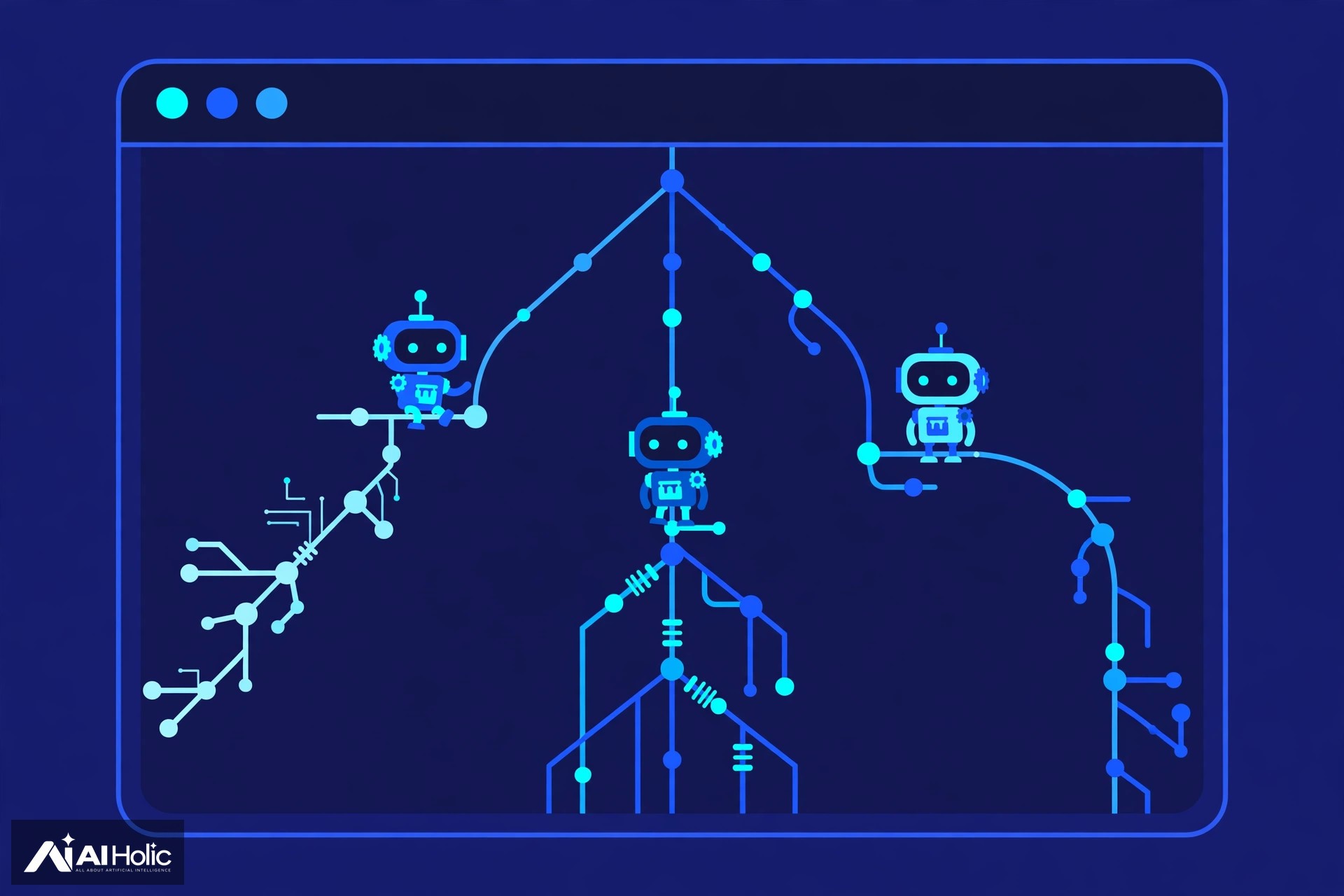
Nested sub-agents now run three levels deep. A top agent hands work to module agents, which hand smaller jobs to function agents, each with its own role, model, and context window.
A new flag writes a file that breaks down tokens and cost by sub-agent and task. You can also set a hard cost or token budget on one agent, and it stops when it hits the cap.
A fallback setting lists models to try in order when the first one hits a rate limit or goes down. Scoped permissions limit a child agent to set folders and tools. A community tool marketplace lists shared tools, but Anthropic does not review them, so check the source before you install one.
On June 18, Claude Code Artifacts launched in beta for Team and Enterprise plans. An Artifact is a live page your session publishes to a private URL, and it updates as the session runs. Pages stay inside your organization, with a 16 MiB size cap and no outside API calls at view time.
Cursor Shipped Three Versions in June
Cursor shipped three major versions in June: 3.7, 3.8, and 3.9. A fourth, 3.10, landed on June 30. That pace is the sharpest of all the ai coding assistant updates june 2026, and it shows Cursor moving from an AI code editor toward an AI programming platform.
Version 3.7 arrived June 4 with Canvas Design Mode and a context usage report. Design Mode lets you point at UI elements instead of describing them in words. It supports multi-element selection and voice-guided edits.
Version 3.8 arrived June 18 with better Automations. The /automate command turns agent chats into rules that run on triggers, such as a GitHub event or a Slack message. Automations can now use computer use to operate apps and produce test reports.
Version 3.9 arrived June 22 with a Customize page for plugins, skills, MCP servers, and rules. Version 3.10 followed on June 30 with team MCPs and organization groups for admins.
Bugbot got faster on June 10, running three times faster at 22 percent less cost and finding 10 percent more bugs per review. A new /review command runs Bugbot before you push code. The native iOS app entered public beta on June 29.
Windsurf Becomes Devin Desktop
On June 2, Windsurf became Devin Desktop. Cognition AI, the company behind Devin, shipped the rename as an over-the-air update. Your plan, price, settings, extensions, keybindings, and MCP connections all carried over unchanged.
The name is not the only change. Cascade, the local agent that made Windsurf stand out, ends on July 1, 2026. Devin Local, its replacement, is already the default, so repoint any scripts that call Cascade before July 1.
Google hired Windsurf chief executive Varun Mohan and co-founder Douglas Chen in mid-2025, and Cognition then bought what remained for about 250 million dollars. Devin Desktop still works across more than 40 editors, and Devin Cloud access now starts on the 20 dollar Pro plan.
Junie Leaves Beta on June 17
JetBrains Junie left beta on June 17, the same day as the Copilot desktop launch. Junie is the JetBrains AI coding agent, and the GA release rebuilt its IDE link on ACP, the Agent Communication Protocol that JetBrains built with Zed.
Plan mode is the headline. Before Junie writes code, it drafts a plan with tabs for requirements, technical design, delivery stages, and testing strategy.
The plan lives in .junie/plans, so you can commit it. Junie builds only after you approve it.
Junie debugs with the real debugger instead of adding log lines, and it can start a debug session, set breakpoints, and read live runtime state. It also reviews pull requests with full project context.
You can bring your own key for Anthropic, OpenAI, and Google models, or point Junie at a local runtime such as Ollama. On SWE-Rebench, Junie scored 61.6 percent resolved with a 72.7 percent pass rate at five tries.
GitLab, GitKraken and Stack Overflow Join the Agentic Shift
June 10 brought three platform moves. GitLab announced three agentic tools at its Transcend 2026 conference, GitKraken launched Kepler, and Stack Overflow opened a beta for agents.
GitLab’s Next Generation Source Code Management is in private beta and lets agents query only the repo parts each task needs. GitLab Orbit, in public beta, is a context graph across the software lifecycle. Governance for Agents, in private beta, adds identity, policy, and audit records to agent actions.
GitKraken Kepler is a standalone Agentic Development Environment that treats a Task as the unit of work. One migration across three repos is one Task, not three branches to reconcile. It launches Claude Code, Copilot CLI, Cursor, or OpenCode as sessions, and it is free during preview.
The pattern is plain: every vendor now treats the agent as the main worker, not as a helper inside the editor. Stack Overflow for Agents, also in beta, lets agents query curated questions and blueprints before they start a task. The Model Context Protocol is an open standard from Anthropic that lets assistants plug into tools and data, and it now sits behind most of the tools in this guide.
What the June Changes Mean for Your Costs
June moved the whole category to metered use. Copilot now bills by tokens, Cursor charges by usage on top of its plans, and Claude Code added per-agent budgets. Cost control is the practical thread through the ai coding assistant updates june 2026.
- Check your usage page each week, not at the end of the month.
- Set a budget cap on every agent before a long run starts.
- Run plans on cheap models and builds on strong ones.
- Use free completions for routine typing and save agent runs for real tasks.
- Review promo credits before they end in August.
Review matters as much as cost. If your team checks AI-written code before it ships, our guide to AI code detectors explains how to check what an agent produced.
How to Pick a Tool After the June Updates
Start from your editor, not from a feature list. If you live in VS Code, Cursor and Copilot fit with no switch. If you live in JetBrains IDEs, Junie or Devin Desktop fit better, and terminal users fit Claude Code best.
Teams should weigh governance. GitLab’s Governance for Agents, Junie’s plan approval step, and Claude Code’s scoped permissions all answer the same question: who approved this change? Pick the tool whose audit trail your team can actually read.
Game developers have a narrower choice. Our guide to Godot AI coding covers AI help inside the Godot engine, which is a different job from general agent coding. After the ai coding assistant updates june 2026, the best tool is still the one that fits your editor, your budget, and your review process.
Frequently Asked Questions
What is the biggest AI coding assistant update from June 2026?
The biggest of the ai coding assistant updates june 2026 is the Copilot billing switch on June 1. Copilot moved from Premium Request Units to AI Credits at one cent each. The GitHub discussion thread drew more than 400 comments and nearly 900 downvotes.
How much does GitHub Copilot cost after the June 2026 change?
Headline prices did not change: Pro costs 10 dollars a month, Pro+ costs 39 dollars, and a new Max tier costs 100 dollars. Pro gets 1,500 credits a month, Pro+ gets 7,000, and Max gets 20,000. Extra credits cost one cent each.
Is Windsurf still available in 2026?
No. Windsurf became Devin Desktop on June 2, 2026, after Cognition AI bought what remained of the company. Plans, pricing, and settings carried over, but Cascade ends on July 1, 2026, and Devin Local replaces it.
What is new in Claude Code from June 2026?
The June release added nested sub-agents, per-agent cost budgets, usage attribution files, model fallback chains, and scoped permissions. Claude Code Artifacts also launched in beta on June 18 for Team and Enterprise plans. Agent checkpointing lets you pause a long migration and resume it later.
Which AI coding assistant should I pick after June 2026?
Pick by editor first, then by cost and control. VS Code users fit Cursor or Copilot, JetBrains users fit Junie or Devin Desktop, and terminal users fit Claude Code.
Conclusion
ai coding assistant updates june 2026 changed how these tools charge, plan, and run. Copilot went metered, Cursor shipped three versions, Junie and the Copilot desktop went GA, and Windsurf became Devin Desktop. Pick the tool that fits your editor and budget, set a cost cap, and review every agent change before it ships.