Crisp AI and Automation Features: What Hugo, Workflows and Copilot Actually Do
If you don’t want to read the whole guide or have difficulty reading, you can listen to this guide instead.
Crisp packs a lot of AI into one support inbox, and the names blur fast. Hugo answers customers, workflows move chats along set paths, Copilot helps your agents, and a search layer answers visitors before they ever open a chat. This guide explains the crisp ai and automation features one by one, with plain words about what each one does and which plan it sits behind.
At AI Holic, we read Crisp’s own help docs and several hands-on reviews before we wrote this page. We did not test Crisp ourselves, so prices and plan limits below come from Crisp’s own pricing page as read by reviewers in October and November 2026. Check the vendor page before you pay, because prices change.
The Short Answer: What Crisp Automates
In short, the crisp ai and automation features fall into six layers that work as one system. Hugo, the AI agent, answers customers from your own content. Search Chatbox AI lets visitors find answers before they start a chat.
Workflows run set paths that collect details, route chats, and trigger actions. Composer tools help your agents write better replies.
Copilot acts as an internal assistant for your team. Conversation intelligence sums up chats and spots topics.
What Crisp Is and What It Is Not
Crisp is a customer messaging platform built around one shared inbox. It pulls website chat, email, WhatsApp, Instagram, Facebook Messenger, SMS, and more into a single workspace where your team can reply, assign chats, and track tickets. It also has a knowledge base, a light CRM, campaigns, and a ticketing system, so a small team can run most of its support from one tool.
Crisp is not a standalone AI agent you can bolt onto another helpdesk. Hugo only works inside Crisp, so switching to Crisp means moving your inbox, your knowledge base, and your chat widget in one move. That all-in-one design is the main trade-off to weigh before you sign up.
If you are new to this kind of tool, it helps to know the two ideas at its core. Live chat software lets visitors talk to your team in real time from your website. A chatbot answers on its own from rules or trained content, without a human in the loop.
Crisp tries to give you both, with humans and AI sharing the same inbox.
Crisp AI and Automation Features at a Glance
Use this table to see the six AI layers side by side before you read the detail. Each row names the layer, what it does, and the plan you need to use it.
| Feature | What it does | Plan needed |
|---|---|---|
| Hugo AI Agent | Answers customers from your content, routes chats, escalates to humans, runs actions | Mini and above |
| Search Chatbox AI | Lets visitors search your help content inside the chatbox before they message you | Plus (AI site search) |
| Workflows | No-code flows that collect details, route chats, trigger actions, and hand over to Hugo | Essentials and above |
| Composer AI tools | Predict, Rephrase, Fix grammar, Adjust tone, and Expand while agents write replies | Paid plans |
| Copilot | Internal assistant that drafts replies and answers team questions without sending anything | Paid plans |
| Conversation intelligence | Summaries, topic detection, and transcription that help your team read chats faster | Plus for full set |
| AI Suggestions | Reads real chats and suggests what to add, fix, or remove in your knowledge base | Plus only |
Two plan notes matter here. The free plan has no AI credits at all, so none of the AI layers work on it. Some features that sound basic, such as the workflow builder, need the Essentials plan at 95 dollars a month, while AI Suggestions and the full intelligence set need Plus at 295 dollars a month.
Hugo: The AI Agent That Answers Customers
Hugo is the center of the crisp ai and automation features. It is Crisp’s AI agent, and it handles customer conversations from start to finish when it can. It answers questions from the content you trained it on, and it hands the chat to a human when it cannot answer, when the customer asks for a person, or when the customer sounds upset.
Hugo is not a simple chatbot that only follows a fixed script. It reads your knowledge base, your website, your files, and your question-and-answer snippets, then writes replies in its own words. You can also give it instructions that shape how it behaves, such as asking follow-up questions before it offers a refund.
Hugo can also do real work inside a chat, not just answer questions. Through AI Actions and one-click integrations, it can look up an order, check a delivery, update a shipping address, create a ticket, or update your CRM. The one-click integrations cover Shopify, WooCommerce, PrestaShop, and Stripe.
For other tools, Hugo can connect through MCP servers, which let it work with tools such as n8n, Make, and Zapier. You can choose which AI model Hugo uses, and Crisp’s help docs name Claude, ChatGPT, and Gemini models. Model choices change over time, so check the current options in your workspace settings before you rely on one.
Hugo’s actions make it a true agent rather than a reply machine, and that is where the setup work pays off. If you want to see how that kind of agent is put together behind the scenes, read our guide on how the backend of an agentic system works before you design your first flows.
Crisp says Hugo can resolve up to 60 percent of tickets, and its helpdesk page says it resolves 50 percent. Treat both numbers as vendor claims, not facts we checked.
Training Hugo on Your Own Content
Good training data is the base of how well the crisp ai and automation features answer your customers. Crisp’s own help docs say so in plain terms, and reviewers who tested Hugo agree. If your help content is thin, out of date, or full of gaps, Hugo will guess, and those guesses become wrong answers to your customers.
You can train Hugo from five kinds of sources. Answer Snippets are short question-and-answer pairs you write yourself, up to 1,000 letters each. Your Crisp knowledge base is the strongest source, because Crisp reindexes it each time you update an article.
A website crawl pulls in your public pages. Past conversations teach Hugo how your team actually talks to customers. A file importer lets you upload documents such as PDFs and CSVs.
One limit is worth knowing early: Crisp does not train Hugo on your past support tickets, only on past conversations and the other sources listed above.
The setup follows a simple loop that Crisp lays out in its docs. Train Hugo on your content, build a workflow, test the agent in the Playground, then deploy it and measure the results. The Playground matters most, because you can ask Hugo real customer questions and read its answers before any customer sees them.
Training is not a one-time job. Crisp’s AI Suggestions tool reads your real chats, finds the questions Hugo could not answer well, and suggests what to add, update, or remove in your knowledge base. You review each suggestion before it changes anything, and that review step is the guardrail that keeps bad training data out of your agent.
Workflows: Automation Without AI Answers
Workflows are the part of the crisp ai and automation features that needs no AI at all. They are guided flows you build with a no-code builder, and they run the same steps every time. A workflow can ask for an order number, offer buttons for common topics, update a customer record, route the chat to the right team, or hand the chat to Hugo only when AI should take over.
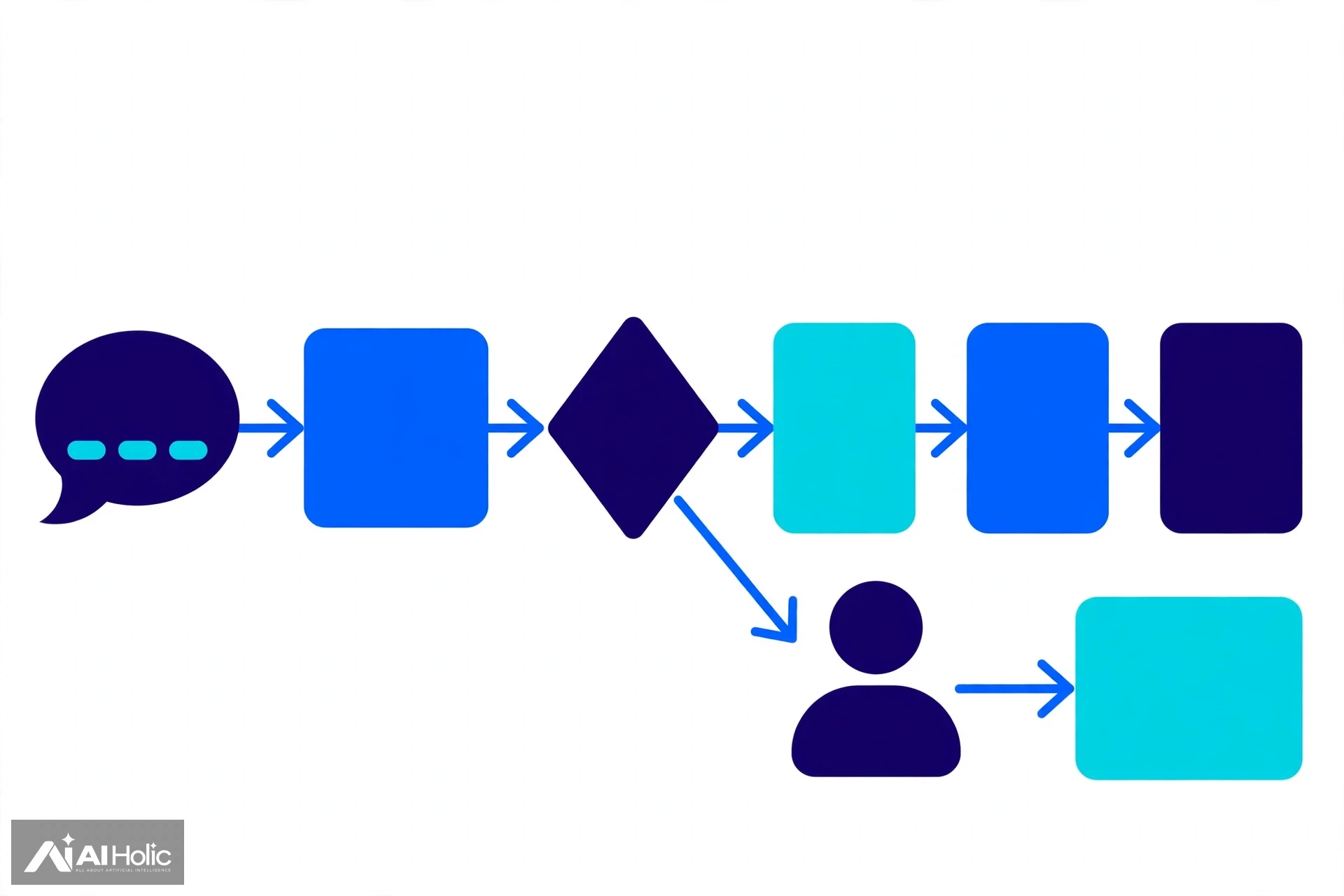
You can run workflows in three ways. You can go AI-first, with Hugo answering most chats and workflows stepping in for set cases such as refunds. You can go workflow-first, with a fixed flow guiding the chat and Hugo answering only inside set steps.
Or you can run a workflow on its own with no AI, which suits teams that want full control over every reply.
A refund flow shows why workflows matter. Instead of letting Hugo write a free-form reply, a workflow can ask for the order number, show the policy in set steps, and pass the chat to a human with all the details attached.
The same idea shows up across the whole AI agents field. Online stores use agents and flows to answer order questions, chase carts, and route buyers, and our guide to AI agents in ecommerce automation shows how those setups work in practice. Crisp brings that same pattern into its inbox, with the workflow builder as the control panel.
Copilot and the Composer AI Tools
Copilot is the agent-facing side of Crisp AI. It sits inside the inbox and helps your team, but it never sends anything on its own. Your agents can ask Copilot about a policy, get a draft reply, or ask it to explain a long chat thread.
Copilot also works inside the knowledge base. From the editor, it can draft a new help article, suggest edits, translate content, and run knowledge base actions without leaving the page. That makes it useful for teams that write a lot of help content and want a fast first draft to edit.
The composer tools are smaller helpers that sit right where your agents type. Predict suggests the next words as they write. Rephrase rewrites a sentence in a clearer way.
Fix grammar cleans up mistakes.
Adjust tone shifts a reply to sound warmer or more formal. Expand turns a short note into a full reply.
Search Chatbox AI and Conversation Intelligence
Search Chatbox AI is the self-service layer inside the chat widget. Before a visitor opens a chat, it lets them search your help content and read an answer on the spot. That stops simple questions from ever becoming conversations, which is the cheapest kind of automation there is.
This layer sits behind the Plus plan as part of AI site search, so smaller teams on Mini or Essentials do not get it. If most of your chats are simple questions that your help center already answers, that gap is worth weighing against the Plus price.
Conversation intelligence works after the chat ends, or while it runs. It writes short summaries of long chats, so an agent who picks up a thread can read the summary instead of the whole history. It detects topics and tags chats on its own, which helps with reports and with finding the chats that need a second look.
Channels, Routing and Handover to Humans
Hugo works across your website chat, email, WhatsApp, Telegram, Instagram, Messenger, Line, Viber, and SMS. That list comes from Crisp’s own blog, and it means one trained agent can answer in all the places your customers already message you. The wider inbox covers even more channels, including Facebook and X direct messages.
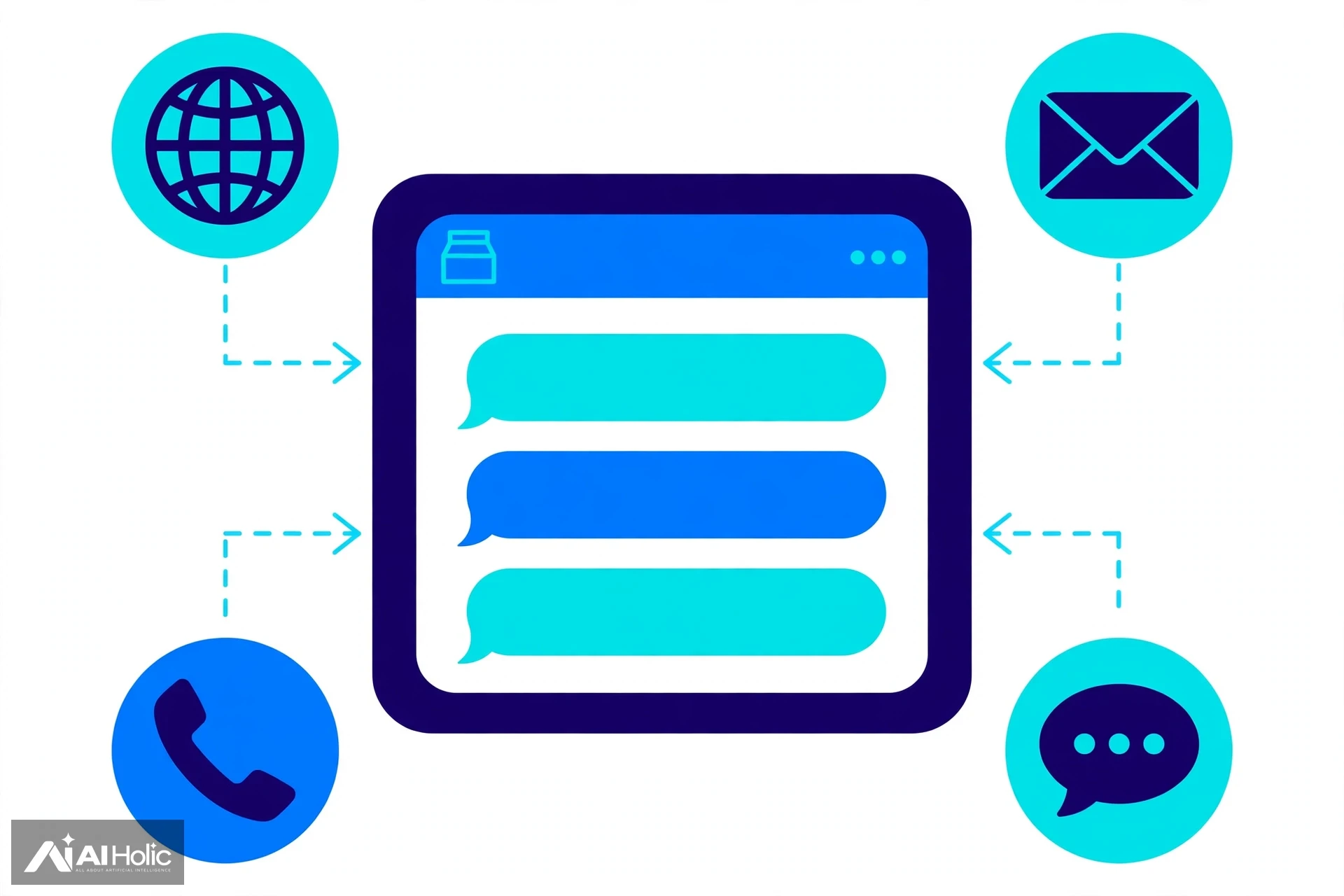
Routing rules decide where each chat goes. You can route by topic, by customer type, by language, or by urgency. Smart intent routing uses AI to read what a customer wants and send the chat to the right team or person.
That matters most for larger teams, where a wrong route means a slow reply and a second handover.
Escalation rules decide when Hugo steps back. Crisp’s docs list three clear triggers: Hugo cannot find an answer, the customer sounds upset, or the customer asks for a human. You can set those rules in the agent settings or build routing rules that hand over in set cases, such as VIP customers or refund requests above a set amount.
Two channel limits are worth noting. Hugo has no native voice or phone support, so calls stay outside the AI system. The Crisp mobile app has no AI, so agents on the go work without Copilot or the composer tools.
Plans and Pricing
Crisp charges a flat price per workspace each month, not per agent and not per conversation. That makes the bill easy to predict, but the AI you get is capped by your plan. The crisp ai and automation features that matter most, such as workflows and AI Suggestions, sit on the higher tiers, so read the table with your own chat volume in mind.
| Plan | Price per workspace | Seats | AI credits | Automated chats |
|---|---|---|---|---|
| Free | $0 forever | 2 | $0, none | None |
| Mini | $45 a month | 4 | $5 a month | About 90 |
| Essentials | $95 a month | 10 | $25 a month | About 450 |
| Plus | $295 a month | 20 or more | $75 a month | About 1,350 |
Every new account gets a 14-day free trial with all features and no card required. The trial is the best way to test Hugo, because it lets you train the agent and run real chats before you pick a plan. Keep in mind that Hugo uses AI credits during the trial, so heavy testing spends credits you can track inside the platform.
AI credits work like a monthly allowance. Each automated conversation spends credits, and the cost of one conversation depends on its length, its complexity, and how many tools Hugo calls.
One reviewer who asked Crisp’s founder was told a conversation costs between 5 and 50 cents. Crisp shows your average cost inside the platform.
Limits and Who Should Use It
No tool fits every team, and the crisp ai and automation features have clear limits. The biggest one is the all-in-one lock-in: you cannot add Hugo to a helpdesk you already use, so switching to Crisp means moving your whole support setup. Teams that love their current helpdesk should look elsewhere rather than rebuild around one agent.
Hugo also works best on clear, well-written questions. Reviewers found it strong on FAQ-style chats and weaker on complex, multi-step problems that need human judgment. If most of your chats are long, messy cases with many steps, Hugo will hand over often, and your savings will be smaller than the headline claims suggest.
Plan gating is the third limit. The workflow builder needs Essentials, and the best AI tools, such as multilingual AI, the AI writing assistant, the MCP server, AI site search, the spam filter, auto-tagging, and conversation summaries, sit behind Plus at 295 dollars a month. A small team on Mini gets Hugo and the basics, but not the full system.
Crisp fits small and mid-size teams that want chat, inbox, knowledge base, and AI in one place, and that can train Hugo on solid help content. It fits online stores well, because the Shopify and WooCommerce links let Hugo answer order questions on its own. It fits teams that like flat pricing and want to avoid per-seat bills that grow with every hire.
If Crisp’s lock-in puts you off, you are not stuck with one choice. Support AI tools differ a lot in how they plug into your stack, and our roundup of alternatives to Forethought AI compares other support automation options that may fit your setup better. Compare the handover rules and the plan gates before you pick one.
How to Set Up Crisp AI in One Week
One reviewer set Crisp up in about an hour, but a careful rollout takes a week. The plan below keeps the work small each day and ends with a live agent you can trust.
- Day 1: Start the 14-day trial, pick AI-first or human-first setup, and connect your website chat and one more channel.
- Day 2: Write or clean up your top 20 help articles, since Hugo can only answer from content that exists.
- Day 3: Add Answer Snippets for your five most asked questions, then upload key files such as your returns policy.
- Day 4: Set Hugo’s instructions and tone, pick a model, and set your escalation rules for handover to humans.
- Day 5: Build one workflow, such as a refund flow or a lead qualification flow, and test it in the Playground.
- Day 6: Run Hugo on real questions from your team, read every answer, and fix the gaps you find.
- Day 7: Turn Hugo on for a small share of chats, watch the handover rate, and widen the rollout only when the answers stay accurate.
Keep one rule through the whole week: fix the knowledge base first, then tune the agent. Most bad AI answers come from bad or missing source content, not from the model, and no setting can cover for a help article that does not exist.
Watch the Official Hugo Walkthrough
If you would rather watch than read, this official Crisp walkthrough shows how to train Hugo step by step, from importing your web pages to structuring your questions and answers. Watch it before you start training, since it shows the exact screens you will use.
Frequently Asked Questions
What is Hugo in Crisp?
Hugo is Crisp’s AI support agent. It answers customer questions from your trained content, routes chats, escalates to humans when needed, and can run actions such as order lookups through integrations. It works inside Crisp only, and it is bundled into Crisp’s paid plans rather than sold on its own.
Do crisp ai and automation features work on the free plan?
No. The free plan has no AI credits, so Hugo, workflows, and the other AI tools do not run on it. AI starts on Mini at 45 dollars a month per workspace, which includes about 90 automated conversations a month.
The workflow builder needs Essentials, and AI Suggestions needs Plus.
Can Hugo work on WhatsApp and Instagram?
Yes. Hugo works across website chat, email, WhatsApp, Telegram, Instagram, Messenger, Line, Viber, and SMS. One trained agent can answer in all of those channels, and the shared inbox pulls every reply into one workspace for your team.
How much does Crisp AI cost per conversation?
Crisp includes AI credits in each paid plan, and each automated conversation spends credits. One reviewer reported a cost of 5 to 50 cents per conversation, based on what Crisp’s founder told them. Your own cost depends on chat length and how many tools Hugo calls, and Crisp shows your average inside the platform.
Does Hugo replace human support agents?
No. Hugo handles simple, repeat questions and hands the rest to your team. It works best when your help content is clear and your escalation rules are set, so humans step in for complex cases, upset customers, and anyone who asks for a person.
Is Crisp good for small teams?
Yes, if your help content is solid and your chat volume fits the Mini or Essentials credit limits. Small teams get the most value from Hugo plus one or two workflows, with Copilot helping agents write faster. Teams that need the full AI set should budget for Plus at 295 dollars a month.
Conclusion
Start with Hugo and one workflow on the free trial, train it on clean help content, and test every answer in the Playground. The crisp ai and automation features pay off when your content is strong and your handover rules are clear.