
Generative AI Integration: A Practical Guide for Your Business
If you don’t want to read the whole guide or have difficulty reading, you can listen to this guide instead.
A chatbot in a side window is not the same as AI in your business. When the model drafts replies inside your help desk, reads your own documents, and files the result where your team already works, that is real change. generative ai integration is the work of making that happen.
At AI Holic, this guide explains the idea in plain terms. You will learn the four main ways to connect a model, what each one costs, how to keep your data safe, and how to roll it out in six clear steps.
It is written for business owners and team leads, not for engineers. No coding skill is needed to follow it.
What Is Generative AI Integration?
Generative ai integration means connecting a model that writes text, code, or images to the systems your business already runs. The model reads your data and returns results where your team already works.
A standalone chatbot is not an integration. It knows nothing about your orders, your customers, or your files, and its answers stay in the chat window. An integrated model drafts a reply inside your help desk, pulls facts from your own records, and saves the result to the right ticket.
The idea covers more than chat. A model can sort incoming mail, pull fields from invoices, sum up long call notes, and draft routine documents. Generative artificial intelligence is the name for models that create new text, images, or code from a prompt, and integration puts those models inside real workflows.
Why Most Pilots Stall Before Production
A Federal Reserve report from November 2025 found that 54.6 percent of adults aged 18 to 64 in the United States used generative AI. Use at work rose from 33.3 percent to 37.4 percent over the same period.
McKinsey surveyed companies in August 2026 and found nearly nine in ten used AI in at least one business function. Only 37 percent said AI had added to their earnings, which shows a gap between trying AI and getting value from it.
Gartner warned in July 2024 that at least 30 percent of generative AI projects would be dropped after the proof of concept stage by the end of 2025. It named four causes: poor data quality, weak risk controls, rising costs, and unclear business value.
A 2025 MIT study of pilot programs found that only about 5 percent reached fast revenue growth. The rest stalled with little effect on profit.
The reason is simple. A pilot runs on one folder of documents, one user login, and a person who checks each answer.
Production takes all three shortcuts away at once. The model must reach live systems, respect real permissions, and send output to a system of record without a person watching each step.
The Four Main Approaches
Most projects use one of four approaches. Each one fits a different job, and they can be mixed. Start with the simplest one that meets your need.
1. API Call to a Hosted Model
Your software sends a prompt to a hosted model such as GPT, Claude, or Gemini. This is the fastest path to a working feature, and a pilot can be live in days. It fits drafting, summing up, and sorting.
2. Retrieval Over Your Own Data (RAG)
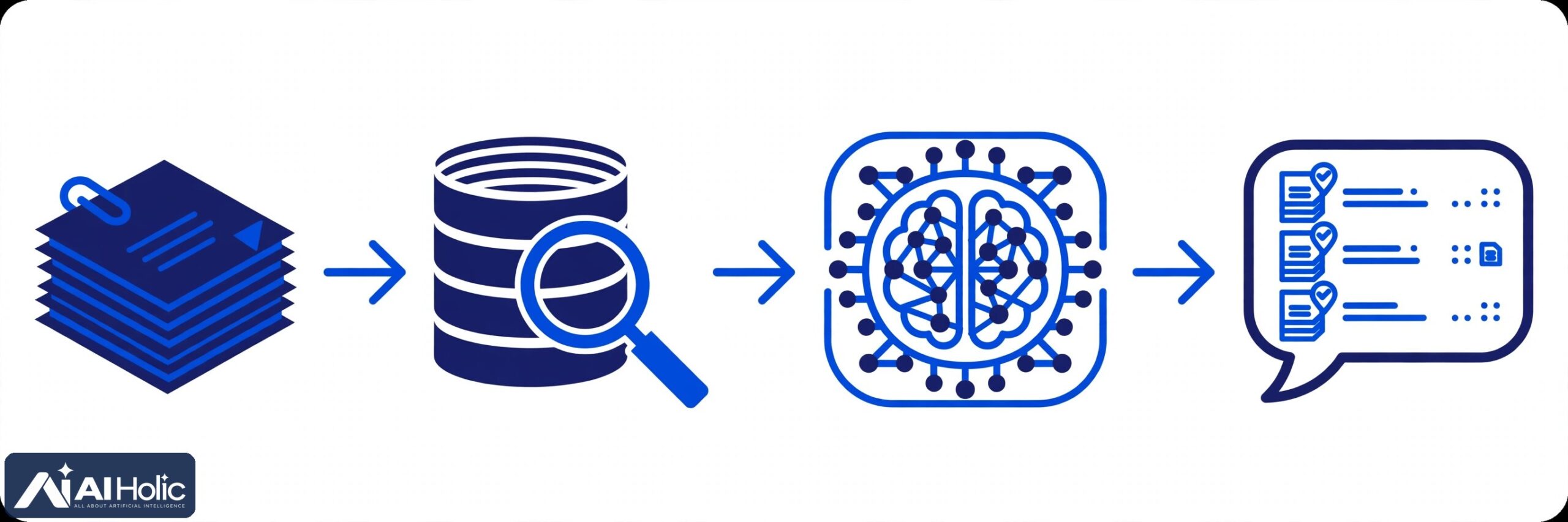
Retrieval-augmented generation, or RAG, connects the model to your document stores, wikis, and knowledge bases. Your system finds the right passages first and sends them with the request, so answers cite approved sources. The hard parts are a fresh index and strict rules on who can see each document.
3. Fine-Tuning
Fine-tuning trains a model further on your own examples. It fits a fixed format or style at high volume that plain instructions cannot hold. You must train again when the task changes.
4. Open Model on Your Own Servers
An open-weight model runs in your own cloud account or data center. This fits data that may not leave your own systems. You pay for the servers and the upkeep.
| Approach | How it works | Best for | Time to launch |
|---|---|---|---|
| API call | Backend calls a hosted model | Drafting, summing up, sorting | Days to weeks |
| RAG | Answers from your own documents | Help center and policy questions | Six to twelve weeks |
| Fine-tuning | Trained further on your examples | Fixed formats at high volume | Weeks to months |
| Open model | Runs on your own servers | Data that must stay in house | Months |
How the Model Fits Into Your Systems
The model sits behind your own server, and your app never calls it direct. The app sends a request to your server, which adds the data and the rules, calls the model, checks the result, and only then returns it or saves it. That keeps the provider key off user devices and gives you one place to control cost, logs, and access.
A production setup tends to have six layers. Source systems and connectors read from your CRM, ERP, document stores, and data platforms. Identity and permissions make sure each request returns only what that person can see or do.
Context and retrieval gather the right passages for each request and record which sources were used.
Orchestration and the model gateway route requests to approved models and enforce usage limits. Output handling checks results against your rules and sends them to a reviewer or a system of record. Logging records prompts, sources, outputs, and errors so you can trace a bad answer.
When the model also picks which tools to call, the system becomes an agent. Our guide to building agentic AI applications with a problem-first approach explains how to plan that step before you write code.
Memory matters too. An agent that recalls past steps can serve a customer better across visits, but only what that user is allowed to see. Read how AI agent memory works across business verticals before you design that layer.
A Six-Step Plan to Integrate Generative AI
Follow these six steps in order. Skipping one is how most pilots fail.
- Pick one workflow and a number. Choose a process with clear inputs, a known owner, and a result you can measure, such as minutes per ticket.
- Check your data first. Ask if the data is easy to reach, clean, and owned by someone named. Fix the data before you write integration code.
- Choose the approach. Start with an API call unless you already know the model must answer from your own documents. Add RAG when that need is real.
- Build a narrow pilot. Give it to one team and a small group of users. A good first workflow is one your team already complains about. An AI executive assistant that drafts replies and books meetings is a common starting point because the work is easy to check.
- Add review and limits. Decide which outputs a person must approve, what the model may never do, and the spending cap per user or per day.
- Measure, then widen the scope. Track task time and correction rates for a few weeks. Add users, sources, or write access only when the numbers hold.
What It Costs to Integrate Generative AI
The cost of generative ai integration depends on the approach you pick and how many people use it. A narrow pilot is cheap to start, so set a cap before launch.
| Approach | Typical build cost | Ongoing cost |
|---|---|---|
| API pilot | A few thousand dollars | Usage fees per request |
| RAG platform | Low tens of thousands to six figures | Usage fees plus index hosting |
| Fine-tuning | Tens of thousands and up | Retraining when tasks change |
| Custom model | Six to seven figures | Servers, data work, staff time |
A platform build with retrieval over your own data often runs from the low tens of thousands into six figures. A custom model can run into six or seven figures once data work and staff time are counted.
Ongoing costs matter as much as the build. You pay for model use by the amount of text sent and received, for hosting the search index, and for staff time on review and upkeep. Track cost per request from week one.
Security and Privacy: What to Get Right First
Integration widens the attack surface because the model reads content you did not write and can reach your internal systems. Treat every retrieved document as data, never as an order. A line hidden in an email can try to steer the model, so limit what the model can do and check its output before it acts.

Permissions must travel with each request. If the search layer ignores who can see which record, the assistant becomes a way around your access rules. Enforce permissions at the retrieval step, mask private fields before they reach the model, and log each prompt, source, and output so you can trace a bad answer.
The National Institute of Standards and Technology published the AI Risk Management Framework in January 2023, with a Generative AI Profile in July 2024 that names 12 risks. Its four functions are Govern, Map, Measure, and Manage. You can use it as a plain checklist even if no law forces you to.
The OWASP Top 10 for LLM Applications is a second useful checklist. It puts prompt injection first, then data leaks, unvalidated output, and agents given too much power. Work through both lists before your pilot touches live data.
Ask your provider in writing what it stores and whether it trains on your data. If your data falls under rules such as HIPAA or GDPR, ask your lawyer which providers and data flows are allowed before the build starts.
How to Measure Whether the Integration Works
A good generative ai integration is judged by the workflow, not by the model. Usage alone tells you the feature was clicked, not that it created value. Measure outcomes against the baseline you set before launch.
- Task time: minutes per ticket, case, or document before and after the change.
- Correction rate: the share of outputs a reviewer edits or rejects, tracked per use case.
- Grounding: the share of answers that cite an approved source.
- Adoption: weekly active users in the target group and how often suggestions are accepted.
Set the baseline before launch and keep measuring after it. Retrieval quality drifts as your content changes, so the pipeline needs the same care as any production data flow. Review the numbers each week during the pilot.
Common Mistakes to Avoid
The most common mistake is to start with five workflows at once. A pilot that tries to do all of it learns nothing. Pick one workflow, prove it, and then add the next.
Another mistake is to skip the data cleanup. If your records disagree across systems, the model will repeat the mismatch with confidence. Fix the source of truth first.
Do not let the model write direct to a system of record without a check. A wrong value saved in silence is worse than a wrong draft a person catches. Route uncertain outputs to a review queue, and give agents read-only access first.
Do not skip the spending cap or the owner. Without a cap, a busy week can turn into a large bill.
Without a named owner, no one watches quality, updates prompts, or fixes a stale index. Name the owner before launch, and put the review on a weekly calendar.
Frequently Asked Questions
What is generative ai integration?
Generative ai integration is the process of connecting a generative model to the systems a business already runs, so it drafts, sums up, or extracts content inside real workflows, under your normal permissions and checks.
How long does it take to integrate generative AI?
An API pilot can be live in one to four weeks. A platform build with retrieval often takes six to twelve weeks. A custom model can take months to a year.
How much does it cost to integrate generative AI?
A narrow API pilot often costs a few thousand dollars plus usage fees. A platform build often runs from the low tens of thousands into six figures. A custom model can run into six or seven figures.
Is my business data safe when I integrate generative AI?
It can be safe if you set it up right. Keep the model behind your own server, enforce permissions at retrieval, and mask private fields. Ask the provider in writing what it stores and whether it trains on your data.
Conclusion
Generative ai integration works best when you start small, pick one workflow, and prove the value before you widen the scope. Choose the simplest approach that fits, guard your data from day one, and measure the result. Pick your first workflow this week and run a narrow pilot with real users.