Beacons AI Explained: Link in Bio, Store, Email, and Brand Deals in One Place
If you don’t want to read the whole guide or have difficulty reading, you can listen to this guide instead.
If you post on TikTok, Instagram, or YouTube, your bio holds one link, and that link has to do a lot of work. beacons ai tries to solve that problem by putting your links, your store, your email list, and your brand deals in one place. This guide explains what it does, what it costs, and where it falls short.
At AI Holic, we checked two full 2026 reviews of the platform and cross-checked the price and fee figures between them. The short version is that the free plan is real and useful, the 9% sales fee is the number that matters most, and the paid plans only pay off once your sales pass a clear line.
You will learn how each part works, what each plan costs, how it stacks up against Linktree and Stan Store, and who should skip it.
What Is Beacons AI?
Beacons started as a link-in-bio tool and grew into a business platform for creators. It gives you one page for your links, a store for digital products, email tools, a media kit for brand deals, and analytics that show what earns money.
In plain terms, beacons ai is one dashboard where a creator runs a link page, a store, an email list, and brand outreach. Your followers land on one page, and from there they can buy a template, join your email list, book a call, or tip you.
First, a warning about the name. Three different products share words like this in search results, and they are not the same thing. This guide covers Beacons, the creator platform at beacons.ai, and nothing else.
A brand-monitoring tool called AI Beacon and a developer dashboard called beacon-ai are separate products with their own sites. Do not mix up their reviews or prices with this one.
Beacons is built for TikTok, Instagram, and YouTube creators, plus coaches and freelancers who earn from digital products. It is not a full website builder, and it is not a shop for physical goods.
How It Works
Setup takes less than an hour for most creators, and the free plan covers the first steps. You sign up with an email or social login, pick a page layout, and add your branding.
Then you add blocks for links, products, videos, social feeds, and email capture. Paid plans let you connect your own custom domain.
The workflow runs in five steps, and each step feeds the next one.
- Build your page. Use drag-and-drop blocks for links, products, videos, and email forms on one mobile-first page.
- List your products. Upload ebooks, templates, courses, or coaching slots, set a price, and let buyers check out.
- Grow your list. Add email capture forms and send welcome mails or launch mails to new subscribers.
- Pitch brands. Use the media kit and AI outreach to find brands and send pitch mails.
- Track results. Check clicks, sales, and traffic sources to see which links earn money.
Most of your traffic will come from phones, since followers tap a bio link on a mobile app. The checkout is built for that flow, so a buyer can finish a purchase in seconds without leaving your page.

Payments run through Stripe or PayPal, which you connect yourself. That means Beacons never holds your money between you and your bank. Direct sales settle into your connected account, and affiliate commissions take three to five business days to arrive after you request them.
The AI Features That Do the Work
The AI label on Beacons covers four tools, and two of them are genuinely useful while the other two are helpers. The media kit and the brand outreach tool save hours of manual work. The content ideas and the smart analytics help, but they will not replace your own judgment about what to post.
AI Media Kit
The media kit builds itself from your real audience data, engagement numbers, and content results. It updates as your numbers change, so you do not need to rebuild a PDF every time a brand asks for your stats.
AI Brand Outreach
The outreach tool finds brands that fit your niche and writes draft pitch mails for you. It tracks who you mailed, who replied, and which deals are open. Edit every pitch before you send it, because a generic mail reads like spam.
AI Content Ideas
The content tool suggests caption ideas, hooks, and post formats based on trends in your niche. It is a starting point for days when you are stuck, not a replacement for your own voice. If you want more help with captions, our guide to AI writing tools shows which tools handle short-form writing well.
Smart Analytics
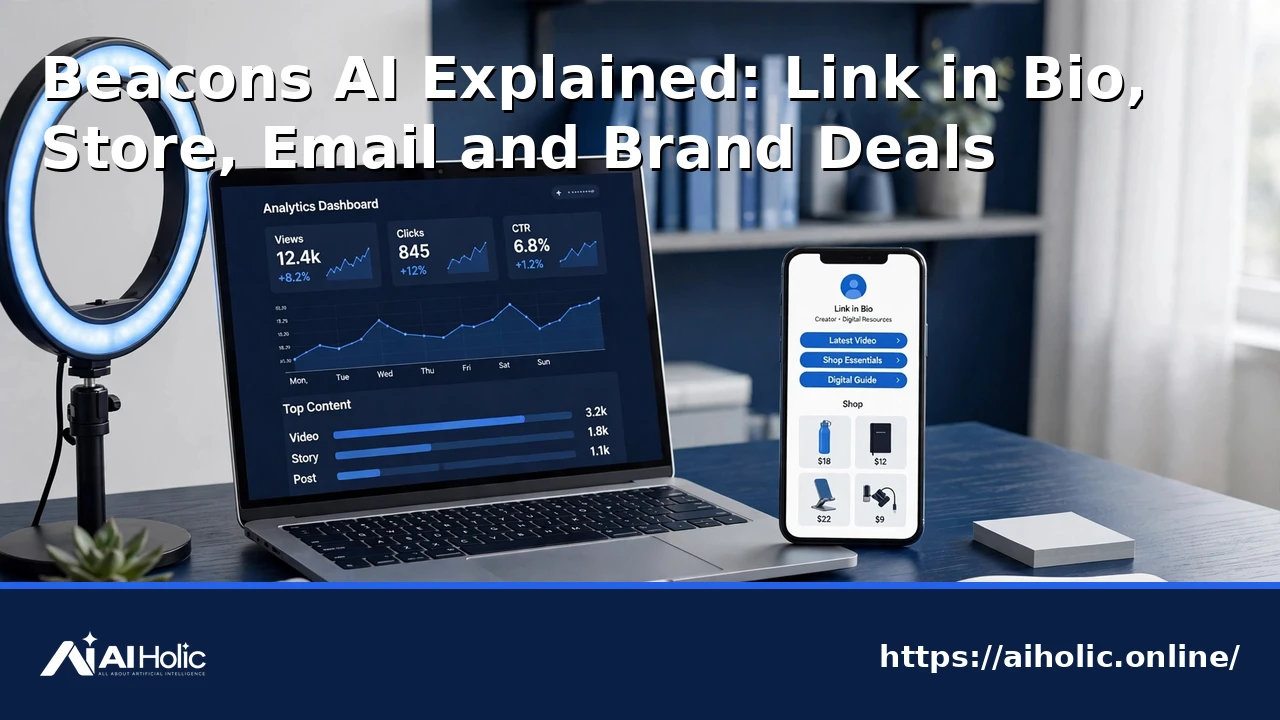
The analytics dashboard shows page views, clicks, sales, conversion rates, and traffic sources in real time. The AI layer points out which links and products bring in the most revenue. A link with many clicks and no sales is not doing its job, and this view makes that clear.
Beacons also added an affiliate marketplace in 2025, where creators browse brand affiliate programs and apply from the dashboard. Creators are checked before they are approved, which keeps the quality higher than an open sign-up list.
Pricing and the 9% Fee
The short answer on beacons ai pricing is that you can start free, and the sales fee is what decides your plan. There are four tiers, and the fee drops to zero only on the two higher plans. Plan names vary a little between reviews, so this guide leads with prices.
| Plan | Monthly price | Sales fee | Best for |
|---|---|---|---|
| Free | $0 | 9% per sale | Testing the platform |
| Creator | $10 | 9% per sale | Small creators who want a custom domain |
| Creator Plus | $30 | 0% | Active sellers and course creators |
| Creator Max | $90 | 0% | Agencies and large creators |
The free plan is genuinely useful. It covers the link page, a basic store, a media kit, and a small email allowance. One 2026 review roundup says it covers 50 email sends a month, which is enough to test the tools but not to run a real list.
Paid plans add a custom domain, AI outreach, email automation, order bumps, and unlimited emails as you move up.
Here is the math that matters. On the free plan, $100 of monthly sales costs you $9 in fees. On the $10 Creator plan, the same $100 costs you $19, because you pay the subscription and the same 9% fee.
That makes the $10 plan the worst deal if you sell, since you pay twice for the same fee rate. The $30 plan beats the free plan once your sales pass about $333 a month, because 9% of $333 is $30. Past that line, the flat $30 costs less than the fee, and you keep every dollar after it.
Prices change, and one review site could not re-check the live pricing page because the vendor site blocks automated checks. Treat the figures above as a guide from 2026 reviews and confirm the current price before you pay.
Pros and Cons
Beacons does a lot well, and its weak points are specific enough to plan around. Here is the honest balance from the 2026 reviews.
What It Does Well
- True all-in-one. One dashboard replaces a link page, a store, email tools, and a media kit.
- Generous free plan. You can build a real page, sell products, and make a media kit free.
- AI tools that save time. The media kit and outreach replace hours of manual work.
- Mobile checkout. Buyers finish fast on a phone, where most creator traffic comes from.
- Zero fees on the $30 plan. Keeping 100% of your sales at $30 a month is fair for sellers.
- Affiliate marketplace. The 2025 addition brings brand deals to you.
Where It Falls Short
- The 9% fee on lower plans. It eats your margin and pushes you to upgrade while you are still small.
- No physical products. If you sell merch that needs shipping and stock, you need a separate shop.
- Weak support reports. Reviewers report slow replies and trouble with downgrades and cancellations.
- Domain friction. Reviewers report trouble getting a site address released after cancelling.
- Small email allowance on free. Fifty sends a month will not run a real list.
- Not a full website. Your page will not replace a real site for blogging or search traffic.
Beacons vs Linktree and Stan Store
Most creators compare Beacons with Linktree and Stan Store, and the right pick depends on what you sell. Linktree is the simple choice, Stan Store is the simple shop, and Beacons is the all-in-one.
| Feature | Beacons | Linktree | Stan Store |
|---|---|---|---|
| Starting price | Free | Free | $29 per month |
| Sell digital products | Yes | No | Yes |
| Zero-fee option | $30 per month plan | No | Yes, on all plans |
| Email marketing | Yes | No | Yes |
| AI brand outreach | Yes | No | No |
| Affiliate marketplace | Yes, added in 2025 | No | No |
| Physical products | No | No | No |
| Custom domain | Yes, on paid plans | No | Yes |
Pick Linktree if you only need a clean page of links. It is fast and cheap, and its Pro plan costs about $9 a month. It will not sell products or send emails, so it fits creators who earn elsewhere.
Pick Stan Store if you are a coach or consultant who wants the simplest possible shop. It charges no platform fee on its paid plans, and it starts at $29 a month with no free tier. It lacks the AI outreach and the affiliate marketplace that Beacons offers.
Pick Beacons if you want to earn from your bio link instead of just listing it. Its free plan is stronger than Linktree Pro for sellers, and it covers email, outreach, and affiliate deals Stan Store lacks. Creators who grow on YouTube often pair a link page with video tools, and our Nexlev vs vidIQ comparison shows how two popular YouTube tools differ.
Who Should Use It and Who Should Skip It
beacons ai fits creators who sell digital products and want one dashboard for links, sales, email, and brand deals. That covers Instagram, TikTok, and YouTube creators who earn from templates, ebooks, courses, or coaching.
It fits creators who are tired of paying for four tools at once. A link page, a store, an email tool, and a media kit builder can cost $50 to $100 a month together, and Beacons replaces them for $0 to $30.
Skip it if you sell physical products, since Beacons has no stock or shipping tools. Skip it if your main need is a full website with blog posts and search traffic, because a link page will not rank like a real site. A guide to the best AI tool directories for backlinks can help a real site get found, but it will not fix the limits of a link page.
Skip it too if you need full shop integrations. There is no direct Shopify link yet, so a store that runs on Shopify will sit apart from Beacons. Large shops with complex catalogs will outgrow it fast.
Before You Sign Up
Five habits remove most of the risk that reviewers report. Do them before you put real money through the platform.
- Own your domain elsewhere. Register it with a normal registrar and point it at Beacons, so leaving is a DNS change.
- Screenshot your plan at sign-up. Save proof of which features and fee rates you were promised.
- Watch your statement after you cancel. Set a reminder to check for charges in the month after you cancel.
- Export your email list often. Do not let one platform hold the only copy of your audience.
- Skip the $10 plan if you sell. Stay free at 9% or jump to the $30 plan at 0%.
Is It Legit?
So is beacons ai legit? Yes, it is a real company with a working product. One 2026 review roundup reports that Beacons raised nearly $30 million across three rounds, with a $6 million seed round led by Andreessen Horowitz and a Series A in 2022.
It was co-founded by CEO Neal Jean, who is described as a Stanford AI researcher. Those are reported figures, not numbers we checked against filings. The scam talk has a specific source, and it is not Beacons itself.
A course called the Ultimate Branding Course is sold through Beacons by third parties, and buyers can resell it to others. That model looks like a pyramid scheme to many people, and forums have flagged it often. Beacons hosts the course the way Gumroad hosts products it did not make, so the blame sits with its sellers, not the platform.
The trust question is real even so. One 2026 review roundup reports a Trustpilot score of 1.9 out of 5 across 40 reviews, checked on 14 August 2026, with 78% of them at one star.
That is a small sample, and the profile is unclaimed, so it leans toward unhappy customers. But the same four complaints repeat: slow support, trouble downgrading, domain release problems, and payout confusion.
Two more facts matter before you commit. TikTok has blocked beacons.ai links at times since mid-2024, and some creators switch to beacons.page to work around it.
If most of your traffic comes from TikTok, test your link on that app first. Your page is not a website, so a digital marketing plan that needs blog posts and search traffic will still need a real site beside it.
The fair verdict is that Beacons is safe for links on the free plan, and worth care once money runs through it. Know the 9% fee, keep your domain under your own control, and watch your statements.
Watch a Video Review
If you would rather watch than read, this 2026 review video walks through the setup, the store, the email tools, and the fees. Watch the fee section closely, since that decides whether the free plan or a paid plan fits you.
Frequently Asked Questions
Is beacons ai free?
Yes, there is a free plan that covers the link page, a basic store, a media kit, and a small email allowance. Selling on it costs a 9% fee on every sale, so a $50 sale leaves you with $45.50 before payment fees. The fee only drops to zero on the $30 plan.
What does it cost per month?
Four tiers are listed in 2026 reviews: Free at $0, Creator at $10, Creator Plus at $30, and Creator Max at $90. The first two charge a 9% sales fee, and the top two charge none. Yearly billing cuts the monthly price, so check the annual figures before you pick a tier.
Is beacons ai worth it for a small creator?
It is worth it on the free plan if you sell digital products and want links, a store, email, and brand tools in one place. It is not worth paying for until your sales pass about $333 a month, where the $30 plan beats the 9% fee. If you only need a page of links, Linktree costs less and does that one job well.
Is it a scam?
No, Beacons is a real, venture-backed company with a working product. The scam label comes from a third-party resell course sold through the platform, not from Beacons itself. The fair criticism is about billing, support, and cancellations, so keep your domain under your own control.
Can I sell physical products with it?
No, Beacons is built for digital products such as ebooks, templates, courses, memberships, and coaching. It has no stock, shipping, or delivery tools for physical goods. If you sell merch, use a shop platform built for physical sales and link to it from your Beacons page instead.
How do I get paid?
You connect Stripe or PayPal, and direct sales settle into your account without a holding period. Affiliate commissions can be requested as soon as a sale lands, but the transfer takes three to five business days. Payment fees from Stripe or PayPal apply on top of the Beacons sales fee.
What is the affiliate marketplace?
It is a marketplace added in 2025 where creators browse brand affiliate programs and apply from the dashboard. Affiliate marketing means you earn a commission when someone buys through your link. Creators are checked before approval, so not every application is accepted.
Conclusion
beacons ai works best as a free starting point for creators who sell digital products and want one dashboard for links, sales, email, and brand deals. Start free, watch the 9% fee, and move to the $30 plan once your sales pass $333 a month.