Magical AI: Text Expansion, Autofill, and Agentic Automation Explained
If you don’t want to read the whole guide or have difficulty reading, you can listen to this guide instead.
magical ai is a browser extension that removes repetitive typing and data entry from your work in the browser. You save a short phrase behind a shortcut, and the tool expands it into a full message or fills a form for you. It also moves data between open tabs, so you can copy details from one site and drop them into another without retyping.
The company now sells two products under one name. The extension serves people and small teams, while a newer agentic platform serves large firms, mainly in healthcare. This guide covers both, and it flags every price and vendor claim you should check before you pay.
At AI Holic, we check tool claims against public sources before we repeat them. Read on for the plain facts, the limits, and the setup steps.
What Is Magical AI?
Magical AI started in 2020 as a simple text expander for Chrome. It has since grown into a browser extension for text expansion, autofill, and workflow automation. The company says more than 950,000 people across 100,000 companies use it, and it says users save about 7 hours of repetitive work each week.
Both numbers come from the company and its store listing, and we could not check them on our own. Treat them as vendor claims, not tested facts. The idea behind the tool is simple either way: it sits on top of the apps you already use and removes the small typing jobs inside them.
Think of a normal workday. You type the same greeting, the same follow-up, and the same address again and again. Each one takes only seconds, but the total across a week adds up to hours, and that lost time is the problem this tool tries to solve.
| Detail | What we know |
|---|---|
| Product | Browser extension for Chrome and Edge, plus an enterprise agentic platform |
| Main job | Text expansion, autofill, and data movement between tabs |
| Started | 2020, as a Chrome text expander |
| Users (vendor claim) | 950,000+ people across 100,000+ companies |
| Time saved (vendor claim) | About 7 hours of repetitive work per week |
| Free plan | Yes, with limits on expansions and automations |
| Mobile app | No, browser only |
How Text Expansion Works
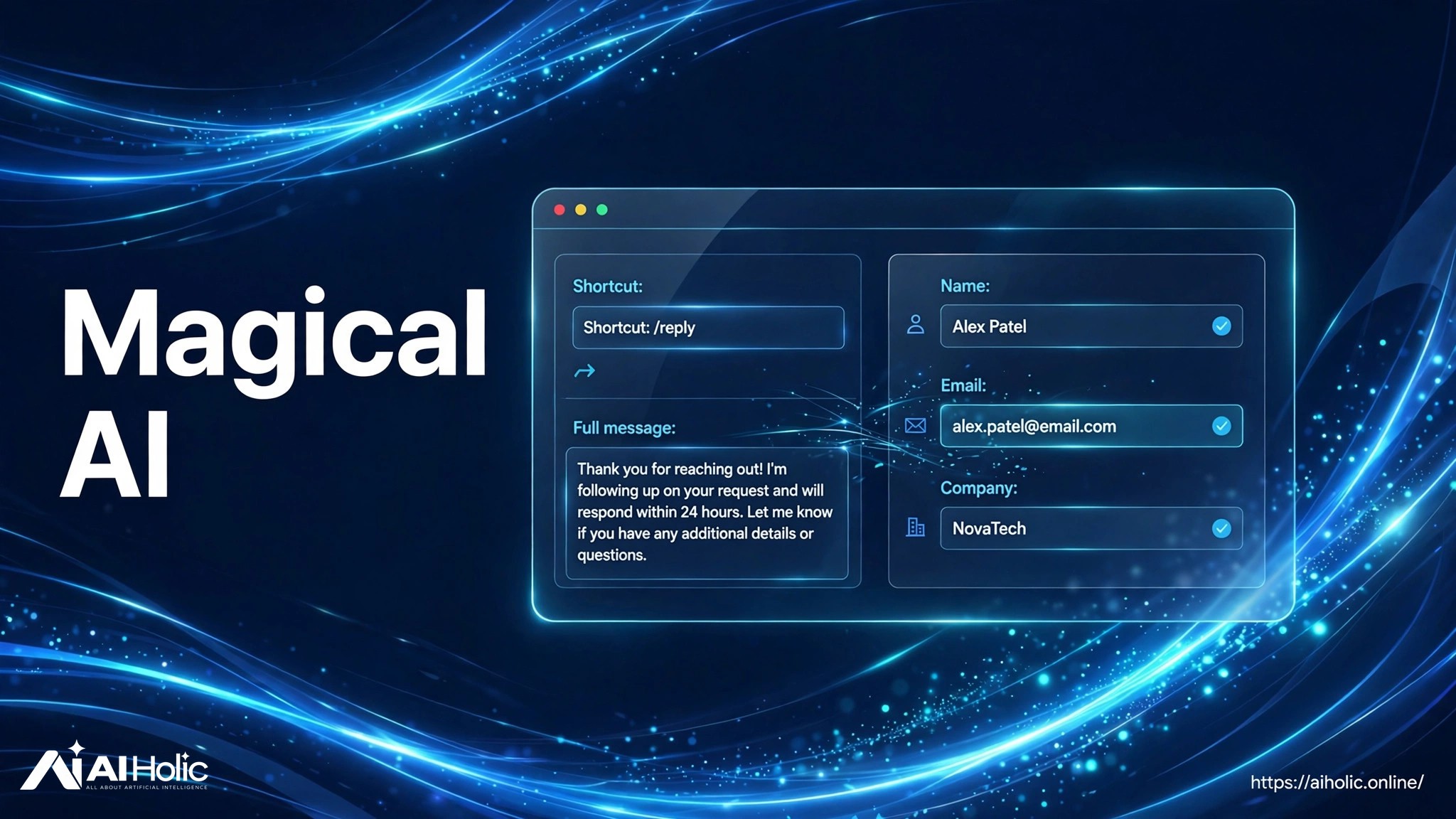
You create a shortcut for a message you type often, such as /thanks or /intro. When you type that shortcut in any text field, the tool drops in the full saved text. You can add placeholders for a first name, company, or date, and the tool pulls those details from the page you are on.
Autofill works the same way between tabs. You open a profile in one tab and a form in another, and the tool moves the details across in one click. That is the feature reviewers praise most, because it works with sites that have no API at all.

Setup takes a few minutes. You install the extension, sign in with Google or email, and save your first three shortcuts for the messages you repeat most. Most people learn the tool in one day, because the core idea is just one trick: type less, reuse more.
The tool expands text you already wrote. It does not write new drafts for you, so if you need fresh copy, see our guide to an AI writing tool before you pick one.
Key Features
The extension packs several tools into one small panel. Here is what each one does for you in plain terms.
- Text expansion: save a message behind a short trigger and reuse it anywhere you type.
- Autofill: move data from one open tab into forms, sheets, and CRMs.
- Message templates: store replies with placeholders that fill in names and dates.
- PDF data extraction: pull details from a PDF and place them into a form.
- Team libraries: share shortcuts and templates with your whole team.
- Works across sites: the vendor says it runs on more than 10,000,000 sites.
Dynamic variables deserve a closer look. A single template can serve hundreds of people because the placeholders change with each page. One saved reply can greet a new lead by name, mention their company, and add the right date, all without you editing it.
| Feature | What it does | Who gains most |
|---|---|---|
| Text expansion | Turns a short trigger into a full message | Support, sales, recruiting |
| Autofill | Moves profile data into forms in one click | Sales, recruiting, operations |
| PDF extraction | Reads a PDF and fills matching fields | Healthcare, legal, insurance |
| Team sharing | Keeps one shared library for the whole team | Support and sales teams |
| Agentic automation | Runs full workflows without a human present | Healthcare back offices |
The Agentic AI Platform
The newer platform is a different product for a different buyer. It runs AI agents that carry out full workflows, such as claims checks and prior authorizations, on virtual machines. The company says these agents cover over 80 percent of a workflow and top 90 percent accuracy, but those are vendor figures we could not check.
A software agent is a program that acts for a user and works toward a goal on its own. That is the idea here: the agent reads a task, takes the steps, and finishes the job without a person at the keyboard. The platform runs these agents at scale, beyond what one person could do in a browser.

Teams that build these systems often start with a plan for agentic AI development services, which covers scoping, data access, and safety checks. The platform targets healthcare first, where back-office work is heavy and rules-based. Claims, patient access, and revenue cycle tasks fit that shape.
Pricing is custom and sales-led, so small teams will find the extension the better fit. The company says production agents can deploy in weeks, but that claim comes from its own sales pages and needs a direct check with the vendor.
Magical AI vs Traditional Automation
The extension works in the foreground, with you at the keyboard. Tools such as Zapier and Make run in the background through APIs, and they work while you sleep. That split decides which tool fits your job.
Robotic process automation covers software that mimics human clicks and typing to run set tasks. Magical sits close to that idea, but it stays inside the browser and needs a person present, while full RPA tools can run on their own. The trade-off is clear: Magical is faster to set up, while RPA tools run without you.
| Tool | Best for | Needs coding | Runs alone |
|---|---|---|---|
| Magical (extension) | Browser typing and data moves | No | No, needs you present |
| Zapier | App-to-app workflows | No | Yes |
| Make | Complex multi-step flows | Little | Yes |
| Power Automate | Microsoft-based business flows | Little | Yes |
Cost is one more split. For the narrow jobs Magical handles, its paid plan costs far less than the task fees a tool like Zapier would charge for the same volume. That only holds for work that happens in a browser with a human present, so do not compare the two on jobs they were never built to share.
Agents are now common in online selling too. Our look at AI agents for ecommerce automation shows how shops use them for orders, stock, and support. The same idea applies here: agents take the repeat steps, and people keep the judgment calls.
Pricing and Plans
Pricing is the least certain part of this guide. The company has changed its plans several times, and review sites report different numbers. Check the official pricing page before you pay, because the figures below are unverified and may be out of date.
| Plan | Price (reported) | Main features |
|---|---|---|
| Free | $0 | Basic text expansion, limited automations, small AI allowance |
| Core | About $6.50 to $10 per user per month | Unlimited expansion, more AI use, email support |
| Advanced / Business | About $12 to $25 per user per month | Team admin, shared libraries, controls |
| Enterprise | Custom | Agentic platform access, custom limits, onboarding |
The free plan is generous enough to test the tool for a week. Long-time users have noted that some features moved from free to paid over time, so treat the free limits as changeable.
Who Should Use It
You gain most if your day runs in browser tabs and repeats the same messages. You gain least if your work lives in desktop apps or needs to run overnight.
What works well
- Free plan covers real daily use.
- Setup takes minutes, with no code.
- Works on sites that have no API.
- Shared libraries keep a team consistent.
- Autofill saves the most time for sales and recruiting.
Where it falls short
- Browser only, with no mobile app.
- The extension cannot run while you are away.
- Pricing has changed often, so quotes may be stale.
- AI output still needs a human check.
- Heavy enterprise use needs the custom-priced platform.
Sales, support, and recruiting teams are the best fit. They live in Gmail, LinkedIn, and CRMs, and they repeat the same messages all day. Healthcare back offices fit the agentic platform, while solo users fit the free extension.
The Retired AI Writing Feature
Older guides describe an in-browser AI writing helper that drafted replies as you typed. That feature was retired in May 2025, so do not expect it in the current extension. The current product centers on text expansion, autofill, and agentic automation, and older reviews that praise the writing helper describe a product that no longer exists.
This matters when you read reviews. A guide from 2023 or 2024 may rate the tool on a feature you cannot use today. Check the date on any review before you trust its verdict.
Frequently Asked Questions
Is Magical AI free?
Magical AI has a free plan with basic text expansion and a limited number of monthly automations, and you can install it and test it on your real work without paying. Paid plans add unlimited expansion, more AI use, and team tools, but prices change often, so check the official pricing page before you buy. The free tier is enough to judge the tool in one week of normal use.
What does Magical AI do?
The tool removes repetitive typing and data entry from browser work. It expands short triggers into full messages, autofills forms with data from other open tabs, and moves details between websites without an API. The newer agentic platform goes further and runs full workflows, such as healthcare claims tasks, on its own.
Is it safe to use with work data?
The extension reads the pages you work on, because that is how it fills forms and moves data, so you should check its privacy policy and your own company rules before you install it. Avoid pasting passwords, payment details, or private health records through any browser tool. Teams in healthcare and finance should ask their IT or compliance lead first, since those fields carry strict rules.
Does it work on mobile?
No, the tool is a browser extension for Chrome and Edge, and it has no mobile app. You can only use it on a desktop or laptop browser where the extension is installed. If most of your work happens on a phone, this tool will not help you, and you should look for a mobile text expander instead.
What happened to the old AI writing helper?
The old in-browser AI writing helper was retired in May 2025, so the current extension no longer drafts replies as you type. The product now centers on text expansion, autofill, and agentic automation for teams and healthcare firms. Older reviews that praise the writing helper describe a version of the product that no longer exists.
Conclusion
Magical AI fits people who type the same messages and fill the same forms every day in a browser. Install the free plan, build three shortcuts for your most repeated replies, and test it for a week. If those shortcuts save you real time, the paid plan is easy to justify, but if your work lives outside the browser, look elsewhere.