AI for Teachers: A Practical Guide to Lesson Planning, Grading, and Classroom Time
If you don’t want to read the whole guide or have difficulty reading, you can listen to this guide instead.
A ai for teachers guide should answer one plain question: which tools save you real time without cutting corners on quality or student privacy? This guide covers the tools teachers actually use in 2026, what each one does well, what it costs, and the free teacher offers worth claiming first. You will also find a short privacy checklist and a start-this-week plan.
At AI Holic, we checked the live sources behind the facts in this guide in November 2026. Prices and free offers change fast, so every figure here carries the date it was checked, and you should confirm the current terms on the vendor page before you sign up or pay.
The Short Answer
AI helps teachers with the paperwork side of the job first. It drafts lesson plans, writes first versions of feedback, rewrites a text at three reading levels, and turns a rough note into a parent email. It does not replace your judgment, and it should never grade a student on its own.
The smartest setup is small. Pick one general chatbot for drafting and thinking, plus one tool built for teachers that handles the structured jobs like rubrics and quizzes. That is the honest promise of ai for teachers: less paperwork, more teaching.
How Teachers Actually Use AI in 2026
Use has grown fast. The Gallup, Walton Family Foundation and RAND American Teacher Panel from spring 2025 found that roughly 30 percent of US K-12 teachers now use AI weekly, and weekly users save an average of 5.9 hours per week. About 60 percent of teachers used AI at least once during the 2024-25 school year.
Training has not kept up. The EdWeek Research Center reported in February 2026 that 44 percent of teachers, principals and district leaders had received zero AI professional development, and only 8 percent had ongoing training. Only 13 percent of districts had an AI policy that was clearly communicated to both students and teachers.
Higher education shows the same pattern. A 2025 survey of more than 1,800 higher education employees found that around 40 percent of administrators and 30 percent of instructors use generative AI daily or weekly, up from 2 percent and 4 percent in spring 2023. The field itself, artificial intelligence in education, studies how these tools shape learning, and its known concerns include cheating, over-reliance, equity of access, and bias.
Teachers are also clear about what they want from schools. An NPR and Ipsos poll of 545 US K-12 educators in 2026 found that nearly 3 in 4 believe AI has bigger implications for education than past innovations like the internet or computers, and almost 80 percent said schools should teach responsible AI use as part of the curriculum.
The Two-Tool Setup That Covers Most Jobs
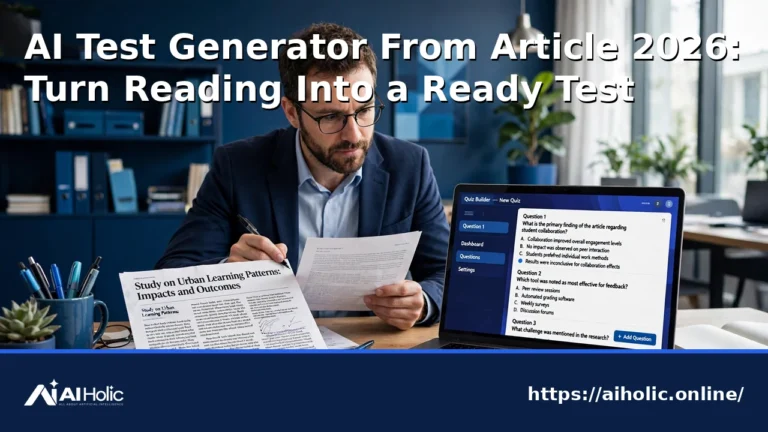
You do not need seven tools. Two cover almost everything, and the choice matters less than the habit of checking the output before it reaches a student. A good ai for teachers routine starts with one general chatbot and one purpose-built teacher tool.
A General Chatbot
ChatGPT, Claude or Gemini works as a thinking partner. Use it to draft a lesson outline, reword a parent email, or turn a rough idea into a first version you can edit. ChatGPT for Teachers is free for verified US K-12 educators through June 2028, with training off by default, and Claude for Teachers is free for verified US K-12 teachers who sign up by June 30, 2027.
One Tool Built for Teachers
MagicSchool AI is the most widely used option, with more than 80 tools for lesson plans, rubrics, exit tickets and sub plans, and a free tier for teachers. Khanmigo for Teachers is free too, and it fits schools that already use Khan Academy. Pick the one that matches the jobs you repeat every week, not the one with the longest feature list.
Students need their own tools too, and the right pick depends on age and subject. Our guide to the best AI tools for college students covers the student side for older learners.
AI for Teachers: Lesson Planning and Differentiation
Lesson planning is where teachers save the most time. A chatbot can turn a topic, grade level and set of learning goals into a full plan in under a minute, but the first draft is only a starting point. You still check the facts, the standards, and whether the activities fit your class.
Differentiation is the second big win. Diffit takes one text and rewrites it at three reading levels in seconds, so the same passage works for a struggling reader and an advanced reader. MagicSchool has a similar tool, and both beat rewriting by hand, which is the slowest part of planning for a mixed class.
Adaptive platforms go one step further and adjust the work as each student answers. Our guide to adaptive learning platforms in 2026 explains how those systems work and where they fit beside a teacher-led lesson.
| Job | Tool to Try First | Free Plan | Paid Cost |
|---|---|---|---|
| Lesson plans and unit plans | MagicSchool AI | Yes, free tier | Plus $8.33 a month billed annually, or $12.99 a month |
| Reading levels | Diffit | Yes, free tier | Individual $14.99 a month |
| Long documents and drafts | Claude for Teachers | Yes, for verified US K-12 teachers | Pro $20 a month for others |
| Quizzes and exit tickets | MagicSchool AI or Quizizz AI | Yes, free tiers | Varies by plan |
| Visuals and slides | Canva for Education | Yes, free for K-12 teachers | Free for eligible educators |
A simple prompt pattern works for most planning jobs. Give the tool the grade, the topic, the standard, the time available, and the format you want, then ask for one version only. Short prompts with clear limits give cleaner drafts than long open requests, and they make errors easier to spot.
Grading and Feedback Without Losing Your Judgment
Grading is where AI needs the most care. It can group similar answers, draft feedback comments, and build a rubric from a learning objective, but it cannot judge a student work on its own. Every AI grade or comment still needs your eyes before it goes back to the student.
Brisk Teaching works inside Google Docs, so you can change the tone of a comment or draft feedback without leaving the document. Its core is free forever, and Pro costs $99.99 a year. Gradescope, from Turnitin, is the standard for grading at scale in higher education, but it is licensed by the institution, not by the teacher.
Rubrics are the safest place to start. Ask the tool for a rubric tied to one learning objective, then edit the levels until they match how you actually mark. A rubric built this way saves about 30 minutes per assignment, and it stays useful for the whole term.
Math and science marking has its own tools, and a tutor can help a student practise between lessons. Our guide to AI math tutors covers what those tools do well and where they still fall short.

Parent Messages and Admin Tasks
Parent emails are a quiet time sink. A chatbot can turn a rough note about missing work into a warm, clear message in seconds, and you can ask for a reading level that fits the family. Keep the facts in your own words and let the tool fix the tone.
Sub plans are another easy win. MagicSchool has a sub plan tool that builds a full 50-minute plan from one paragraph about what the class is reading. That saves about 40 minutes on a morning when you are already short on time.
Admin work adds up too. Use the chatbot to summarise a long policy document, draft a staff memo, or turn meeting notes into action points. None of this needs a special tool, and none of it should hold student data.
Free Teacher Offers Worth Claiming First
The big AI companies now run teacher programmes, and they are not equal. Three things decide whether one is useful to you: who verifies you, whether the free access has an end date, and whether you sign up yourself or wait for your district.
All prices below were checked by the cited guides in August 2026. The free ai for teachers offers are the best place to start, because they cost nothing to try.
| Programme | Who Qualifies | Cost | The Catch |
|---|---|---|---|
| ChatGPT for Teachers | Staff at accredited US K-12 schools | Free through June 2028 | US only, verified through SheerID |
| Claude for Teachers | Verified US K-12 teachers | Free for a year | Sign up by June 30, 2027 |
| Khanmigo for Teachers | Teachers | Free | Learner and parent plans are paid |
| MagicSchool AI | Teachers | Free tier | Plus $8.33 a month billed annually |
| Canva for Education | K-12 educators, worldwide | Free | Approval takes a few days |
| Gemini in Classroom | Schools with Google Workspace for Education | No cost through the school plan | Your district must switch it on |
Two of the three biggest offers have a clock on them, and each one runs on the company terms rather than the school year. OpenAI runs to June 2028, and Anthropic gives a year from sign-up only if you sign up by June 30, 2027. Put a calendar reminder on whichever one you take in the same week you sign up.
The smaller purpose-built tools mostly run a permanent free tier instead of a time-limited offer, which is a better deal than it looks. MagicSchool, Diffit, Curipod and Edcafe all run free tiers with no end date stated, so a routine built on them will not vanish in the middle of a term.
Privacy and Safety Rules Before You Start
One rule comes before all others: never put student data into a public chatbot. No names, no grades, no IEP details, no behaviour notes, and no work that can identify a child.
That applies even when the tool feels private, because a free consumer account is not a school system. The first ai for teachers rule is simple: student data stays out of public chatbots.
The law behind this is the Family Educational Rights and Privacy Act, or FERPA. FERPA is a US federal law from 1974 that governs access to student education records, and schools must generally have consent before disclosing them. Your district policy and your state rules sit on top of it, so check both before you adopt a new tool.
Use the teacher versions where they exist. ChatGPT for Teachers and Claude for Teachers both ship with training off by default, which is the setting that matters most. A personal account does not carry the same protection, so keep school work inside the verified teacher workspace.
Ask three questions before any new tool touches your class. Does it store student data, and where? Who can see it? What happens to it when you cancel? If the vendor cannot answer in plain language, do not use it with students.

What AI Still Gets Wrong
AI makes confident mistakes. It invents citations, quotes the wrong standard, and states facts that sound right but are not. Always check subject facts and standards before a draft reaches a student, and treat every citation as unverified until you have opened the source.
AI detectors are not reliable either. They flag honest student work and miss AI-written work, and they have created real disputes in schools. Do not accuse a student on the strength of a detector score alone.
Bias is a real risk too. AI systems learn from data that carries human bias, so their output can favour some groups of students over others. Read generated examples and feedback with that in mind, and fix anything that reads as unfair before you share it.
Access is uneven as well. Some districts have AI-trained teachers in every school, while others have almost none, and the gap tracks with poverty. If your school has no policy and no training, start small, keep records of what works, and share the results with colleagues.
How to Start This Week
Start small and build the habit before you add tools. Five steps will get you going this week.
- Verify your teacher status for ChatGPT for Teachers or Claude for Teachers, whichever fits your school.
- Pick one planning job you repeat weekly, and use MagicSchool or your chatbot for it three times before you judge it.
- Build one rubric with AI, edit it by hand, and reuse it for the whole term.
- Move parent emails and sub plans into the same workflow once the first two steps feel easy.
- Set a calendar reminder for the end date of any free offer you claim.
Frequently Asked Questions
What is the best AI for teachers?
There is no single best tool. Most teachers do well with one general chatbot like ChatGPT or Claude, plus one purpose-built tool like MagicSchool AI. The best pick is the one that fits the jobs you repeat every week, and the free tier is enough to start.
Is AI for teachers free?
Much of it is. ChatGPT for Teachers is free for verified US K-12 educators through June 2028, Claude for Teachers is free for a year if you sign up by June 30, 2027, and Khanmigo for Teachers and MagicSchool both have free tiers. Paid plans only make sense when you hit a limit every week.
Can teachers use ChatGPT for lesson planning?
Yes, and it is the most common use. Give it the grade, the topic, the standard, and the time available, then check the facts and the standards before you teach it. The draft is a starting point, not a finished lesson.
Is it safe to put student work into AI tools?
No, not into a public chatbot. Never enter names, grades, or IEP details into a consumer AI account. Use the verified teacher versions, which ship with training off by default, and follow your district policy and FERPA rules.
Will AI replace teachers?
No. The evidence points the other way: teachers use AI for planning and paperwork, while the teaching itself stays human. Every workflow in this guide keeps the teacher as the decision-maker, and the tool as the drafter.
How much time can AI save a teacher?
Weekly users save an average of 5.9 hours per week, according to the Gallup, Walton Family Foundation and RAND American Teacher Panel from spring 2025. Monthly users save only about 2.9 hours a week, so frequency matters more than the number of tools.
Conclusion
AI for teachers works best as a quiet helper for planning, grading and admin, not as a replacement for your judgment. Claim one free teacher offer, pick one weekly job, and check every draft before it reaches a student.