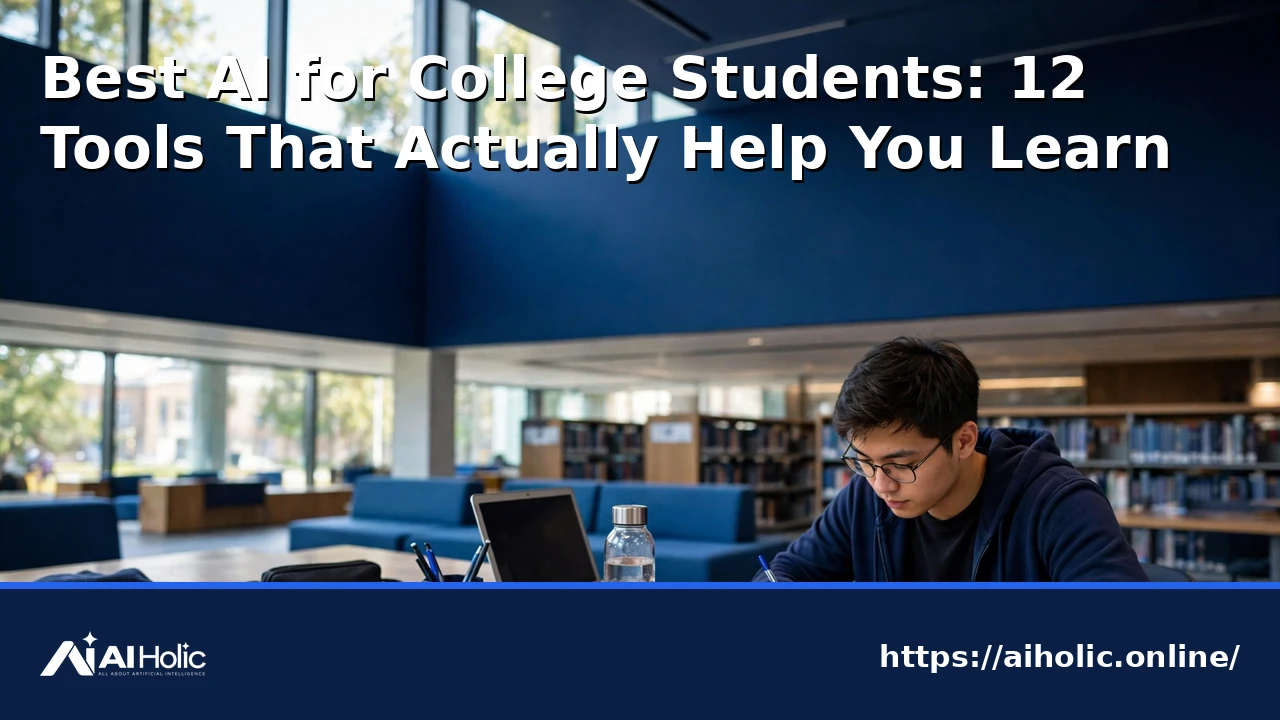
Best AI for College Students: 12 Tools That Actually Help You Learn
If you don’t want to read the whole guide or have difficulty reading, you can listen to this guide instead.
A good study tool should save you time and help you learn, not do the work for you. That is the test behind the best ai for college students, a short list of twelve tools matched to real coursework jobs like reading, research, writing, lectures, math, and exams.
This guide sorts the tools by the job they do, states what each free plan covers, and flags the student deals that are still live. Prices change every semester, so treat every price here as a vendor price and check the vendor page before you pay.
At AI Holic, we built this guide from the live search results and the sources the top guides cite. We did not test the tools named here, so their abilities are labeled as vendor claims, and every figure we could not check is flagged in the text.
The Short Answer: One Tool per Job
There is no single winner. The best ai for college students is a small stack, with one tool per recurring job, and a free plan doing most of the work.
Start with one tutor chatbot for explanations, one notebook tool for your own course materials, and one research tool that shows real sources. Add a writing checker, a lecture recorder, and an exam quiz tool only when you feel the need each week.
Most students need three or four tools, not twelve. The list below covers twelve so you can pick the ones that fit your classes, and the free stack near the end shows how to run a full term for nothing.
The Best AI for College Students at a Glance
Use this table to pick fast. Find your weakest job in the first column, then take the free pick in the second column before you spend anything.
| Coursework job | Best free pick | Worth paying for |
|---|---|---|
| Explaining concepts | ChatGPT, Gemini, or Claude | ChatGPT Plus or Claude Pro, $20 a month |
| Studying your own notes | Gemini Notebook | Google AI Pro, free for one year for eligible students |
| Finding real sources | Perplexity or Consensus | Perplexity Education Pro, about $10 a month |
| Writing and proofreading | Grammarly free | Grammarly Pro, $12 a month billed yearly |
| Lectures and notes | Otter.ai free, Notion AI | Otter.ai Pro with a student discount |
| Math and science | Wolfram Alpha free, Photomath free | Wolfram Alpha Pro for step-by-step work |
| Code | GitHub Copilot Student | Free for verified students |
| Exams and recall | Quizlet free, ChatGPT Study Mode | Quizlet Plus, Khanmigo at $4 a month |
| Slides and group work | Canva free, Google Docs with Gemini | Canva Education plan for eligible students |
If you only buy one thing this term, make it the tool that fixes your weakest job. The best ai for college students earns its place by saving you time every week, not by looking smart in a demo.
Best AI Tutors: ChatGPT, Gemini, and Claude
Start here. The best ai for college students usually starts with one tutor chatbot, because explanations, outlines, and practice questions cover half of every term.
The big change in 2026 is that all three now teach instead of just answering. ChatGPT has Study Mode, Gemini has Guided Learning, and Claude has a Learning Mode. Each one walks you through a problem step by step with questions and hints, rather than handing over a finished answer.
ChatGPT: The Default Most Students Already Have
ChatGPT is the default because it does a bit of everything. It explains a dense textbook paragraph, builds a practice test from your notes, and helps you outline an essay at 2 AM when no tutor is free.
Study Mode is free for logged-in users, and it is the setting to use for coursework. Ask it to withhold the answer and quiz you until you reach it yourself. That one habit is what turns a chatbot into a tutor.
The free plan covers explanations, outlines, and practice questions for most students. Plus costs $20 a month and mainly buys higher limits and stronger models. OpenAI gave eligible US college students four free months of Plus, but that offer had to be claimed by October 31, 2026, so it has now closed.
Gemini: The Best Value This Year
Gemini is the pick to try first this year, because of price. Google gives eligible US college students aged 18 and over a free year of Google AI Pro, and you must redeem it by December 31, 2026. Check the student page for your region, since the offer differs outside the US.
Gemini fits students whose coursework already lives in Google Docs, Drive, and Gmail. You can highlight a paragraph in a Doc and ask for a simpler version without copying anything into a new tab. Guided Learning builds study guides, flashcards, and quizzes from your own material.
Watch the renewal. The free year turns into a paid plan at the normal price unless you cancel, so set a reminder for the month it ends.
Claude: The Best for Long Readings
Claude is strongest when the input is long. Paste in a 30-page reading or your own 2,000-word draft and ask where the argument is weak. It holds detail across the whole document instead of losing the middle.
That makes it the best of the three for literature reviews and dense primary sources. It is also more careful about saying when something is not in the source, which matters when you cite it. For a closer look at how students use it, see our guide to Claude AI for students.
The free plan has daily limits, and Pro costs $20 a month. There is no public student price, so check whether your university offers Claude through a campus plan before you pay.

Best AI for Studying Your Own Notes: Gemini Notebook
Gemini Notebook, once called NotebookLM, is the standout tool for reading. You upload your lecture slides, readings, and notes, and it answers only from those sources. That grounding is the point: when it explains a concept, it uses your professor’s version, not the internet’s.
It builds study guides, practice quizzes, flashcards, and audio overviews you can listen to on a walk. The free plan allows up to 50 sources per notebook, which covers a whole class of readings. Google renamed NotebookLM to Gemini Notebook in July 2026, and the tool works the same way under the new name.
Use it to understand a reading faster, not to skip it. Feed it a week of lectures and ask for a quiz, then answer from memory before you check the key. That is active recall, and it beats rereading your notes for the third time.
Best AI for Research With Real Sources: Perplexity and Consensus
A chatbot answer is a starting point. A citation is something you can use in a paper. These two tools find sources, and the difference between them is where they look.
Perplexity searches the web and puts a numbered source on every claim, so you can click through and check. It is good for current events, background reading, and finding the report a statistic came from. Verified students get Education Pro at about $10 a month after verification.
Consensus searches peer-reviewed papers only. Ask a yes-or-no research question, like whether sleep loss hurts exam scores, and it shows what published studies found, with links to the papers. For a literature review or a science paper, it gets you to real sources faster than a general search.
Use both to find sources, then read the sources. Never cite a summary of a paper you have not opened, and never paste an AI-made citation into a bibliography without checking it against the real paper.
Best AI for Writing: Grammarly and QuillBot
Writing is the highest-stakes job, because it is where the line between help and misconduct is sharpest. Used well, AI removes the friction that has nothing to do with your thinking: the blank page, the clumsy paragraph, the citation you formatted wrong.
Grammarly catches spelling, grammar, and clarity problems as you type in Google Docs, Word, and your browser. The free plan covers that, plus 100 generative AI prompts a month. Pro costs $12 a month billed yearly and adds full-sentence rewrites and a plagiarism check.
The free plan is the safe part. Proofreading is allowed almost everywhere, while generative rewrites are where you can cross a line. If your syllabus bans AI-written text, treat the rewrite button as off-limits and keep the checker on proofreading only.
QuillBot helps you shorten and rephrase your own sentences, which suits students who write long first drafts. Its free plan has word caps per rewrite, so it fits short passages better than whole essays. Ask ChatGPT or Claude for feedback on a draft you wrote, and use Grammarly for the last pass before you submit.
Best AI for Lectures and Notes: Otter.ai and Notion AI
Lectures move faster than your handwriting. Trying to write down every word means you stop listening, and messy notes are useless at revision time. Let a tool capture the words so you can spend the hour following the argument.
Otter.ai records a lecture and turns it into a searchable transcript with a summary. Its free Basic plan gives 300 transcription minutes a month, but each recording stops at 30 minutes, and most lectures run 50 to 75 minutes. Students with a .edu email get 20 percent off Pro, which raises the cap to 90 minutes per recording.
Ask before you record. Some professors do not allow it, and some states require consent from everyone in the room. Office hours and study groups are the safer use for the free plan, since those sessions are short.
Notion AI turns raw notes into summaries and doubles as a shared workspace for a course. Feed it a week of transcripts and it will build a task list with owners and dates. Its Education plan is free for students, while the AI features cost extra, so try the free tier before you pay for the AI add-on.
Best AI for Math, Science, and Code: Wolfram Alpha, Photomath, and GitHub Copilot
Math and code punish confident wrong answers, so this is the section where a chatbot is the weakest pick. Use tools that compute or run code instead of guessing.
Wolfram Alpha computes answers instead of predicting them. For integrals, unit conversions, statistics, and chemistry, it is more reliable than a chatbot, which can produce a confident wrong number.
The free version gives answers, and step-by-step solutions need Pro. Use it to check your work after you have done it, not to type in a graded problem set. For more on picking a math helper, see our guide to AI math tutors.
Photomath solves a math problem from a photo and shows the steps. It suits quick checks on homework practice, and its free tier covers core solutions. Deeper explanations need the paid plan, so try the free tier first and pay only if the steps help you learn.
GitHub Copilot explains code and debugs errors line by line, which is what most coding students actually need. Verified students get Copilot free through GitHub Education, and that is one of the best student deals on this list. Use it to understand an error message, not to paste in a whole assignment.
Best AI for Exams: Quizlet and Khanmigo
Rereading notes feels productive and mostly is not. What works is active recall: forcing yourself to retrieve an answer before you check it. The tools in this section push you toward exactly that.
Quizlet still owns fast flashcards and practice tests. Make your own sets from your lecture notes instead of downloading someone else’s, since your professor tests your course, not the generic topic. The free tier covers the basics, and Quizlet Plus adds offline access and more test modes.
Khanmigo acts as a patient tutor for problem-heavy subjects and costs $4 a month. It asks Socratic questions instead of giving answers, which is slow in the moment and strong at exam time. Pair it with ChatGPT Study Mode or Gemini Guided Learning, and you have two tutors that quiz you rather than lecture you.
Build one quiz per lecture, the same day you attend it. Ten minutes of recall on the day beats two hours of rereading the night before the exam, and the quiz habit is the cheapest grade boost on this list.
Best AI for Group Projects and Slides: Canva and Gamma
Group projects fail on coordination, not talent. Someone goes quiet, the document has six versions, and the slides get built at 2 AM the night before. AI cuts the busywork so the team can argue about ideas instead of formatting.
Canva is free for students and makes clean slides without design skills. Its Magic Studio features draft layouts from a short prompt, and the Education plan adds premium assets for eligible students. Start with the free plan, since it covers most class decks.
Gamma builds a full presentation from a short prompt when you are short on time. Use it for a first draft, then fix the wording and the numbers by hand before anyone sees it. Google Docs with Gemini keeps everyone editing the same document with AI help built in, which beats emailing files around.

What the Best AI for College Students Costs
Most tools on this list have a usable free tier, and the paid plans cluster around $10 to $20 a month. The table below shows the free limits that matter, so you can see what runs out first.
| Tool | Free plan covers | Paid plan | Student deal |
|---|---|---|---|
| ChatGPT | Explanations, Study Mode, practice questions | Plus, $20 a month | Free Plus months offer closed Oct 31, 2026 |
| Gemini | Explanations, Guided Learning | AI Pro, $19.99 a month after the free year | Free year for eligible US students, redeem by Dec 31, 2026 |
| Claude | Long readings, Learning Mode, daily limits | Pro, $20 a month | Free only through partner universities |
| Gemini Notebook | 50 sources per notebook, quizzes, audio overviews | Higher limits via Google AI plans | Included in the free student year |
| Perplexity | Limited advanced searches with citations | Pro, $20 a month | Education Pro, about $10 a month |
| Grammarly | Grammar and clarity checks, 100 AI prompts a month | Pro, $12 a month billed yearly | Student pricing at times |
| Otter.ai | 300 minutes a month, 30 minutes per recording | Pro, from $8.33 a month billed yearly | 20 percent off with a .edu email |
| GitHub Copilot | Copilot Student for verified students | Premium model selection | Free via GitHub Education |
Free tiers are capped, not unlimited, and the caps are the real price. The best ai for college students is the set of free plans whose limits you never hit, and you should pay only when a limit stops you every week.
Which Tools Fit Which Major
General tools cover most coursework, but some subjects have their own best picks. Use this shortlist to skip the tools your major will never need.
- Humanities and social sciences: Claude for long readings, Perplexity and Consensus for sources, Grammarly for the last pass.
- STEM: Wolfram Alpha and Photomath for problem sets, Gemini Notebook for lecture notes, GitHub Copilot if you code.
- Business: Gemini for Docs and Sheets work, Notion AI for group projects, Otter.ai for guest lectures.
- Medicine and nursing: Gemini Notebook for dense readings, Quizlet for recall, Perplexity for current guidelines.
- Design and media: Canva for slides and posters, ChatGPT for outlines, Gemini Notebook for research notes.
Staying Inside Your College AI Policy
Your syllabus decides, not the tool. Most college AI statements fall into one of three tiers: AI prohibited, AI permitted with limits, or AI allowed with attribution. Policies change class by class, even in the same semester, so read each syllabus in week one.
The test that works across all three tiers is simple. Does the tool’s output end up in work you hand in?
Planning your semester, finding sources, and quizzing yourself do not produce graded work, so they are allowed almost everywhere. Writing, solving, and coding are where policies split, and a chatbot-drafted paragraph is a violation under a strict policy.
Surveys show the gap clearly. In the Higher Education Policy Institute 2026 student survey, 95 percent of UK undergraduates said they use AI in at least one way, and 94 percent use it on assessed work, yet only 38 percent said their college provides AI tools.
A global survey by the Digital Education Council in 2026 found 88 percent of students use AI in their learning, across 45,398 responses from 35 countries. You are likely ahead of your own college on this, which makes reading the rules more important, not less.
For the wider picture of how campuses use these tools, see our guide to AI in education, and the UNESCO guidance on AI in education sets out the same questions at policy level.
Do not count on detectors to judge you, in either direction. AI-writing detectors are unreliable, and a 2023 study found they misclassified over 60 percent of genuine essays written by non-native English speakers.
A clear result is not proof of innocence, and a flag is not proof of cheating. Protect yourself with process instead: disclose when asked, keep your drafts, and check every class separately.
The Free Stack: A Full Term for $0
If you want to spend nothing this semester, this stack covers every job. The best ai for college students on a zero budget is six free tools, used in the right order.
- Gemini through the free student year, or the free plan of ChatGPT or Claude, for explanations and tutoring.
- Gemini Notebook free for studying each class from your own materials.
- Perplexity and Consensus free plans for finding real sources.
- Grammarly free for proofreading.
- Otter.ai Basic for short recordings, like office hours and study groups.
- Quizlet free for flashcards and practice tests.
That is six tools and no bill. Add a paid plan only when a free limit actually stops you, not because a list told you to. If a deadline is the problem rather than the work itself, a free planner like Google Calendar or the free tier of Todoist covers the planning job.
Mistakes to Avoid
Most AI trouble in college comes from habits, not tools. The best ai for college students will still hurt your grades if you use it the wrong way, so avoid these five mistakes.
- Pasting AI text into graded work. Under most policies that is misconduct, and detectors are not your defense. Write the argument yourself and keep your draft history.
- Citing a source you never opened. Chatbots invent citations. Check every reference against the real paper before it goes in a bibliography.
- Paying before you hit a limit. Try the free tier for two weeks first. Most students never need the paid plan they almost bought in week one.
- Using one tool for everything. A chatbot is a weak calculator, a weak citation finder, and a weak lecture recorder. Match the tool to the job.
- Skipping the syllabus. A tool that is encouraged in one course can be banned in the next. Read the AI statement for every class.
Frequently Asked Questions
What Is the Best AI Tool for College Students?
There is no single best tool. The best ai for college students is one tool per job: Gemini Notebook for your own notes, ChatGPT or Claude for explanations, Perplexity or Consensus for sources, Grammarly for proofreading, and Otter.ai for lectures. Most have a free plan.
What Are the Best Free AI Tools for College Students?
Gemini Notebook, ChatGPT, Claude, Perplexity, Consensus, and Grammarly all have free plans that cover most student use. Google also offers eligible US college students its paid Gemini plan free for one year, if you redeem it by December 31, 2026.
Is Gemini Free for College Students?
Gemini’s basic plan is free for everyone. Google also runs a student plan that gives eligible US college students its upgraded Gemini plan free for one year, with higher limits and more storage. It renews at the normal price unless you cancel, so set a reminder.
Is It Cheating to Use AI Tools in College?
It depends on your syllabus and on what the tool produces. Using AI to plan, find sources, or quiz yourself is allowed almost everywhere.
Using it to write or solve work you hand in is banned in many classes and needs a citation in others. Check each syllabus, because rules differ class by class.
Can Professors Tell If I Used AI?
Not reliably. AI-writing detectors produce false positives, and research has shown they flag work by non-native English speakers more often.
A clear result is not proof of innocence, and a flag is not proof of cheating. Disclose AI use when your class allows it and keep your draft history.
Which AI Is Best for Writing Papers in College?
For proofreading, Grammarly. For feedback on a draft you wrote, Claude or ChatGPT are good at pointing out weak arguments and unclear paragraphs.
Neither should write the paper. Most college AI policies ban AI-written text in submitted work or require you to cite it.
Conclusion
Pick one tool per job, start free, and let the free limits decide what you pay for. The best ai for college students is the small stack you actually use, inside your college rules, with your own notes and drafts behind every grade. Start with the free stack above, and add one paid plan only when a limit stops you.