Can AI Read Cursive? A Plain Guide to Handwriting, Old Letters, and Free Tools
If you don’t want to read the whole guide or have difficulty reading, you can listen to this guide instead.
Yes, modern AI can read cursive handwriting, and the newest tools do it far better than the scanners of a few years ago. If you have old letters, school notes, or a diary in joined-up writing, you can turn them into typed text in minutes. The short answer is that can ai read cursive is no longer a hopeful question.
At AI Holic, we checked what the top tools claim against independent benchmarks and real-world tests. This guide explains how the technology works, which free tools to try first, and where the results still need a human eye.
You will learn the difference between old OCR and modern handwriting recognition, the best free route for a single page, and the specialist tool for old family letters. We also cover accuracy, privacy, and the mistakes that waste your time.
The Short Answer: Yes, AI Can Read Cursive
AI can read cursive today, including messy, slanted, and loosely joined writing. The newest vision models read a whole page at once and use the sense of the sentence to work out unclear words. That is the same trick you use when you read a friend’s rushed note.
Independent tests back this up. On the AIMultiple cursive benchmark, updated in August 2026, researchers tested 14 systems on 100 paragraphs written by 10 people who were told not to write neatly.
Gemini 3 Pro scored a perfect similarity score, with GPT-5 and the open-source olmOCR-2 close behind. The classic cloud OCR engines from Amazon, Google, and Microsoft landed in the middle of the pack.
So can ai read cursive well enough to trust? For clear modern writing, yes.
That does not mean every tool is equal. A chatbot can read a clear page well and still invent a word when the ink is faint. A specialist tool built for handwriting gives you confidence scores and a side-by-side view so you can check its work.
Why Cursive Is Hard for Computers
Cursive is hard because its letters join together. In print, each letter stands alone with a clear gap. In cursive, one word is a single flowing stroke, and the point where one letter ends and the next begins is a judgment call, not a fact in the image.
Old scanners used optical character recognition (OCR), a method that cuts a page into letter-sized pieces and matches each piece against known shapes. That method works well for printed text. It fails on cursive because there are no clean pieces to cut.
A test on a Mac showed the gap plainly. Apple Live Text read printed capitals well and read cursive not at all.
Tesseract, the free open-source OCR engine, returned no usable words from any of four cursive samples. The tools were built for print, and cursive broke their first step.
Modern systems take a different path. Handwriting recognition, also called handwritten text recognition (HTR), treats a line as a whole and reads it with neural networks trained on millions of handwritten words. The model learns patterns across words and lines, the way a person does, instead of matching one letter at a time.
How AI Reads Cursive Today
Two kinds of AI read cursive today, and they work in different ways. Vision-language models such as ChatGPT, Claude, and Gemini look at a photo of the page and write out what they see. Specialist HTR tools such as Transkribus use models trained only on handwriting, including old scripts.
The vision models are the easy route. You upload a photo and ask for a transcription, and the model reads the page as a picture, not as a set of letters.
It uses the words around an unclear word to guess what fits, which is why clear modern notes come back almost perfect. These models are one of the different types of AI that now handle images as well as text.
The specialist tools are the careful route. They split the page into lines, read each line with a model trained on real handwritten documents, and show the result beside the original image.
Some return a confidence score for each word, so you can send only the unsure words to a human. Transkribus, the best-known specialist, offers more than 300 models for different scripts, languages, and time periods.
Which route you need depends on your page. A clear note from last week suits a chatbot.
A 200-year-old letter in German Kurrent needs a specialist. A form with boxes and figures needs a tool that keeps each value tied to its label.
The Best Ways to Read Cursive with AI
Here are the four routes that work, from free and fast to specialist and exact. Each route answers can ai read cursive in its own way, so pick by what you hold in your hand, not by which tool is newest.
| Method | Best for | Cost | Watch out for |
|---|---|---|---|
| ChatGPT, Claude, or Gemini (photo upload) | Clear modern notes, letters, schoolwork | Free tiers available | May invent a word on faint or messy text, no confidence score |
| Transkribus | Old letters, archives, historical scripts | Free tier, then credits per page | Needs a good scan, setup takes a few minutes |
| Dedicated cursive tools (Handwriting OCR, Parsli) | Quick one-off pages, mixed print and script | Free pages, then paid plans | Accuracy claims are the vendor’s own, check the result |
| Classic OCR (Tesseract, phone Live Text) | Printed text only | Free | Does not read cursive, skip it for handwriting |
For most people, the free chatbot route is the right first try. It costs nothing, takes a minute, and shows you at once whether your page is easy or hard. If the result has errors you cannot explain, move to a specialist tool instead of arguing with the chatbot.
If you work with archives or family history, start with Transkribus instead. Its models were trained on more than 30 million words from real archival documents. That training is what lets it read scripts most people today cannot read at all, such as Kurrent and secretary hand.
Can AI Read Cursive from a Phone Photo?
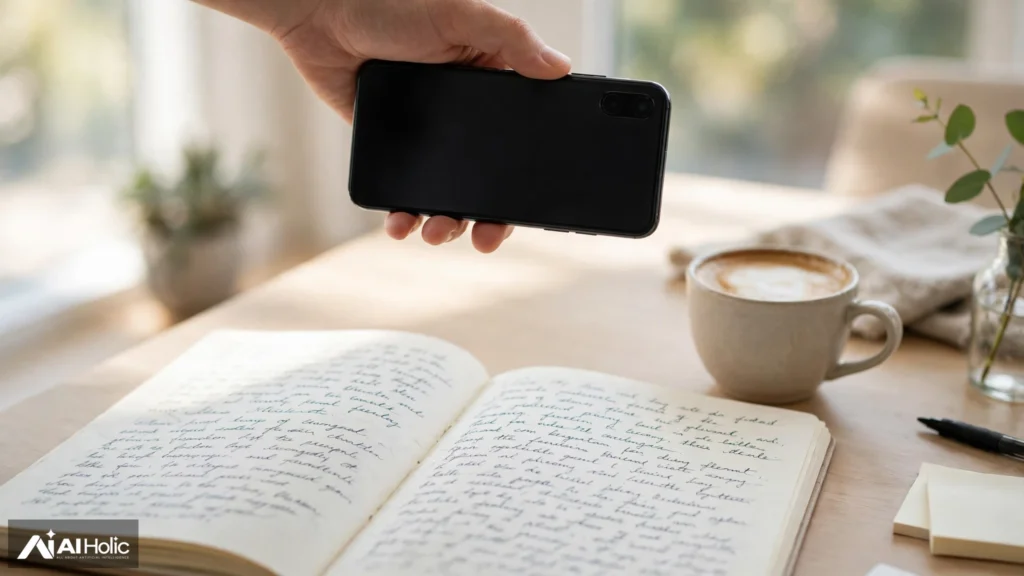
Yes, and this is the fastest way to test it on your own pages. You do not need special software for a clear page. A phone camera and a free chatbot account are enough.
- Photograph the page in bright, even light. Lay it flat, fill the frame, and keep the camera straight above the page. Shadows and tilt cause more errors than bad handwriting.
- Crop the photo to the text and straighten it if the app offers that step. A clean edge helps the model find the lines.
- Upload the photo to ChatGPT, Claude, or Gemini and ask it to transcribe the handwriting exactly, without fixing spelling or adding words. Ask it to mark any word it cannot read with [unclear] instead of guessing.
- Read the result against the photo, line by line. Fix names, dates, and numbers first, because those are the words a wrong guess hurts most.
- For long documents, send one page at a time and keep the same wording in each request. That keeps names and spellings steady across pages.
If you send photos to an AI assistant often, our guide to how to send pictures to an AI assistant covers the upload steps for each app in more detail.
One more tip: ask for a plain transcription, not a summary. A summary hides errors inside smooth sentences. A word-for-word transcription shows you every mistake at a glance.
What AI Still Gets Wrong
AI still fails on the pages that challenge people too. Faded ink, torn paper, and crossed-out lines all cut accuracy. So does writing that mixes print and cursive, or a page where the lines curve around a drawing.
The worst failure is silent. A vision model that cannot read a word often writes a plausible one instead of leaving a blank.
The sentence reads well, so you may never notice the error. That is the honest limit behind the question can ai read cursive: the tool reads well, but it guesses when it cannot see.
Old scripts are a separate problem. Tests from 2025 found a leading model scored under 2 percent character error on modern English handwriting but over 40 percent on a multilingual historical set. The same model can be excellent on your notebook and poor on your great-grandmother’s letters.
Unusual styles also trip the tools. A model trained mostly on one style may do badly on another, and left-handed or back-slanted writing can confuse a reader tuned for the common case. When the writing is hard, test one page first instead of sending a whole box of letters.
Old Cursive and Historical Documents
Old letters are the hardest test for cursive AI, and also the one where it helps most. A letter from the 1800s may use copperplate, secretary hand, or German Kurrent and Sütterlin, scripts few people can read today.
A general chatbot will often return smooth modern text that looks right and quietly replaces hard words with guesses. That is where can ai read cursive stops being a simple yes and becomes a question about which tool you use.
For these pages, use a specialist. Transkribus offers models trained on real documents from the same centuries, and it reads line by line so you can check each word against the original. Handwriting OCR, one dedicated tool, reports that its AI matched an archive’s human transcription of a 1940s wartime letter to within a couple of words.
Historian Mark Humphries tested the general models on 18th- and 19th-century English handwriting in November 2025 and found Gemini 3 Pro made fewer errors than Claude and OpenAI’s models. Even the best general model still modernises old spelling, so keep a specialist in the loop when the exact wording matters.
Start with your best scan. Scan at 300 dpi or higher, in colour, with the page flat and the light even. A phone photo works for a test, but a flat scan gives the specialist model the clean lines it needs for a full archive.
Is Your Handwriting Private?
Think before you upload. A photo of a letter may hold names, addresses, medical details, or family facts. Most chatbot and transcription services process your upload on their servers, and their terms decide how long it is kept and whether it trains future models.
Read the privacy page of any tool before you send sensitive pages. Prefer tools that say plainly that uploads are deleted on a schedule and never used for training. For private family papers, a tool that runs on your own computer, or one with a clear deletion promise, is the safer pick.
Do not upload someone else’s private letters without their permission. The same rule covers medical notes, legal papers, and anything with another person’s personal details. If the page is sensitive, transcribe it yourself or use a local tool.
Frequently Asked Questions
Can AI Read Cursive for Free?
Yes. ChatGPT, Claude, and Gemini all accept photo uploads on their free tiers, and you can transcribe a clear page of cursive in about a minute. Free tiers have usage limits, so a long archive may need several sessions or a specialist tool with a free page allowance.
How Accurate Is AI at Reading Cursive?
On clear modern handwriting, the best models are very accurate. In tests published in 2025, a leading model scored under 2 percent character error on modern English handwriting. Accuracy falls on faded ink, mixed scripts, and historical documents, so always check names, dates, and numbers.
Can AI Read Old Cursive from the 1800s?
It can, but a general chatbot is the wrong tool for old scripts. Use a specialist such as Transkribus, which trains its models on real documents from those centuries and reads line by line. Test one page first and compare the result with the original image.
Why Can’t My Phone Read Cursive with Live Text?
Phone tools such as Apple Live Text and classic OCR were built for printed text. They cut a page into single letters, and cursive has no clean letter boundaries to cut. Vision models and HTR tools read the whole line instead, which is why they succeed where Live Text fails.
Can AI Write in Cursive Too?
AI can describe cursive and produce text that looks like handwriting in an image generator, but that is a different job from reading it. If you want help with writing rather than reading, our guide to AI for writing covers the tools that draft and improve text.
Conclusion
Can ai read cursive? Yes, and for clear modern handwriting the answer is now routine. Start with a free chatbot and a good photo, check every name and number, and move to a specialist tool for old letters.
The words your family wrote by hand are closer to searchable text than they have ever been.