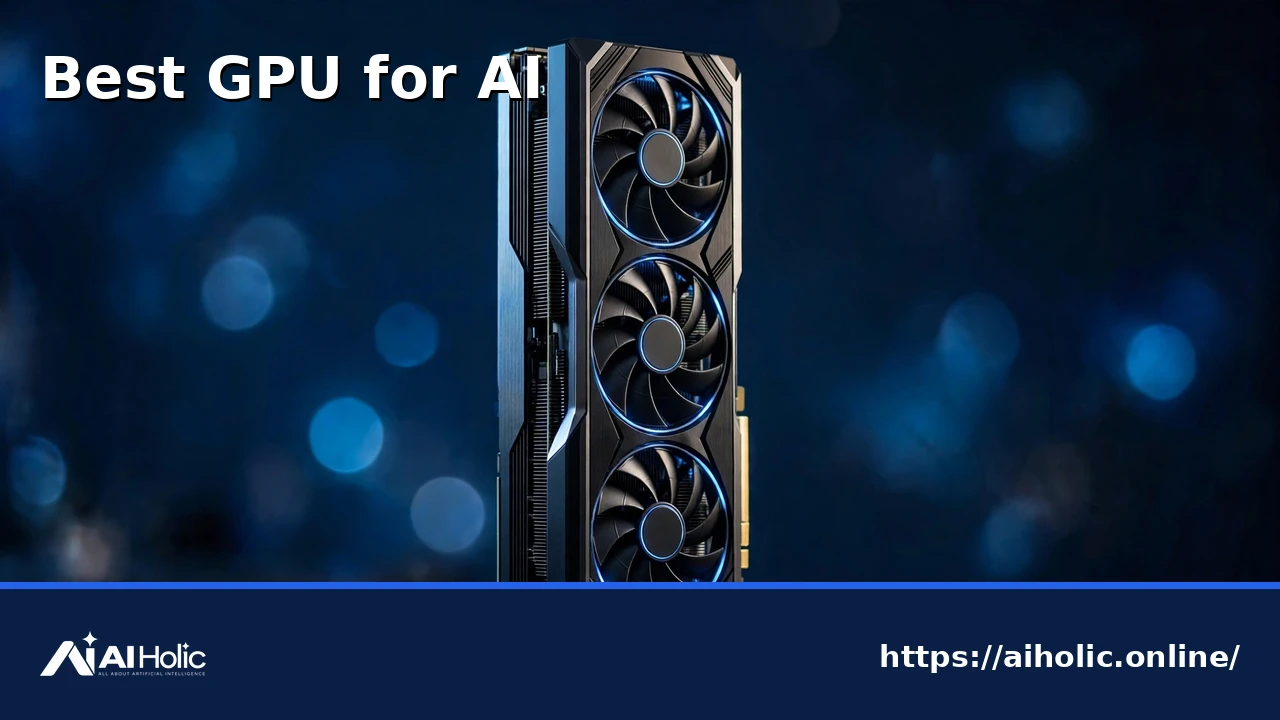
Best GPU for AI: Top Picks for Training, Inference, and Local LLMs
If you don’t want to read the whole guide or have difficulty reading, you can listen to this guide instead.
Best GPU for AI: Top Picks for Training, Inference, and Local LLMs
Picking the best gpu for ai is simpler than the spec sheets make it look. Your model size decides how much memory you need, and your workload decides how much speed matters. This guide from AI Holic cuts through the noise with clear picks for local chatbots, image generation, fine-tuning, and full training runs.
You will find quick picks up front, a plain VRAM guide, budget tiers from entry level to data center, and a short section on GPU clusters for teams that need more than one card. Every card below is a real 2026 option with its memory, bandwidth, and launch price stated plainly. Street prices move fast, so we quote launch prices and tell you where to check current prices instead of guessing.
Quick Picks: The Best GPU for AI at a Glance
The best GPU for AI is the card that fits your workload and your budget, not the one with the biggest number on the box. If you only want the short answer, start here. The table below lists one pick per use case, and the sections after it explain why each card earned its spot.
| Pick | Card | Memory | Launch Price | Best For |
|---|---|---|---|---|
| Best overall | RTX 5090 | 32GB GDDR7 | $1,999 | Fastest consumer card, local LLMs and image models |
| Best value | RTX 4090 | 24GB GDDR6X | $1,599 | Most local AI work at a lower used price |
| Best for most people | RTX 5070 Ti | 16GB GDDR7 | $749 | 14B-class models at a fair price |
| Best budget | RTX 3090 (used) | 24GB GDDR6X | Used market | Same memory as a 4090 for much less |
| Best workstation | RTX PRO 6000 | 96GB GDDR7 ECC | Workstation pricing | 70B fine-tuning on a single card |
| Best for training | H100 | 80GB HBM3 | Data center pricing | The standard training card, usually rented |
Why VRAM Matters Most
A graphics processing unit, or GPU, is a specialized chip built to run many small calculations at the same time. That design suits AI work well, because running a language model means doing millions of simple math steps in parallel. You can read a plain definition of the hardware in the VRAM article on Wikipedia, which explains how video memory works.
VRAM is the memory on the graphics card itself, and it sets a hard limit on what you can run. If the model weights plus the working memory do not fit, the model will not run on the card at all. A slower card with 24GB of VRAM will beat a faster card with 12GB when the model needs 20GB, because the bigger card can load the model and the smaller one cannot.
Memory bandwidth matters next. Bandwidth is how fast data moves between the VRAM and the chip, and it sets how quickly the card can produce tokens.
The RTX 5090 moves data at 1,792 GB/s, which is about 78% more than the RTX 4090 at 1,008 GB/s. That gap is why published benchmarks put the 5090 roughly 30 to 60% ahead on token generation, even when both cards can load the same model.
How Much VRAM Do You Need for AI?
Model size is measured in billions of parameters, written as 7B, 13B, 32B, or 70B. A rough rule is that a model needs about 2GB of VRAM per billion parameters at full 16-bit precision, about 1GB per billion at 8-bit, and about 0.5GB per billion at 4-bit quantization. Quantization shrinks the model by storing each number with fewer bits, which trades a small amount of quality for a large saving in memory.
The table below shows approximate memory needs with room for the runtime and a normal context window. Treat these as planning numbers, not exact measurements, because the framework, context length, and batch size all add overhead.
| Model Size | 16-bit | 8-bit | 4-bit | Fits in 24GB | Fits in 32GB |
|---|---|---|---|---|---|
| 7B to 8B | About 16GB | About 8GB | About 4GB | Yes | Yes |
| 13B to 14B | About 28GB | About 14GB | About 7GB | At 8-bit or 4-bit | At 16-bit or lower |
| 32B | About 64GB | About 32GB | About 16GB | At 4-bit | At 4-bit, with room to spare |
| 70B | About 140GB | About 70GB | About 35GB | No | No |
Most people who run local chatbots use 7B to 32B models, so 16GB to 32GB of VRAM covers nearly all of it. A 70B model at 4-bit needs about 35GB, which no single consumer card holds, so that size calls for a workstation card, two cards, or a rented data center card. If you plan to fine-tune models, add memory headroom, because training stores extra optimizer data on top of the model weights. For image work, our guide to local ai image generators shows which apps and models fit each VRAM tier, from 6 GB cards to 24 GB cards.
How to Pick the Best GPU for AI in Four Steps
Follow these four steps in order, and you will land on the right card without paying for power you will never use. Each step narrows the list, so you only compare cards that fit your real work.
- Name your workload. Local chat, image generation, fine-tuning, or full training each point at a different card.
- Pick your largest model. Write down the biggest model you plan to run, then use the table above to find the VRAM it needs.
- Set your budget. Compare launch prices first, then check current street prices, because street prices move a lot in 2026.
- Check your power and space. A 575W card needs a strong power supply, good airflow, and room in the case.
People who regret a GPU purchase almost always regret buying too little memory, not too little speed. When two cards cost nearly the same, take the one with more VRAM. Speed saves minutes, but memory decides whether the model runs at all.
The Best GPU for AI by Budget
Under $400: Start Small and Learn
The Intel Arc B580 is the most interesting card in this bracket, with 12GB of memory and a launch price near $249. It runs small 7B models well and gives you a cheap way to learn local AI tools. A used RTX 3060 with 12GB is the other common entry point, and its launch price was $329.
Cards in this tier suit learning, small chatbots, and light image work. They will not hold 13B models at full precision, so keep your models small or use 4-bit quantization. If you outgrow the card, you have spent little to find out what you really need.
$500 to $900: The Sweet Spot for Most People
The RTX 5070 Ti with 16GB is our pick for most people, at a launch price of $749. It holds 14B-class models at 4-bit with room to spare and runs 20B-class open models at the same setting. The RTX 5060 Ti with 16GB is the cheaper card in this tier and suits smaller models and lighter image work.
AMD has a real option here too. The RX 9070 XT carries 16GB and runs local models through ROCm, which is AMD’s software path for AI work. It works, but the software path is narrower than CUDA, so check that your tools support it before you buy.
$1,000 to $2,000: Serious Local AI
A used RTX 4090 is the value play in this tier, with 24GB of GDDR6X memory and a mature software ecosystem. It handles 7B to 13B inference with ease and supports fine-tuning of models up to about 30B with 4-bit quantization. Its launch price was $1,599,and used cards now sell for much less than that.
A used RTX 3090 is the budget way to get the same 24GB of memory. It is also the last consumer card with NVLink, the fast link that lets two cards share work, which is why it still shows up on training lists. Buy used cards from a seller you trust, and test the card under load before the return window closes.
$2,000 and Up: The Fastest Consumer Card
The RTX 5090 is the fastest consumer GPU for AI in 2026. Its 32GB of GDDR7 memory at 1,792 GB/s runs 32B models at 4-bit with room for long context windows, and its Blackwell design adds FP4 support for frameworks that use it. It draws 575W, so it needs a 1000W power supply and a case with strong airflow.
The catch is price. The launch price was $1,999, but street prices in 2026 have run well above that, and reports differ widely on what buyers actually pay. Check a live price tracker before you buy, and only pay the premium if your models truly need the extra 8GB over a 4090.
Best GPU for AI Training and Fine-Tuning
For training work, the best GPU for AI depends on your method, because the method sets your memory tier before the card does. QLoRA fine-tuning of 7B to 13B models runs well on a single RTX 4090 or RTX 5090 on your desk.
QLoRA on 34B to 70B models needs one RTX PRO 6000 with 96GB or an A100 with 80GB. Full fine-tuning and enterprise training call for H100 or H200 cards with NVLink, which most teams rent by the hour.
The RTX PRO 6000 is the single-card fine-tuning champion for local work. It pairs 96GB of GDDR7 memory with error correction, which keeps long training runs stable and results repeatable. It costs workstation money, but it fits QLoRA fine-tuning of models up to 70B on one card, which no consumer card can do.
The data center cards follow a clear ladder. The A100 with 80GB is the established, lower-cost option for fine-tuning. The H100 with 80GB of HBM3 is the training standard, and the H200 with 141GB of HBM3e is the upgrade when training is limited by memory rather than compute.
The B200 with 192GB of HBM3e sits at the top for frontier pretraining. These cards use the Hopper and Blackwell architectures, and you can read how the Hopper design is built in the Hopper microarchitecture article on Wikipedia.
Best GPU Clusters for AI Training 2026: When One Card Is Not Enough
A single card has a ceiling, and large training runs hit it fast. When one card is not enough, teams move to GPU clusters, which link many cards with fast networking so they train as one system. The best GPU clusters for AI training 2026 are built on Blackwell and Rubin hardware, with high-bandwidth links between nodes and storage fast enough to feed them.
NVIDIA DGX SuperPOD is the leading cluster design for large-scale training, built for frontier models and enterprise AI factories. Cloud options cover the same ground without buying hardware: Microsoft Azure ND GB300 v6, AWS EC2 UltraClusters, Google Cloud AI Hypercomputer, and Oracle’s Supercluster all offer tens of thousands of GPUs for distributed training. CoreWeave and Lambda are common picks for teams that want dedicated clusters with fast setup.
Scale can get very large. Colossus, the largest single-site AI training setup, launched in September 2024 with 100,000 H100 GPUs.
Most teams will never need that scale, but the lesson still holds: once your model passes about 30B parameters, the cluster becomes the unit of planning, not the card. If you are building a home setup instead of renting cluster time, a ready-made turnkey AI server is a simpler middle step than wiring your own multi-GPU rig.

AMD and Intel Alternatives
NVIDIA leads on software support, because most AI tools are built for CUDA first. AMD is still worth a look if you want more memory per dollar.
The RX 7900 XTX carries 24GB and runs through ROCm, and the RX 9070 XT carries 16GB at a lower price. For data center work, the AMD Instinct MI300X offers 192GB of memory with strong bandwidth for inference-heavy jobs.
Intel is the budget wildcard. The Arc B580 gives you 12GB for near $249 at launch, and the Arc Pro B60 offers 24GB for users who want more memory at a low price.
Intel cards suit learning and light local AI, but check tool support first, because some frameworks still favor NVIDIA. Small devices play a role too: a compact edge AI device like the XOrigin AI Pi Lite shows how far AI hardware has shrunk beyond the desktop.
Should You Rent a GPU or Buy One?
Renting wins when you use a GPU a few days a month, need more memory than any card you can buy, or train a model once and move on. Cloud rental gives you an H100 or B200 by the hour with no hardware to maintain. Buying wins for daily, steady use, because the card pays for itself once your monthly rental bill passes the purchase price.
A simple break-even check is the purchase price divided by the hourly rental rate of the card you would rent instead. If you run local models every day for chat, coding help, and image work, a 24GB or 32GB card is usually the better buy. If your need is one big training run this quarter, rent the cluster and skip the hardware.
Power, Cooling, and Fit: The Checks Buyers Skip
A high-end card is useless if your system cannot feed it or cool it. Check these four points before you order, because each one has sent buyers back to thestore.
- Power supply: A 5090 needs a 1000W unit, while a 4090 needs 850W. Leave headroom above the minimum.
- Case space: Modern flagship cards are long and thick. Measure your case before you buy.
- Airflow: A 575W card turns your case into a heater. Keep intake and exhaust clear.
- Noise: Small cards with one fan run louder under load than large cards with three fans.
If a full-size card will not fit your case, a small card can still add on-device AI to a mini PC or laptop through an M.2 slot, as explained in our guide to the m.2 ai accelerator.
AI hardware now reaches beyond the PC as well. Cameras with on-device AI, such as the Amcrest AI camera, show that the same kind of processing runs in small devices all over a home or office. Your GPU choice is one part of a much wider hardware picture.
If you want AI power in a box that fits behind a monitor, our guide to msi’s cubi nuc ai 3mg covers the Panther Lake mini PC, its 50-TOPS NPU, and its prices.
Frequently Asked Questions
What is the best GPU for AI in 2026?
It depends on your workload. The RTX 5090 with 32GB is the fastest consumer card and the best pick for large local models.
The RTX 4090 with 24GB is the best value for most sub-30B work. For training, the H100 is the standard card, and for fine-tuning a 70B model on one card, the RTX PRO 6000 with 96GBis the pick.
How much VRAM do I need for AI?
For small 7B chat models, 12GB is enough. For 13B to 14B models, aim for 16GB.
For 32B models at 4-bit quantization, you need 24GB, and 32GB gives you room for longer context. For 70B models, you need a workstation or data center card, because no consumer card holds that much memory.
Is the RTX 4090 still good for AI in 2026?
Yes. The RTX 4090 remains one of the most capable AI GPUs you can buy, with 24GB of memory and a mature software ecosystem.
It runs 7B to 13B inference with ease and fine-tunes models up to about 30B with 4-bit quantization. Used cards now sell for much less than the $1,599 launch price, which makes it the value pick.
Can AMD GPUs run AI models?
Yes, through ROCm, which is AMD’s software path for AI work. The RX 7900 XTX with 24GB and the RX 9070 XT with 16GB both run local models.
The software path is narrower than CUDA, so some tools may run slower or need extra setup. Check that your tools support ROCm beforeyou buy.
Should I rent a GPU or buy one?
Rent if you train rarely, need more memory than any card you can buy, or only need a GPU for a few days. Buy if you run models every day, because a 24GB or 32GB card pays for itself once your monthly rental bill passes the purchase price. Most home users who run local AI daily are better off buying.
Conclusion
The best GPU for AI is the one that fits your models and your budget. Start with VRAM, match the card to your workload, and buy only as much card as you will use every week.
If you run models daily, a 24GB or 32GB card pays for itself in time saved. If you train once in a while, rent a data center card instead.