MSI’s Cubi NUC AI 3MG: A Tiny Panther Lake Mini PC With Real AI Power
If you don’t want to read the whole guide or have difficulty reading, you can listen to this guide instead.
If you need a full Windows PC that hides behind a monitor, MSI’s Cubi NUC AI 3MG is worth a close look. It is a 0.51-liter mini PC with Intel Panther Lake chips, a built-in AI accelerator, and room for four 4K screens. It sips power, stays quiet, and lets you add your own memory later.
At AI Holic, we read the official spec sheets and the hands-on reviews from Notebookcheck, Tom’s Hardware, ITPro, ETA PRIME, and Level1Techs. This guide gives you the specs, the test scores, the prices, and an honest verdict on who should buy it.
You will also learn how it compares with last year’s 2MG model, what it costs in each setup, and where its small size forces a trade-off.
What Is MSI’s Cubi NUC AI 3MG?
MSI’s Cubi NUC AI 3MG is a small business mini PC from MSI, built around Intel’s Panther Lake chips. Its official model name is Cubi NUC AI+ 3MG, and the plus sign marks the AI hardware inside. It runs full Windows 11, so it works like any desktop, only much smaller.
The box measures 119.6 by 115.2 by 37.5 mm and weighs 552 grams, which Notebookcheck confirmed in its review. That is about half the size of last year’s model. A VESA bracket ships in the box, so you can bolt it to the back of a monitor and forget it is there.
It is aimed at offices, shops, and meeting rooms that want a quiet PC with local AI features. It is not a gaming rig, and MSI does not sell it as one. Think of it as a work PC that happens to be tiny.
Key Specs at a Glance
| Detail | What You Get |
|---|---|
| Processor | Up to Intel Core Ultra 9 386H, 16 cores, up to 4.9 GHz |
| AI hardware | Intel AI Boost NPU, up to 50 TOPS, platform up to 100 TOPS |
| Memory | 2x DDR5 SO-DIMM slots, up to 128 GB (MSI US sheet says 96 GB) |
| Storage | 1x M.2 2280 PCIe Gen4 NVMe SSD slot |
| Graphics | Integrated Intel Graphics, 4 Xe3 cores (2 on Core Ultra 5) |
| Displays | 2x HDMI 2.1 plus 2x Thunderbolt 4, up to four 4K screens |
| Networking | Wi-Fi 7, Bluetooth 5.4, dual 2.5GbE Ethernet |
| Size and weight | 0.51 liters, 119.6 x 115.2 x 37.5 mm, 552 g |
| Power | 120 W adapter, 6 to 16 W in office use |
| Operating system | Windows 11 Home or Pro, barebone has no OS |
Three chips are on offer. The top chip is the Core Ultra 9 386H, with 16 cores and 16 threads.
The Core Ultra 7 355 has 8 cores, and the Core Ultra 5 322 has 6 cores. All three run at a 25 W TDP on the MSI spec sheets, which is why the box can stay so small and quiet.
Design and Size: A 0.51-Liter Box
The 3MG is smaller than a paperback book. At 0.51 liters, it holds about half the volume of the 2MG model it replaces. You can stand it on a desk, tuck it behind a screen, or mount it with the VESA bracket that comes in the box.
The case is plain black plastic with a simple front. The power button sits on the front and holds a fingerprint reader, so you can sign in with your thumb. Tom’s Hardware found that reader hit and miss in its test, so do not count on it as your only sign-in method.
The box ships with a 120 W power adapter, the VESA bracket, and an external power button on a cable. That cable button lets you switch the PC on even when the box is hidden behind a monitor. Level1Techs also pointed out a thumbscrew that locks the power cable in place, plus a Kensington slot that locks the bottom door.
MSI Power Link is a small but handy feature. It lets a supported MSI monitor switch the PC on and off over HDMI. That matters in meeting rooms and shops, where staff should not have to reach behind a screen to find a button.
Processor and AI Power: Panther Lake and the NPU
Panther Lake is the code name for Intel Core Ultra Series 3, built on Intel’s 18A process. The top chip, the Core Ultra 9 386H, has 16 cores split into four performance cores, eight efficient cores, and four low-power efficient cores. It boosts up to 4.9 GHz, and its PassMark CPU Mark sits near 36,000 on the StarryHope chart.
The AI story is the neural processing unit, or NPU. Intel calls it AI Boost, and it is rated at up to 50 TOPS on the 386H, 49 TOPS on the 355, and 46 TOPS on the 322. That clears the 40-TOPS bar Microsoft sets for Copilot+ PCs, so on-device AI features can run locally instead of in the cloud.
The whole platform reaches up to 100 TOPS when you count the CPU, GPU, and NPU together, a figure ETA PRIME reported in its hands-on test. In plain terms, the NPU handles steady AI jobs like live translation and background blur, while the CPU and GPU stay free for your apps. If you want to run small AI models on your own machine, our guide to checking a laptop for AI model hosting covers the same question for portable machines.
MSI ships the box with Windows 11 and its MSI Center software. The software offers hardware monitoring, power modes, and AI tools such as real-time live translation. That fits the target buyer: a global team that meets across languages and wants those features on the device, not on a server.
Memory and Storage: Upgradeable at Last
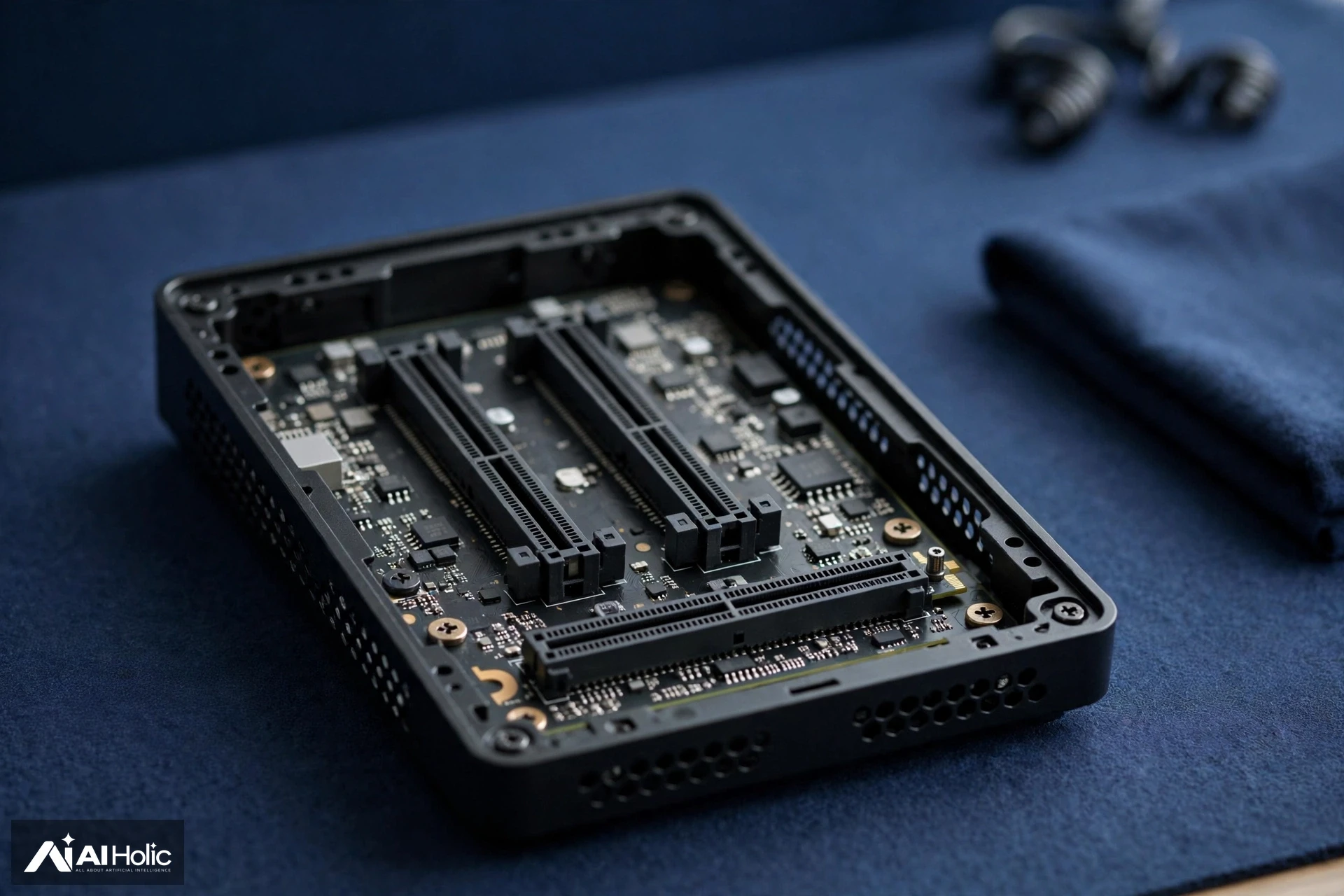
This is the biggest fix over last year’s model. MSI’s Cubi NUC AI 3MG takes two standard DDR5 SO-DIMM sticks behind a tool-less bottom panel, so you can add memory yourself with no tools. Last year’s 2MG had its memory soldered in place, which meant you were stuck with what you bought.
MSI and Notebookcheck give a 128 GB maximum, though the MSI US spec sheet says 96 GB. Treat 96 GB as the safe number until you check your exact SKU.
Retail setups ship with 16 GB, which is the first thing to upgrade on the 16-core model. Three barebone SKUs ship with no memory, storage, or operating system at all.
Storage is the weak spot. There is a single M.2 2280 slot for a PCIe Gen4 NVMe SSD, and no room for a second drive.
The slot sits under a copper thermal pad, which helps the drive stay cool. If you need lots of local storage, plan on an external drive or a network share from day one.
Level1Techs found the bottom panel easy to open and called the upkeep absurdly easy. The Wi-Fi card also sits in its own M.2 2230 slot, so you can swap it later. For an office PC, that kind of access is worth more than raw speed.
Ports and Displays: Four 4K Screens
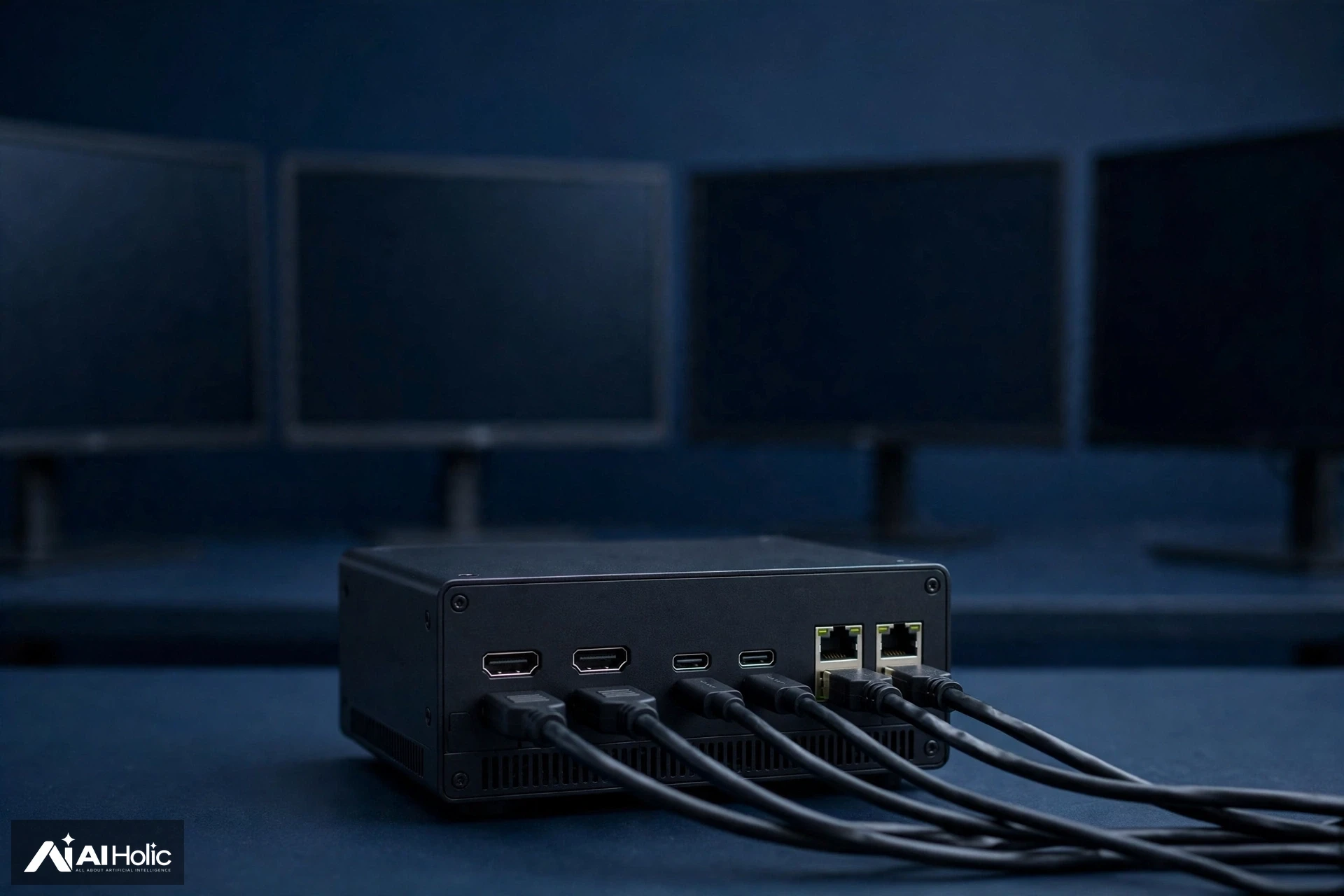
The front carries a USB 2.0 Type-A port, a 10 Gbps USB Type-A port, a 10 Gbps USB-C port, and the power button with its fingerprint reader. The rear holds two Thunderbolt 4 ports, two HDMI 2.1 outputs, two 2.5GbE Ethernet jacks, and the DC power input. Each Thunderbolt port also carries DisplayPort 1.4, so the box drives four 4K displays at 60 Hz at once.
Networking is strong for a box this size. Dual 2.5GbE Ethernet runs through two Intel controllers, and Wi-Fi 7 and Bluetooth 5.4 cover wireless. One Thunderbolt port can even take power in, rated up to 98 W, so a USB-C monitor can feed the box in some setups.
Check your monitor’s specs before you count on that.
The gaps are real, and every reviewer named them. There is no 3.5 mm audio jack, no SD card reader, and no speaker.
There are only two USB-A ports, and both sit on the front. Tom’s Hardware called the port choice slightly stingy, and ITPro read the lean layout as a sign that MSI expects the box to sit next to a dock or a USB-C monitor.
For a meeting room or a desk with a good monitor, that trade works. For a desk full of USB gear and wired headsets, budget for a small USB hub or a dock. The hub costs little, but it is a cost you should know about before you buy.
Power Use and Noise: Quiet by Design
Low power is one of the best reasons to pick this box. ETA PRIME measured 6 W at idle in low-power mode and 7 W in performance mode.
Office work averaged about 14 W in low-power mode and 16 W in performance mode. That is far less than a normal desktop, and it means the box can run all day without heating a room.
Under a heavy load, the draw rises. Level1Techs measured about 50.8 W during a Cinebench run, with the chip holding that level across all cores. That is still modest next to a desktop CPU, and it explains why the small fan rarely has to work hard.
Noise is low too. Level1Techs measured 27 to 28 dB, close to the background noise in the room, and said it was hard to make the box louder than the air conditioning.
Tom’s Hardware called it a quiet mini PC, and ITPro said it is never too noisy even under a heavy load. Three separate reviews agree on this point, which is rare.
The low power and low noise make the 3MG a good fit for always-on jobs. It can sit in a shop, a clinic front desk, or a meeting room and run from morning to night. Just keep the vents clear, since a box this small has little room for dust to go.
How Fast Is It in Real Tests?
Reviewers ran MSI’s Cubi NUC AI 3MG with the Core Ultra 9 386H chip through the usual tests, and the scores tell a clear story. Single-core speed is strong, multi-core speed is held back by the small case, and graphics are fine for light work only. These are reviewer figures, not our own lab tests.
| Test | Score on the 386H Model | Who Measured It |
|---|---|---|
| Geekbench 6 multi-core | 16,968 (2,917 single-core) | ETA PRIME |
| Cinebench R24 | 1,006 multi-core (111 single-core) | ETA PRIME |
| 3DMark Time Spy | 3,108 | ETA PRIME |
| Shadow of the Tomb Raider, 1080p low | 62 FPS average | Level1Techs |
| Cinebench power draw | About 50.8 W sustained | Level1Techs |
| Memory bandwidth (AIDA64) | 82 GB/s | Level1Techs |
The multi-core scores sit below what the same chip reaches in a laptop. Notebookcheck found the same pattern, and its review lists below-average CPU speed for a Core Ultra 9 machine as a drawback. The cause is heat: a 0.51-liter case cannot shed heat like a laptop, so the chip runs at modest power limits to stay quiet.
Graphics follow the same pattern. The built-in Intel Graphics has four Xe3 cores on the 386H and the 355, and two on the 322. ETA PRIME found Cyberpunk 2077 at medium settings averaged over 80 FPS, but only with XeSS multi-frame generation switched on, which builds extra frames in software.
Level1Techs got 62 FPS in Shadow of the Tomb Raider at 1080p on low settings. If you want to compare dedicated graphics cards with this kind of built-in graphics, our guide to the best GPU for AI explains when a separate card is worth the money.
For office work, the scores are more than enough. Web apps, documents, video calls, and four screens all run well within what this chip offers. The speed limit only shows up in long renders, big compiles, and heavy games, which are not what this box is for.
3MG vs 2MG: What Changed
The 3MG replaces last year’s Cubi NUC AI+ 2MG, and the changes go beyond the chip. The box is nearly half the size, the memory is now upgradeable, and the port mix favors screens over USB-A. Here is the direct comparison from Notebookcheck.
| Detail | Cubi NUC AI+ 3MG | Cubi NUC AI+ 2MG |
|---|---|---|
| Processor | Core Ultra 9 386H (Panther Lake) | Core Ultra 7 258V (Lunar Lake) |
| Multi-thread speed | Up to 60% faster | Baseline |
| Memory | Up to 128 GB, 2x SO-DIMM, removable | Up to 32 GB, soldered |
| Size | 37.5 x 119.6 x 115.2 mm | 50.1 x 135.6 x 132.5 mm |
| Weight | 552 g | 669 g |
| Ports | 2x USB-A, 3x USB-C, 2x HDMI 2.1 | 4x USB-A, 2x USB-C, 1x HDMI 2.1 |
| Extras lost | No audio jack, no card reader | Had microSD reader and audio jack |
Notebookcheck called the 3MG a big step forward over the 2MG, and the memory change alone justifies that view. A buyer who picks 16 GB today can add more later, instead of replacing the whole box. That was not possible with the 2MG.
The trade is the port mix. The 2MG gave you four USB-A ports, a card reader, and an audio jack. The 3MG gives you more screens and more USB-C, but drops those extras.
If you own a 2MG and your work fits it, there is no rush to switch. If you need more memory or more screens, the 3MG is the clear upgrade.
Prices and Configurations: What You Actually Pay
MSI’s Cubi NUC AI 3MG comes in nine setups, from a barebone box to a full Core Ultra 9 system. The list prices below come from StarryHope’s chart of October 2026, and prices change often, so check the seller’s page before you pay.
The barebone boxes are the cheapest way in. The Core Ultra 5 322 barebone lists at $469, the Core Ultra 7 355 at $639, and the Core Ultra 9 386H at $709. Barebone means no memory, no storage, and no Windows, so the real cost lands well over $1,000 once you add parts and a license.
Full systems with 16 GB of memory and a 1 TB SSD list from $969 for the Core Ultra 5 with Windows 11 Home, up to $1,419 for the Core Ultra 9 with Windows 11 Pro. The Pro setups cost about $150 more than the matching Home setup, and the three-year advanced replacement warranty applies to the Pro and barebone SKUs. Home SKUs carry a one-year warranty, according to StarryHope.
For most buyers, the Core Ultra 7 setup is the sweet spot. It costs less than the Ultra 9, keeps the same four Xe3 graphics cores, and still clears the Copilot+ NPU bar at 49 TOPS. Pick the Ultra 9 only if your work uses all 16 cores, and pick the barebone only if you already own memory, storage, and a Windows license.
Who Should Buy It, and Who Should Skip It
Buy MSI’s Cubi NUC AI 3MG if you want a silent, low-power office PC with local AI features. It fits a front desk, a meeting room, a shop counter, or a home office where a tower would be in the way. It also fits buyers who want to run small AI models on their own machine without sending data to the cloud.
Buy it if you value upgrades. The tool-less panel, the removable memory, and the swappable Wi-Fi card mean the box can grow with you. Small AI devices come in many shapes, and the Xorigin AI Pi Lite shows the pocket-size end of the same idea, while this MSI box is the full Windows desktop end.
Skip it if you need strong graphics. The built-in graphics handle video, light photo work, and older games, but not modern games at high settings or heavy 3D work.
Skip it too if you need lots of USB-A ports, an audio jack, or two SSD slots. Those buyers should look at a bigger mini PC or a small desktop tower instead.
Skip it if the barebone price fools you. A $469 barebone is not a $469 PC.
Add memory, storage, and Windows, and the total passes $1,000. Compare the full system price, not the barebone tag, before you decide.
What Reviewers Say
Notebookcheck gave MSI’s Cubi NUC AI 3MG a 77% score and called it a big step forward over last year’s model. Its reviewer liked the speed gain, the smaller size, and the removable memory, but listed the missing card reader and audio jack, the fewer USB-A ports, and the single SSD slot as drawbacks. It also noted higher core temperatures than the 2MG and a short external power switch cable, about 47 cm.
Tom’s Hardware scored it 3.5 out of 5 in July 2026. Its reviewer praised the compact design, the easy RAM and SSD access, the low power use, and the quiet running.
The complaints were the price, the port selection, the integrated graphics, and the fingerprint reader. It also warned that smaller brands offer better value with stronger chips and more generous memory at similar prices.
ITPro scored it 4 out of 5 in September 2026 and called it a great example of a well-built mini PC. Its verdict was that sensible power limits pack real ability into a tiny, quiet box, and the only real letdown is that you cannot squeeze every last drop of speed from the chip. Its listed drawbacks were the price and the limited cooling.
ETA PRIME and Level1Techs were warmer. ETA PRIME called it a solid mini PC for the office or even personal use, after its day of testing.
Level1Techs liked the power efficiency most and said Panther Lake is a good fit for laptops and mini PCs. Both agreed the box is quiet, efficient, and quick enough for its intended work.
Frequently Asked Questions
Is MSI’s Cubi NUC AI 3MG a Copilot+ PC?
Yes. MSI markets it as a Copilot+ PC, and its NPU clears the 40-TOPS bar Microsoft sets for that label.
The Core Ultra 9 386H NPU is rated at up to 50 TOPS, with 49 TOPS on the Core Ultra 7 355 and 46 TOPS on the Core Ultra 5 322. That means on-device AI features can run locally.
Can you upgrade the RAM and SSD?
Yes, the memory in MSI’s Cubi NUC AI 3MG is upgradeable. Two DDR5 SO-DIMM slots sit behind a tool-less bottom panel, with a maximum of 128 GB per MSI and Notebookcheck, though the MSI US sheet says 96 GB. The SSD is also swappable, but there is only one M.2 2280 slot, so you cannot add a second internal drive.
How many monitors can it drive?
It drives up to four 4K displays at once. Two HDMI 2.1 ports and two Thunderbolt 4 ports each feed a screen, with DisplayPort 1.4 over Thunderbolt at up to 4K 60 Hz. That makes it a good pick for a trading desk, a control room, or a multi-screen office setup.
Can it play games?
It plays light and older games, but it is not a gaming PC. Level1Techs measured 62 FPS in Shadow of the Tomb Raider at 1080p on low settings, and ETA PRIME needed frame generation to push Cyberpunk 2077 past 80 FPS at medium settings. If games matter to you, look at a machine with a dedicated graphics card.
Does it have Wi-Fi 7 and Bluetooth 5.4?
Yes. The spec sheets list Wi-Fi 7 and Bluetooth 5.4, and the Wi-Fi card sits in a replaceable M.2 2230 slot.
It also has dual 2.5GbE Ethernet ports for wired networks. Note that some early write-ups wrongly list Bluetooth 6, but the official spec sheets say 5.4.
Is it good for AI work?
It is good for light, local AI work. The NPU runs steady AI jobs like live translation, background blur, and small on-device models without using the cloud.
It is not a machine for training large models or running heavy local LLMs all day. For that kind of work, you need a stronger GPU and far more memory.
Conclusion
MSI’s Cubi NUC AI 3MG is a tiny, quiet, low-power work PC with real local AI hardware and room for four screens. Its upgradeable memory is the big win, while the missing audio jack and single SSD slot are the real costs. If that trade fits your desk, it is a strong buy.