AI in Music Education: How Teachers and Students Use It in 2026
If you don’t want to read the whole guide or have difficulty reading, you can listen to this guide instead.
A student plays a scale and hears at once which notes were flat, and a teacher gets a first draft of a lesson plan in a minute. That is what ai in music education looks like in a real classroom. It is software that listens, gives feedback, and helps with the planning work around teaching.
At AI Holic, we read the guides that rank for this topic and the recent research reviews behind them. The guides agree on the tools and the uses. They also agree that the evidence is still thin, and that the teacher stays in charge.
You will learn the four main uses, the tools teachers name most, the privacy and fairness questions to ask first, and a four-week plan to start small. You will know what to try, what to skip, and what to check before you trust a tool with student work.
The Short Answer: What AI in Music Education Means
In simple terms, ai in music education means software that helps people teach and learn music. It listens to a performance and points out pitch or timing slips, and it builds practice drills that fit one student. It drafts lesson plans and writes new backing tracks.
A 2026 review in the journal Systematic Innovation looked at 75 sources published between January 2021 and July 2026. It found the strongest uses are ones a teacher guides, and that direct, long-term proof of learning gains is still scarce.
That is the honest state of the field. The tools help, but they do not replace the teacher.
Our guide on AI in education covers the wider picture across subjects. This guide stays with music: practice, ear training, composing, and planning.
| Main use | What it does | Who it helps most |
|---|---|---|
| Practice feedback | Listens while a student plays and scores pitch and rhythm at once | Instrumental and vocal students |
| Ear training | Turns interval, chord, and rhythm drills into adaptive games | Beginners through college students |
| Composing | Turns a short idea or prompt into a full track to study and change | Students new to writing music |
| Lesson planning | Drafts plans, worksheets, and listening questions in minutes | Busy classroom teachers |
Four Ways Teachers Use It
A 2026 survey in the journal Transactions on Artificial Intelligence sorts ai in music education into four areas: learning and practice, assessment, creation, and teaching. That split is a useful map. Most tools you meet will sit in one of those four areas.
Learning and practice covers apps that listen while a student plays. Assessment covers tools that score a performance and track progress.
Creation covers tools that help students write songs. Teaching covers planning, worksheets, and admin help.
Music education as a field has long mixed methods like Kodály, Orff, and Suzuki, each with its own view of how children learn music. The music education reference on Wikipedia explains those methods and their history.
AI tools sit on top of that older craft. They do not replace it.
Practice Feedback That Listens
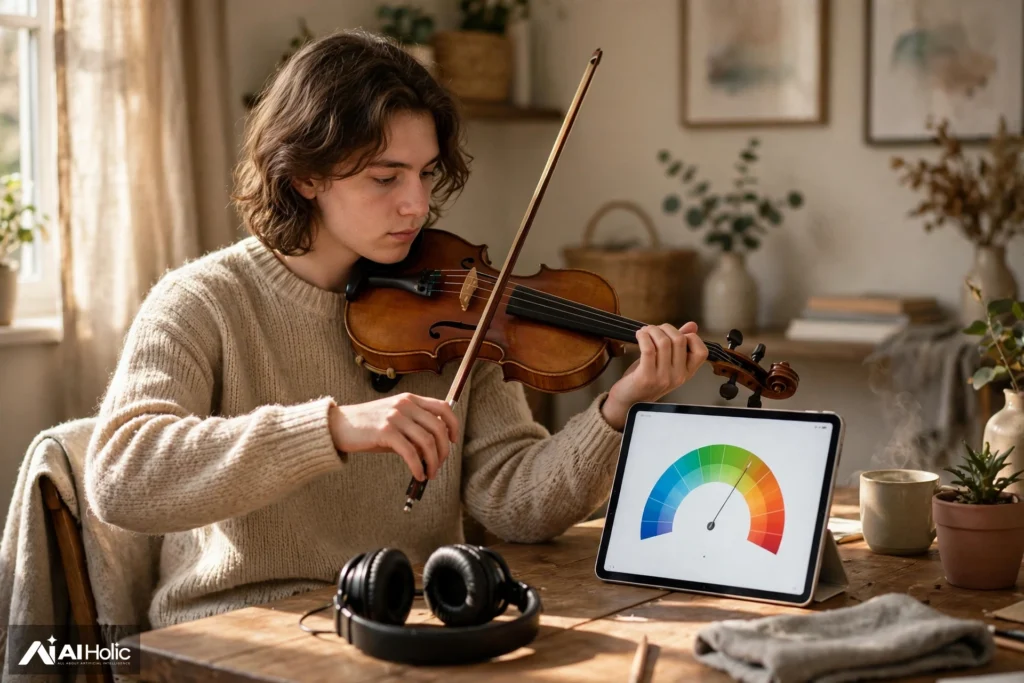
Practice is where ai in music education shows its clearest value. An app listens through a microphone, checks pitch and rhythm, and scores the take at once. The student sees what slipped and tries again while the note is still fresh.
Yousician is the example teachers name most. It listens as students sing or play, scores pitch, rhythm and timing, and adjusts the difficulty as they improve. That makes it useful for practice between lessons, when no teacher is in the room.
For ensembles, the same idea scales up. The edCircuit guide on high school programs describes AI tools that check tone, rhythm, intonation and balance as students play, and show directors where timing breaks down across measures. A director can then plan a sectional around one real problem instead of guessing.
Feedback has a limit. A score tells you a note was flat, but it does not tell you why the student went flat or how the phrase should feel. That judgment still belongs to the teacher and the student together.
Ear Training and Music Theory
Ear training is the second strong use of ai in music education. Apps turn interval and chord drills into games that adapt to the student.
A student who nails major thirds moves on, while a student who mixes up minor and major gets more of those pairs.
ToneGym is the tool named most in teacher guides. It turns ear training into games like Interval Barks, where students name intervals by ear, and Chordelius, which trains chord recognition. The games adapt to skill level, so the same app works for a beginner and a senior.
Auralia is the other name that comes up often. It is used from middle school through college programs, tracks each student over time, and points to the areas that need work. Its drills cover melodic dictation, chord progressions, and rhythmic transcription. Once students can hear intervals and chords, the next step is naming the style of a whole track, and an ai music style finder shows how a tool reads a song and returns its genre, mood, and tempo.
For younger students, Chrome Music Lab offers a gentler start. Its Song Maker lets children build melodies by placing colored blocks on a grid, with no notation skills needed. Our guide on AI learning apps for kids covers more tools built for young learners.
Composition and Creativity
Composing is where ai in music education feels most open to beginners. It used to need notation skills before a student could hear an idea. Now a student can hum a tune, type a short prompt, or tap out a rhythm and hear a full track back in seconds.
Soundtrap for Education is the classroom pick most guides name. It is a cloud-based program where students record, arrange and work on songs together. Its AI features include beat matching and loop suggestions, which help a group shape a song without starting from silence.
Suno takes a short written description and returns a full song with lyrics, melody and instruments. Boomy builds full songs in set styles with a few clicks and lets students change the instruments or the structure. Both are good for class demos and for studying how lyrics and mood shape a song. AI singing voices are part of the same shift, as explained in is teto ai.
The best classroom use is to work in reverse. Let the tool make a song, then ask the class to take it apart: what is the form, where does the chorus land, why does the bridge feel different. That turns a generated track into a real lesson in form and structure.
One rule matters here. A generated song is a starting point, not a finished piece.
Students should change it, add their own parts, and say what they changed and why. That is where the learning sits.
Lesson Planning and Admin Help
Lesson planning is the quiet workhorse of ai in music education. A chatbot can draft a lesson plan, build a worksheet, or write a set of listening questions in a minute. The teacher then edits the draft with real knowledge of the class.
Teacher guides suggest asking for a plan tied to a real standard. The National Core Arts Standards from 2014 organize music learning around three processes: Creating, Performing, and Responding. A plan that names one of those processes is easier to check and easier to fix.
Yamaha’s teacher guide describes this exact use. A band director used a chatbot to plan a marching band show theme and to design a new Modern Band course, treating the answers as a suggestion board rather than a final plan. The same habit works for worksheets and quiz questions.
Admin help goes further. The same tools can draft a parent email, summarize a rehearsal plan, or turn a set of notes into a practice sheet. For more on chatbots in school life, see our guide on the school AI chatbot.
Privacy, Fairness, and Student Work
AI tools in a classroom raise questions that a home user never faces. A practice app records a child playing, and a planning tool may store a class list.
A generated song raises a question about who owns it. Ask these questions before you adopt a tool, not after.
Check what the tool stores and for how long. Prefer tools that work without an account, or that let a school account control the data. Avoid pasting names, grades, or personal details into a free chatbot that keeps what you type.
Fairness matters too. The National Association for Music Education warns that AI in music education must be transparent, fair, and sound in teaching terms.
Some tools are trained mostly on Western music, so they may score other traditions badly. Test a tool with the music your students actually play.
Copyright is the third question. A song a student makes with an AI tool may belong to the student, the tool, or no one, and the answer differs by tool and by country. Read the tool’s terms, keep the student’s own parts clear, and treat AI output as raw material rather than a finished work.
The wider field of artificial intelligence in education faces the same questions about data, cheating, and fairness. The music room is not a special case. It needs the same care as any other classroom.
Common Mistakes to Avoid
- Letting the score replace the teacher. A green score is not a musical judgment, and a red score is not a verdict on a student. Use the number, then listen yourself.
- Trusting AI output without checking it. A chatbot can invent a fact about a composer or a wrong chord in a worksheet. Read every draft before it reaches students.
- Using one tool for every job. A practice app is not a lesson planner, and a song generator is not an ear trainer. Pick the tool that fits the job.
- Pasting student names or recordings into a tool with unclear data rules. If you cannot find the privacy policy, do not upload the recording.
- Expecting proof that does not exist yet. The research reviews are clear that long-term evidence is thin. Judge a tool by what your own students do with it.
How to Start in Four Weeks
Start small. One tool, one class, four weeks. That is enough to learn what helps and what gets in the way.
| Week | Step | Time needed |
|---|---|---|
| Week 1 | Pick one tool for one job, such as practice feedback or ear training | One hour to test it yourself |
| Week 2 | Try it with one class or a small group of students | One lesson |
| Week 3 | Ask students what helped and what annoyed them, and read the privacy terms | Thirty minutes |
| Week 4 | Keep it, change it, or drop it, and write down what you learned | Thirty minutes |
After four weeks, keep what worked and drop what did not. Share the results with one colleague. A small pilot that you can describe beats a big rollout that you cannot explain.
Frequently Asked Questions
Is AI in Music Education Replacing Teachers?
No. The evidence so far says ai in music education works best when a teacher guides it. A 2026 review found the strongest uses are teacher-led, and that proof of learning gains is still thin.
AI can listen, score, and draft, but it cannot hear why a phrase moved a room, or know which student needs a kind word after a bad take. Treat it as an assistant that handles routine work while you teach.
Which AI Music Tool Should a Teacher Try First?
Start with the job, not the tool. For practice feedback, try Yousician. For ear training games, try ToneGym.
For composing with younger students, try Chrome Music Lab Song Maker. For lesson planning, try a general chatbot with a clear prompt.
Pick one, use it for two weeks, and judge it by whether students play more and better, not by how new it feels.
Can Students Use AI to Compose Their Own Songs?
Yes, and it works best as a class activity. Tools like Soundtrap for Education, Suno, and Boomy can turn a short idea into a full track in seconds.
Let students change the result, add their own parts, and explain their choices. Check the tool’s terms first, since ownership of AI-made songs differs by tool.
Is It Safe to Upload Student Recordings to AI Tools?
It depends on the tool, so check before you upload. Read the privacy policy and the terms, and prefer tools that work without an account or that your school controls.
Never upload a recording with a student’s full name attached, and avoid free tools that keep what you paste. When in doubt, ask your school’s data lead first.
Does AI Work for Young Children and Beginners?
Yes, with the right tool. Chrome Music Lab Song Maker lets young children build melodies by placing colored blocks, with no notation needed.
ToneGym games suit older beginners who can read simple intervals. Keep sessions short, keep the teacher in the loop, and treat the tool as a game that supports the lesson, not as the lesson itself.
Conclusion
ai in music education already helps with practice feedback, ear training, composing, and planning. The evidence is young, so start with one tool, keep the teacher in charge, and check privacy terms first. Try a small pilot this month and keep what your students truly use.